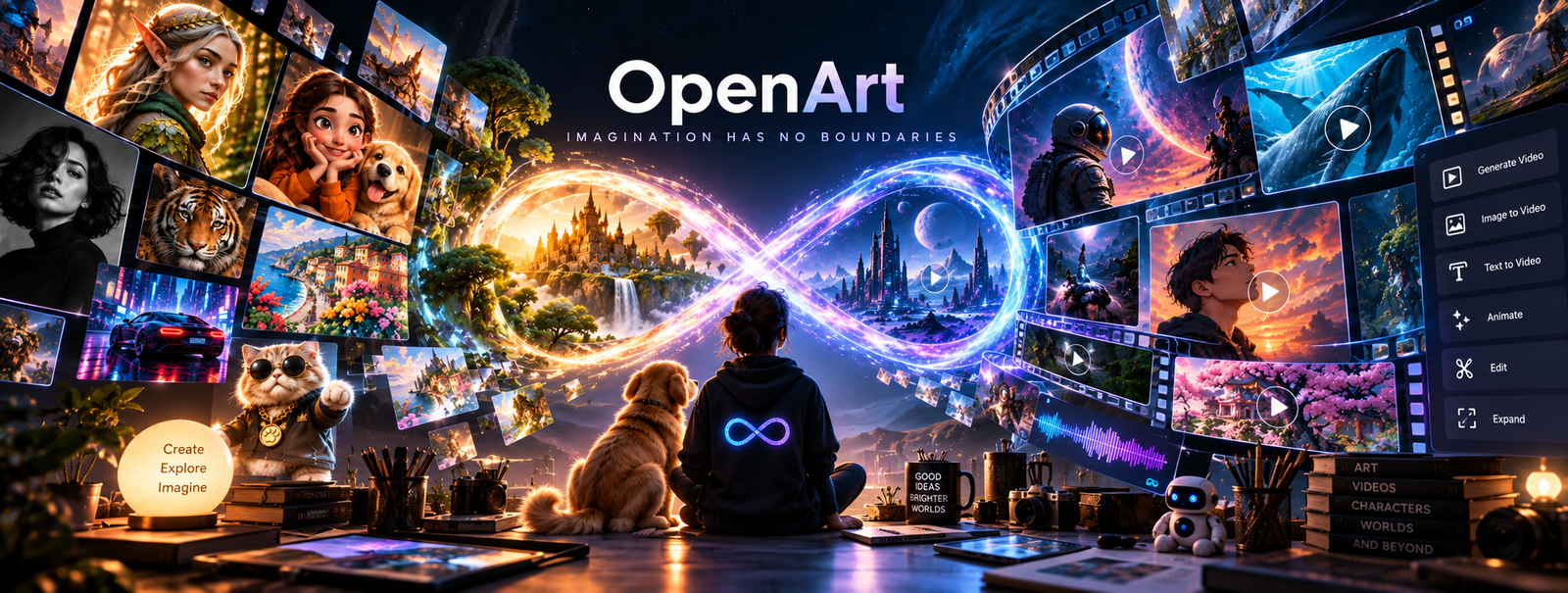
Official OpenArt AI brand artwork, not a screenshot from our testing.
OpenArt AI is a workspace, not a single model: access to 100+ existing image and video models, plus tools built on top for character consistency, avatars, and multi-scene video.
What is OpenArt AI? A browser-based platform for generating images and video with AI. Instead of one model, it gives you access to over 100 existing models: FLUX, GPT Image, Stable Diffusion, Kling, and others.
It layers its own tools on top for character consistency, avatars, and multi-scene video. No installation, no Discord: everything runs in your browser. The value comes from not jumping between ten separate tools to get one job done.
Image quality on OpenArt AI depends entirely on which of the 100+ models you pick. Any aggregator has that problem. What separates OpenArt AI is the layer of tools built on top of those models. Four stand out:
Character Builder. Build a character once (guided flow, a reference photo, or a text prompt), then reuse it across as many separate images as you generate afterward. Consistency holds up well for still images in our own testing. Video is a different story (more on that below).
AI Avatar Video Generator. Turns a photo or text prompt into a talking avatar, lip-synced to any script you give it.
Smart Shot / AI Movie Maker. Actual multi-scene video. Smart Shot builds a 10-20 second sequence out of 3-5 connected cuts (wide shot, close-up, tracking shot) with your character and environment staying consistent throughout. AI Movie Maker goes further: it storyboards a full multi-scene short film before rendering anything, then exports the connected result in up to 4K with synced audio. Not feature-length, but genuinely more than a single 10-second clip.
OpenArt AI Director. The newest of the four, built for longer, continuous video. Instead of a fixed workflow, you direct it by chatting: describe the concept, then refine specific frames or the whole sequence in plain language. It can produce up to 5 minutes of continuous video without stitching separate clips together. OpenArt's own description calls the result "a finished piece you can post, pitch, or screen, not a rough draft."
Past those four, OpenArt AI bundles 100+ smaller, single-purpose tools in the same workspace, covered in full below.
Past those headline tools, OpenArt AI packs in 100+ smaller, single-purpose tools, grouped here by what they do since "and 90 more" doesn't tell you much:
Most of these are one-click utilities rather than full features on their own, but bundling them means fewer separate apps for basic edits.
OpenArt AI's core value is access to 100+ underlying models in one workspace, so most of our testing focused on how well that model layer actually performs, not just on OpenArt's own tools. We ran four independent benchmarks directly on OpenArt AI's platform, scoring every output with DeepEval across weighted dimensions rather than going on visual impression alone.
Photorealism benchmark. The same detailed DSLR café portrait prompt across 14 models available on OpenArt AI, scored across five dimensions: alignment, consistency, stylistic quality, perceptual naturalness, and integrity. OpenArt's own Auto mode scored 41/100, the lowest of all 14 and a clear outlier: it silently picked a model that generates 3D CGI renders, directly violating the prompt's explicit "no CGI" instruction. Manually selecting OpenArt's dedicated Photorealistic model instead scored 88/100. Full breakdown of all 14 models →
Text rendering benchmark. A single complex billboard prompt (pricing tiers, checkmarks, statistics, exact dates) across 12 models, scored on exact character accuracy. GPT Image 2.0 came out on top at 82/100, keeping every price and symbol intact. Midjourney, despite its reputation for image quality, scored only 57/100 here: most of its text came out illegible or corrupted, proof that a model's visual polish and its text accuracy are two different things. Full breakdown of all 12 models →
Background removal benchmark. One densely-detailed nature photo with 13 distinct objects, run through 13 background-removal tools and scored on edge quality, artifacts, object coverage, colour fringing, transparency, and texture retention. OpenArt's Wan2.7 model tied for the best overall score of all 13 tools tested, 80/100, keeping every single object in frame with zero artifacts. Two other OpenArt AI-hosted models, Qwen2.7 and Nanobanana, scored 70 and 73. All three shared the same weakness: edges came out jagged rather than smooth. That's a real trade-off against a tool like Photoshop, but Photoshop's smoother edges came at the cost of quietly deleting 10 of the 13 objects in the photo, exactly the kind of thing a quick glance at the result wouldn't catch. Full breakdown of all 13 tools →
Prompt-compliance benchmark. One densely structured office-scene prompt — exact text on a whiteboard and laptop screen, precise object counts, left/right spatial positioning, and strict negative constraints — run across the same 14 models, scored across the same five DeepEval dimensions. GPT Image 2.0 came out on top at 82/100, the only model to pass all five dimensions at once. Qwen Image 2.0 produced the best-looking image (86/100 stylistic) but placed a required figure on the wrong side of the frame, proof that visual quality and instruction-following are separate skills. Full breakdown of all 14 models →
All four benchmarks were run on OpenArt AI's own platform, so these are results you'll actually get inside OpenArt AI, not a general claim about the underlying models elsewhere. The practical takeaway for using OpenArt AI specifically: never leave Auto mode to pick for you, and match the model to the job, GPT Image 2.0 for anything with text or pricing, Midjourney or Kling for pure photorealism, Wan2.7 for a clean background removal that doesn't lose part of the photo.
OpenArt AI runs on a monthly credit system. Prices below are the currently discounted monthly rates shown on OpenArt's pricing page (Starter is 10% off $14, Plus 20% off $34, Pro 22% off $56, Wonder 27% off $240) — check OpenArt's current pricing page before subscribing, since promotional pricing changes. There's also a 7-day, 40-credit trial with no credit card required.
| Plan | Price/month | Credits | Commercial Use |
|---|---|---|---|
| Starter | $13 | 4,000 | Not included |
| Plus | $27 | 12,000 | Included |
| Pro | $44 | 24,000 | Included |
| Wonder | $175 | 106,000 | Included |
OpenArt AI says you own everything you create on any plan, but "commercial use" as a plan feature is listed separately starting at Plus, so it's worth confirming the exact license terms directly if you plan to sell or publish what you make.
Both are aggregator platforms that bundle image, video, 3D, and audio generation into one workspace rather than building a single model, so this is the comparison that matters, not OpenArt AI vs. a single-model tool like Midjourney.
| OpenArt AI | Magnific | |
|---|---|---|
| Starting price | $13/month (Starter) | $14.50/month (Premium, billed annually) |
| Free plan | 7-day trial, 40 credits, no card required | Not offered |
| Commercial rights | Not on Starter: need Plus ($27/mo)+ | Included from the lowest paid tier |
| Character consistency | Guided flow, photo, or prompt: fast, strong for stills, weaker in video | Trained from 12-24 photos (~15-30 min); no limit on paid plans |
| 3D | OpenArt Worlds: image to explorable 3D scene | Full 3D toolset: models, scenes, image-to-360 |
| Stock assets | Not included | 250M+ licensed assets included |
| API / integrations | Not offered | API access, plus MCP integration with Claude and ChatGPT |
| What happens if you cancel | Unpublished creations deleted 14 days after cancellation | Kept our data even after our subscription ended |
Magnific's character tool takes longer to set up, but it's built for depth (no character cap, a stock library, an API). OpenArt AI is faster to get started with and has the lower free-tier barrier to entry, but you lose your work if you let a subscription lapse and don't download it first. If you want the safer bet for anything you plan to reuse long-term, Magnific's data policy alone might decide it for you.
If you just want to type a prompt and get one good picture with no model-picking and no learning curve, a single-model tool will get you there faster.
After going through all of it, here's where we landed: the models are the replaceable part. Swap FLUX for GPT Image and most people wouldn't notice. What isn't replaceable is Character Builder and the video stack sitting on top of them. That's the actual product.
Two things would stop us recommending it outright. Auto mode is genuinely bad (41/100 in our own photorealism benchmark), and it's the default, so a first-time user's first impression is likely to be the worst version of this tool. Creations also vanish 14 days after a lapsed subscription if left unpublished, a tighter window than Magnific's.
Neither is a dealbreaker once you know about it going in: pick your model manually, download anything you want to keep. Skip the aggregator entirely if you only need one occasional image. If you're producing content regularly, OpenArt AI earns its place, Auto mode aside.
There's a 7-day, 40-credit trial with no credit card required — it's not a permanent free plan.
Both. Monthly starts at $13, or pay annually for up to 27% off.
In our testing, a 4-second clip used about 400 credits — actual cost varies by model and settings, so Starter's 4,000 monthly credits is a rough guide, not a guarantee.
Yes for stills. Video is weaker — test it yourself before relying on it for a real project.
Only on Plus and higher. Starter doesn't include commercial rights.
100+, including FLUX, GPT Image, Stable Diffusion, and Kling.
Yes — Smart Shot, AI Movie Maker, and OpenArt AI Director each go further, up to 5 minutes continuous.
No. It runs entirely in your browser.
Unpublished creations are kept for 14 days after your subscription ends, then deleted. Download what you want to keep first.
OpenArt AI is faster to start; Magnific includes commercial rights from its lowest tier and kept our data after we cancelled.
This review was researched and written by the TechScribe editorial team. It combines hands-on testing — the three benchmarks above ran real prompts through OpenArt's own models for photorealism, text rendering, and background removal, scored with DeepEval rather than by eye — with the platform's own product documentation, live pricing, and verified user feedback from Trustpilot (3.6 out of 5 across 1,524 reviews at the time of writing). Where OpenArt AI has real limits — Auto mode picking the wrong model by default, a 14-day deletion window after a lapsed subscription, and no commercial-use rights on the Starter plan — we say so plainly, and we update this page as OpenArt's features and pricing change.
TechScribe publishes hands-on, no-hype reviews of AI and design tools. This page contains affiliate links: if you sign up through them we may earn a commission at no extra cost to you, which never affects our rating or what we recommend.
What if your billboard text was actually readable — every dollar sign, checkmark, and arrow perfectly in place?
Read the guide →The internet says Nano Banana Pro wins on photorealism. We tested both models head-to-head and found GPT Image 2 winning 3 of 4 categories.
Read the guide →Stock photos look like stock photos. Yours don't have to.
Read the guide →Generating one great AI image is easy. Generating the same character five times is nearly impossible.
Read the guide →Same prompt. 14 models. GPT Image 2.0 wins accuracy. Qwen Image 2.0 wins visual quality.
Read the guide →Same DSLR prompt. 14 models. Kling and Midjourney win overall. Kling and Grok win visual quality.
Read the guide → Photoroom
 LetsEnhance
 Magnific
 Ideogram
 Kittl
Kittl Krea AI
 Phot.AI
 CHATGPT
 Stable Diffusion
 Leonardo AI
 Canva AI
 Adobe Express
 Fotor
Fotor Topaz Photo AI
 NightCafe
 Midjourney AI