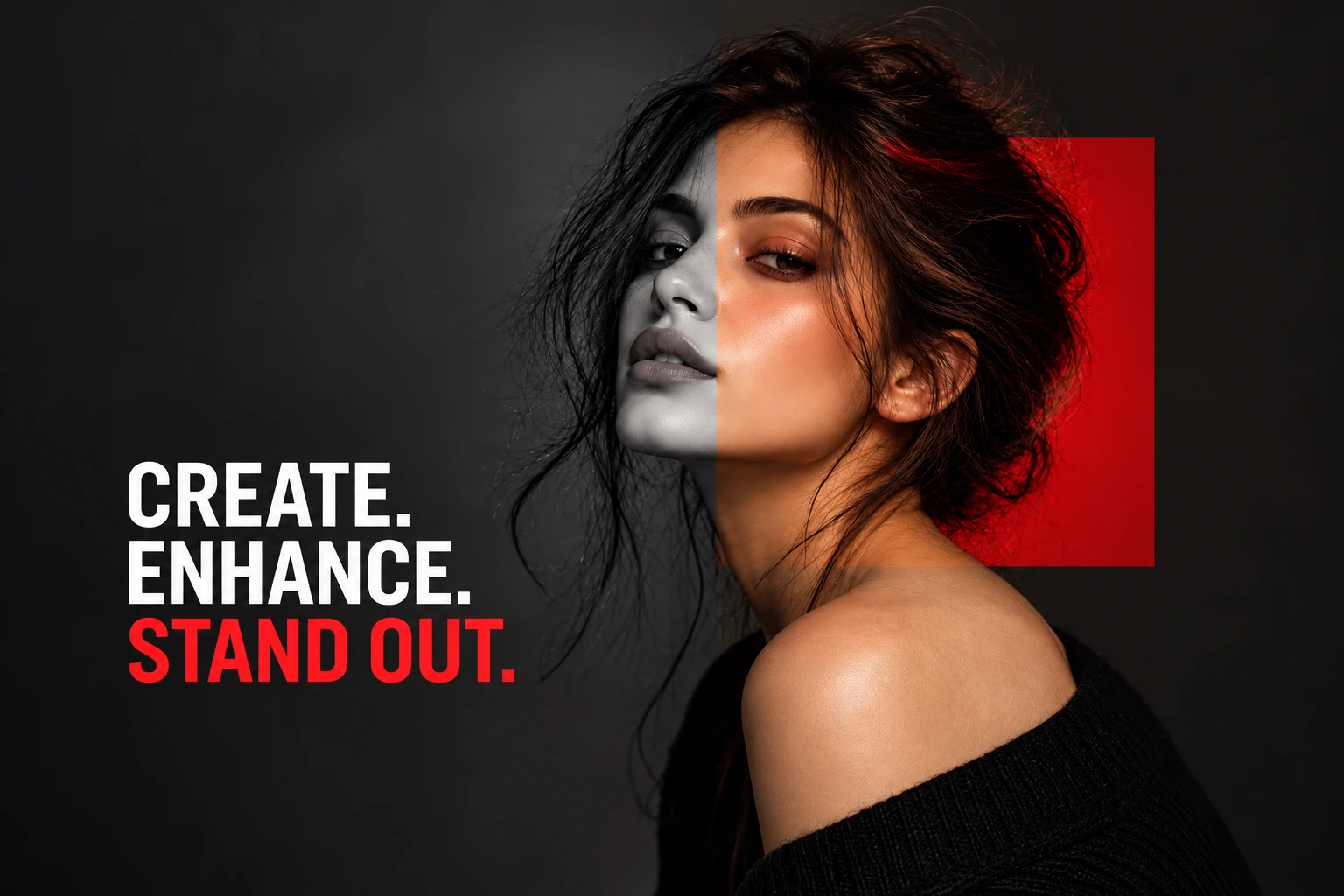
Upscale, restore, and prepare images for web, print, and commerce — with model-level precision.
LetsEnhance is a cloud-based visual enhancement platform — a multi-model AI processing suite that upscales images up to 16x and 512MP, converts web assets to 300 DPI print-ready quality, cleans up AI-generated visuals, restores old photographs, and batch-processes entire image catalogs at scale. It does not generate images. It takes the visuals you already have and makes them production-ready for every deployment context. The optimization layer between image creation and real-world use.
LetsEnhance has evolved significantly beyond what most people still think it does. It is not a simple upscaler. It is a multi-model AI image enhancer and upscaler — and the most important decision you make is not how much to upscale, but which enhancement engine to use for the specific image type you are working with.
That distinction matters more than most reviews acknowledge. The wrong model on the right image produces a technically larger but aesthetically worse result. The right model produces output that looks like it was shot at higher resolution — not upscaled from a lower one. Model selection is where the quality difference is made.
Fidelity-first reconstruction of skin texture, hair detail, and facial features. The right choice for e-commerce and portrait work where accuracy to the original is non-negotiable.
Optimized for Midjourney, FLUX, OpenArt, and similar generators. Removes generation artifacts while preserving visual style — not treating AI art like a photograph.
Repairs scratches, restores colour, and recovers degraded historical photographs. Purpose-built for sources degraded by time rather than digital compression.
LetsEnhance is not a filter — it is a processing pipeline for AI image enhancement. The model you choose determines the quality of what comes out.
The first session with LetsEnhance does not feel like using a photo editor. There is no canvas. No layers. No brush tools. You upload an image, select an enhancement model, set the output size and resolution target, and receive a processed file. The experience is clinical by design.
The learning is not in operating the interface. The learning is in developing judgment about model selection. New users who upload a portrait and select the Digital Art model receive uncanny results. It is not broken. It is being applied incorrectly. Understanding this distinction is the entire learning curve of LetsEnhance.
LetsEnhance turns raw visuals into production assets. The model you choose is the decision that determines everything else.
Most reviews describe LetsEnhance as a way to make images bigger. The real story in 2026 is the fidelity-first reconstruction approach — and this has become the most significant differentiator in the entire enhancement category.
The dominant trend among AI enhancement competitors is re-imagination. Tools add plausible-looking detail that was never in the original — changing eye colour, sharpening features to an idealized standard, altering product text. LetsEnhance's Prime and Balanced modes resist this entirely. They reconstruct what was actually there. For e-commerce operators whose product images must match physical inventory, and for legal or archival workflows where original integrity is non-negotiable, this conservatism is the feature that makes the tool professionally safe.
The print-ready bridge: LetsEnhance converts web assets to 300 DPI print-ready quality. Web images become print-ready assets. Thumbnails become large-format banners. Compressed product shots become high-fidelity catalog images — all without reshooting.
The AI image cleanup layer: Every AI-generated image from Krea, OpenArt, or Midjourney carries generation artifacts — noise patterns, soft edges, compression from export pipelines. The Digital Art model removes these while preserving style. For content creators generating visuals at scale, this step is what makes AI-generated content commercially deployable.
In e-commerce and legal archival workflows, fidelity-first reconstruction is not a conservative trade-off — it is the only professionally responsible choice.
Six purpose-built models in 2026 — each trained for a specific visual content category. Prime for portraits and product photography. Digital Art for AI-generated content. Old Photo for archival recovery. Correct model selection produces results that basic upscalers cannot approach.
Where competitors hallucinate plausible detail, LetsEnhance Prime and Balanced modes reconstruct actual detail. For e-commerce product images where labels and colours must match physical inventory, and for legal or archival workflows — this is the professionally responsible choice.
512MP output surpasses most web-based competitors and reaches billboard-scale resolution from standard web sources. For large-format print designers, LetsEnhance's output ceiling is the category benchmark among cloud-based AI upscaler tools.
Web graphics, social media assets, and compressed files converted to print-ready 300 DPI output without reshooting. Changes the economics of print production for small businesses, affiliate marketers, and content creators who generate visuals digitally but need physical deployment at professional quality.
Upload multiple images, apply a consistent processing pipeline, download the results. For e-commerce operators managing hundreds or thousands of SKUs, LetsEnhance batch processing is what makes the platform viable as infrastructure. The Claid.ai API extends this to fully automated backend workflows.
No GPU. No desktop installation. No hardware requirements. Every capability runs in a browser tab. For teams without technical infrastructure and workflows requiring accessible processing from any location — the cloud architecture removes every barrier to entry.
The tool's effectiveness is entirely dependent on selecting the correct processing model. Digital Art on a human face produces uncanny, over-processed results. Prime on an AI-generated landscape produces crunchy, texture-confused output. Budget the learning time — the payoff is significant once the judgment is developed.
LetsEnhance uses a credit-based system — each image enhancement consumes credits depending on output resolution and processing type. Real friction arrives at scale: batch-processing large files at 16x can deplete a plan quickly. Critical detail: unused credits roll over on personal plans but do not roll over on business plans — a frequent frustration point in user reviews. Plan your credit consumption carefully before running large batch operations. Check letsenhance.io/pricing for current rates.
Unlike Topaz Photo AI, there is no offline desktop version. Every image must be uploaded to LetsEnhance servers for processing. For sensitive commercial photography, confidential client work, or proprietary product imagery not yet published — this is a genuine consideration. Topaz Photo AI is the right choice for these workflows.
Magic mode adds speculative AI-generated detail — it invents plausible reconstruction rather than recovering what was actually present. The rule: Prime or Balanced for anything where accuracy matters — products, faces, documents, legal use. Magic mode for creative or decorative images where visual enhancement takes priority over fidelity.
Enhancement reconstructs what is partially present. It cannot invent detail that was completely absent. Extremely poor source material — fully degraded, pure-noise, or entirely overexposed — produces output that is technically larger but not genuinely higher quality. Better input consistently produces better output.
Topaz Photo AI wins on RAW professional photography and offline local processing. LetsEnhance wins on AI art cleanup and cloud batch workflow. Remini wins on extreme facial reconstruction for selfies. LetsEnhance wins on product and object clarity — Remini over-smooths non-human textures.
Billboard-scale resolution from standard web sources. Category-leading output ceiling among cloud-based AI image upscaler tools. Large-format print covered.
Reconstructs what was actually present. Does not hallucinate plausible detail. Safe for e-commerce, legal, and archival workflows where accuracy is non-negotiable.
No equivalent capability in Topaz Photo AI. Removes generation artifacts from Midjourney, FLUX, OpenArt outputs while preserving visual style.
Consistent LetsEnhance batch processing across entire catalogs. Suitable for e-commerce operations managing hundreds or thousands of SKUs.
Web assets converted to print-ready resolution. Large-format output supported. Covers most commercial print requirements from digital source files.
Browser-based. No desktop app. Requires stable connection and image upload. No offline processing option — a dealbreaker for sensitive data workflows.
Automated bulk processing and backend workflow integration via Claid.ai. Ideal for affiliate sites, marketplaces, and UGC platforms requiring automated quality standardization at scale.
Free: up to 24–64MP input. Paid plans: up to 512MP output, 50 MB per file. Batch upload supported on all paid plans.
You upload an image and run the default processing. The quality improvement on compressed or AI-generated source material surprises you. But the session also surfaces the model-selection question — possibly after one mismatched attempt that produces a crunchy or uncanny result. You end the session understanding what the tool does, not yet what it does best.
You test different models on the same image type. Prime on a portrait versus Digital Art — the difference is significant enough to reframe how you understand the tool entirely. You develop the habit of pausing at model selection rather than accepting the default. This is where the real value of LetsEnhance lives.
LetsEnhance becomes the permanent final step in every image pipeline. Every AI-generated image going to production passes through Digital Art. Every product catalog batch runs through Prime. Every archival recovery uses Old Photo. Model selection has become instinctive. The tool has become infrastructure.
You manage a product catalog — dozens, hundreds, or thousands of SKUs. Batch processing with the Prime model ensures every image meets the same resolution floor. Fidelity-first reconstruction means product labels, colours, and textures match physical inventory accurately. LetsEnhance for e-commerce product images is the infrastructure that makes catalog consistency achievable at scale without reshooting.
You generate visual content at volume — AI-generated images from OpenArt or Midjourney, stock photos, social media assets — and need every image commercially deployable at production quality. The Digital Art model cleans up generation artifacts. Print optimization converts web assets for physical materials. Better visuals mean higher trust and higher conversions.
You receive images from multiple sources — contributors, clients, stock libraries, legacy archives — with wildly inconsistent quality and resolution. LetsEnhance standardizes the quality floor regardless of where an image came from. One processing platform, consistent output, no per-source manual intervention required.
Being honest about fit is what makes a recommendation worth trusting. Here is when a different tool will serve you better than LetsEnhance.



LetsEnhance is designed to be intuitive, but getting the best results requires understanding the workflow. Here is a step-by-step guide to using LetsEnhance effectively for upscaling, restoration, and enhancement.
Create a free account at letsenhance.io — 10 free credits, no card required. Upload by drag-and-drop or browse. Supported: JPG, PNG, WebP.
Choose from six models: Prime (portraits/products), Balanced (everyday photos), Gentle (text/logos), Strong (blurry images), Digital Art (AI art), or Old Photo (archival). Model selection determines output quality.
Set output resolution — up to 16x, 512MP on paid plans. Use printing presets to automatically set 300 DPI for print output. Toggle Enhance Faces for portraits.
Click Enhance — processing takes seconds in the cloud. Download your production-ready file. Free: up to 8MP output. Paid: up to 512MP.
LetsEnhance and Topaz Photo AI are the two most capable tools in the AI image enhancement category. They are not competing for the same user. Here is a clear breakdown of when each wins.
| Feature | LetsEnhance | Topaz Photo AI |
|---|---|---|
| Platform | Cloud-based (browser) | Desktop app (Windows, Mac) |
| Processing location | Uploads to LetsEnhance servers | Local — no upload required |
| AI-generated image cleanup | ✓ Dedicated Digital Art model | ✗ Not available |
| RAW photography quality | Good | Best in category |
| Batch processing | ✓ Cloud batch + API | ✓ Local batch |
| Max upscale | 16x, 512MP | Up to 6x (practical), high quality |
| Print-ready presets | ✓ 300 DPI built-in | Manual DPI setting |
| API access | ✓ Claid.ai API | ✗ Not available |
| Data privacy | Images uploaded to cloud | Local processing — fully private |
| Best for | AI art cleanup, batch e-commerce, cloud access | RAW photography, sensitive images, max quality |
Choose LetsEnhance for AI art cleanup, cloud batch workflows, and API integration. Choose Topaz Photo AI for RAW photography, maximum single-image quality, and data-sensitive workflows.
Remini and LetsEnhance serve different primary use cases. Here is a side-by-side comparison based on verified data.
| Feature | LetsEnhance | Remini |
|---|---|---|
| Best For | Production upscaling, e-commerce, print-ready output, AI art cleanup | Mobile face enhancement, old photo restoration, selfies |
| Platform | Web-based (browser) | Mobile app (iOS, Android) |
| Free Tier | 10 free credits upon signup | Limited daily enhancements with ads |
| API Access | ✓ Claid.ai API | ✗ No API |
| Batch Processing | ✓ Up to 20 images batch, API for thousands | ✗ Limited batch support |
| Max Upscale | 16x, up to 512MP | Mobile-focused, lower max resolution |
| Print Optimization | ✓ 300 DPI presets built-in | ✗ Not focused on print |
| Facial reconstruction | Good — Prime model | Best for extreme selfie enhancement |
| Product/object clarity | Best — Prime model preserves textures | Over-smooths non-human textures |
LetsEnhance is built for production workflows — e-commerce catalogs, print-ready assets, and API automation. Remini is built for quick mobile photo fixes and portrait enhancement. Choose based on your workflow, not just image quality.
LetsEnhance made a deliberate choice — fidelity over creativity, precision over impressiveness, production readiness over visual novelty.
Everything reflects that: the multi-model processing pipeline that matches enhancement logic to image type. The fidelity-first Prime mode that preserves accuracy rather than hallucinating plausible improvements. The 300 DPI print conversion. The 512MP output ceiling. The LetsEnhance batch processing that makes quality standardization achievable at catalog scale. The Claid.ai API that turns the tool into infrastructure.
The honest trade-offs are real. The cloud-only architecture means sensitive images must be uploaded. The credit system's business-plan rollover limitation frustrates operators running large batch sessions. The model-selection requirement means uninformed users get inconsistent results.
It is not trying to generate visuals. It is not competing with Topaz on maximum single-image RAW quality. It is not the best choice for extreme facial reconstruction on selfies.
It is trying to answer one question better than any other tool in this category — how do you take the visuals you already have and make them production-ready for every context, at scale, from a browser tab?
LetsEnhance is the Visual Enhancement Layer. The tools that quietly and consistently do their job — without hallucinating detail, without demanding installation, without requiring a dedicated GPU — are the ones that compound in value over time.
Upload your most challenging image — a compressed product shot, an AI-generated asset with visible artifacts, or an old photograph. Select the right model. See what production-ready actually looks like with LetsEnhance.
Affiliate link — we may earn a commission at no extra cost to you. Our LetsEnhance review is always independent.
 Try LetsEnhance Free →
 Photoroom
 Magnific
 Ideogram
 Kittl
Kittl Phot.AI
 CHATGPT
 Stable Diffusion
 Leonardo AI
 Adobe Express
 Fotor
Fotor NightCafe
 Midjourney AI