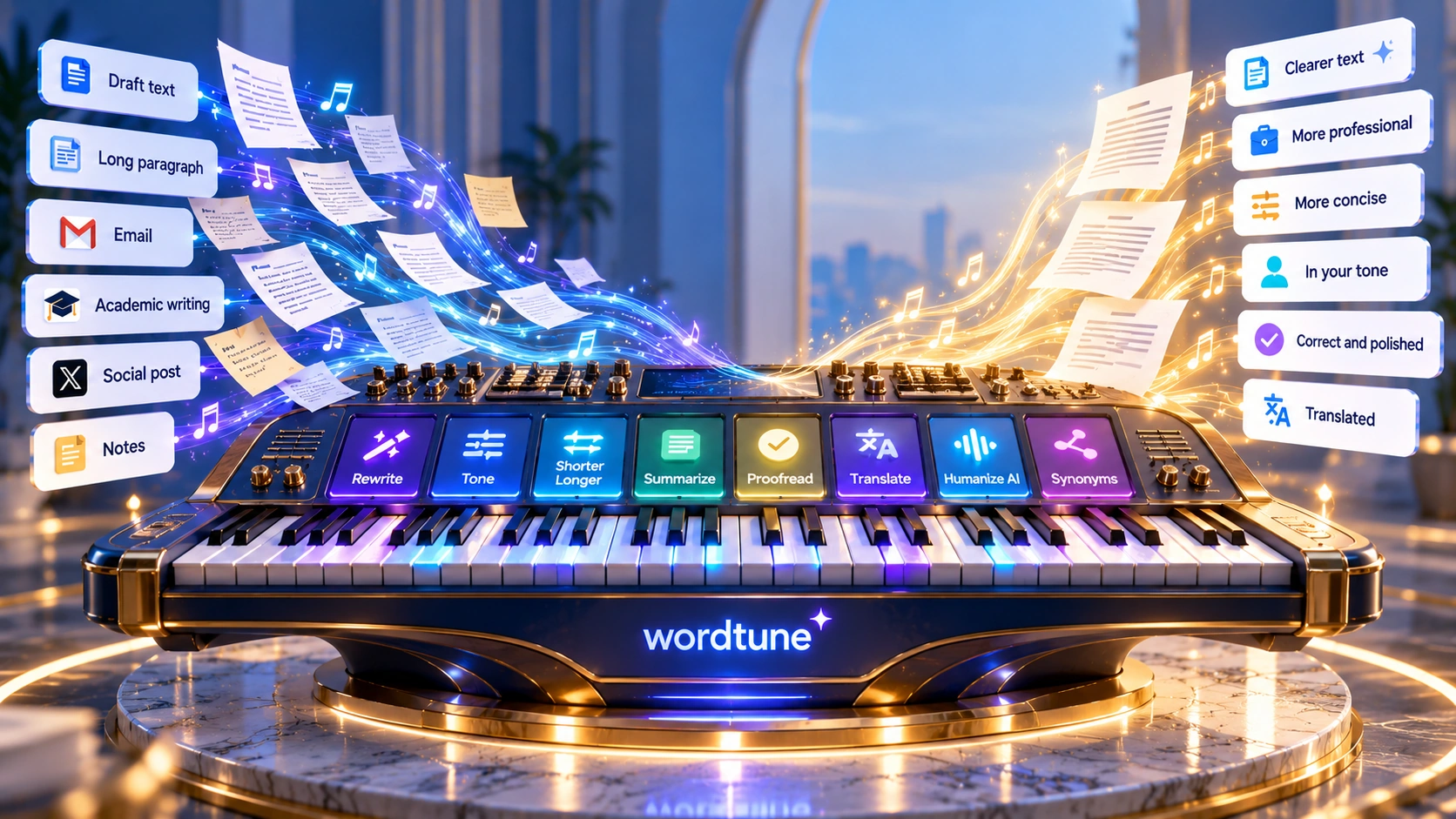
Every writer hits the same wall: you know roughly what you mean, but the sentence in front of you doesn't say it well. Wordtune highlights any sentence and hands back a list of context-based rewrites, shorter, longer, more formal, more casual, each one a real alternative you can drop in with a click. It also reads: paste an article or a YouTube link and it hands back a summary. This review covers what it actually does, real pricing, G2 reviews, and who gets genuine value from it.
Pricing and features can change. Check Wordtune's current pricing page before you subscribe.
Grammar tools tell you what's wrong. Wordtune shows you what could be right. More than 10 million people use it, and the appeal is easy to see: it's like having a few editors suggest alternatives and letting you pick the one that sounds like you.
It isn't competing with Jasper on generating campaigns from scratch. It sits on top of writing that already exists, yours or an AI's, and makes it clearer, more natural, and more yours. Alongside rewriting, it also reads: paste an article or a YouTube link and it hands back the summary, rewriting and comprehension in one tool.
Getting started is simple. You add the Chrome or Edge extension, open an email or a doc, and write something slightly awkward. Highlight it, and Wordtune drops a list of rewrites beneath the line, some tighter, some warmer, some more professional. You pick one, toggle the tone from casual to formal, or ask it to shorten.
What you encounter in session one: the Chrome or Microsoft Edge extension (or the iOS app), writing anywhere Gmail, Google Docs, LinkedIn, and most text fields support, a menu of rewrites on any highlighted sentence, a tone toggle between casual and formal, and shorten/lengthen controls. The Chrome extension has a 4.7 out of 5 rating. It hands you options for the sentence you already have, without asking you to start over.
It's easy to file Wordtune under "paraphrasing tool," but that label skips two things that set it apart. The first is choice with context: for any sentence it gives you several rewrites tuned to how you already write, so you're curating your own voice rather than accepting a single machine output. The second is that it also reads.
Context-based suggestions. Highlight a sentence and it returns rewrites shaped to your style, not generic swaps. You choose, and stay in control of the voice.
Read and summarize. Wordtune condenses documents, articles, web pages, and YouTube videos, so it's a comprehension tool as much as a writing one.
Source-backed AI writing. When it supplies a fact in its AI writing, Wordtune says it checks at least five sources before using it and can include citations. You should still verify important claims before using them.
A few things Wordtune does particularly well, worth calling out specifically.
Context-based rewrites. It gives you alternatives that match your style instead of simple word swaps.
Tone control. Flip any sentence between casual and formal with one click, and keep a consistent voice across every email, post, and message you send.
Read and summarize. Condense articles, documents, and YouTube videos into the gist in seconds. That makes it useful for understanding longer material, not just rewriting it.
Humanize AI. Turn stiff, generated drafts into natural prose in your own voice, a use case Wordtune's own users highlight as something it does well.
Works where you write. Chrome and Edge extensions plus an iOS app mean it lives inside Gmail, Docs, LinkedIn, and the apps you already use every day.
Smart Translate. Turns text from ten other languages into natural-sounding English with a click, particularly useful for non-native writers.
Rewrite and paraphrase is Wordtune's home turf. Highlight a word, sentence, or paragraph and Wordtune gives you several alternatives. You can make the result shorter, longer, more casual, or more formal before choosing one. Users have chosen more than 782 million of these rewrite suggestions, Wordtune's own figure for how central this is to how people actually use it.
Tone control lets you switch between casual and formal with a single click. A quick "hey, can you send that over?" becomes a polished "could you please forward that when you have a moment?", no rewrite from scratch. Because tone rides on top of the rewrite menu, you see several versions at each register and pick the one that fits the reader.
Read and summarize is what separates Wordtune from a pure writing assistant. Paste a long article, upload a document, or drop in a YouTube link, and it returns a clean summary of the key points. For students working through a stack of sources, that helps decide which sources are worth reading in full; Wordtune's own case study reports cutting research time by about a quarter, a vendor figure, not independently verified here.
AI writing and Spices cover generation. "Continue Writing" picks up where you left off. A set of one-click commands called Spices expands what you have: Elaborate, Explain in further detail, Propose an alternate viewpoint, add Emphasis, or Add a Conclusion. When the AI states a fact, it says it checks at least five sources first and can cite them; you should still verify important claims before using them. This is a tool for extending and strengthening writing you're already in the middle of, not for writing a whole campaign from a brief.
Grammar checker runs underneath the rewrite menu. It flags spelling mistakes, catches grammatical errors, and suggests corrected phrasings as you write. On the paid plans, spelling and grammar checks are unlimited even where rewrites are capped.
Proofreading reviews spelling, grammar, and phrasing together as a last pass before a message goes out, then flags anything that reads awkwardly. Every flag comes with a rewrite you can accept, not just a note that a sentence is clumsy.
Humanize AI rewrites stiff, generic AI-drafted passages into natural, varied prose in your own voice, using the same rewrite engine pointed at an AI draft instead of your own rough sentence.
AI content detector estimates how machine-like a passage reads, so you can see which parts still sound generated before you publish or submit. It's a self-check, not a way to game an integrity system.
Smart Translate and Smart Synonyms target expression directly. Smart Translate turns text from ten supported languages into polished English: Spanish, Mandarin, Arabic, Hindi, Korean, Hebrew, Russian, German, French, and Portuguese. Smart Synonyms suggests context-appropriate alternatives beyond a plain dictionary swap.
Wordtune is designed to work inside the tools you already use. The Chrome and Microsoft Edge extensions put it inside Gmail, Google Docs, LinkedIn, and most text fields on the web. An iOS app covers writing on the phone. Wordtune does not publish an official Android app; a few apps using "Wordtune" in the name appear in Google Play search results, under developer names unrelated to AI21 Labs, and we found no confirmation these are affiliated with Wordtune, so treat them with the same caution you'd apply to any app whose publisher you can't verify. For companies, Wordtune for Business adds SAML SSO, centralized billing, and business support.
Wordtune runs three consumer plans plus a custom-priced Business option, per Wordtune's official pricing page, checked October 2026. Annual billing is the default view and carries a 50% discount on both paid tiers.
Unlimited spelling and grammar checks.
$4.89/month when billed annually.
$6.99/month when billed annually.
Contact sales.
A 3-day free trial covers both paid tiers. Students and educators with a valid .edu email address, plus non-profit employees, get 30% off both monthly and annual plans; verify eligibility through Wordtune's own student discount page before subscribing. The free tier is usable for light editing, but 10 rewrites and AI suggestions a day disappears fast for anyone who writes for a living. Unlimited makes more sense for people who use Wordtune every day, while tools such as Jasper are aimed at broader content generation.
These tools overlap, but they are built for different jobs. Grammarly focuses on grammar and tone. QuillBot focuses on paraphrasing and preset rewrite modes. ChatGPT and Jasper are both built to generate from a prompt or a brief, where Wordtune is built to refine what already exists. That distinction decides which tool fits a given task.
| Tool | Primary Focus | Best For |
|---|---|---|
| Wordtune | Context-based rewrite menu in your own voice, plus reading and summarizing. | Non-native writers, students, and everyday clarity on writing you already have. |
| QuillBot | Mode-based paraphrasing with preset rewrite styles. | Anyone whose whole job is paraphrasing existing text, without needing summarizing. |
| Grammarly | Real-time grammar, spelling, and tone correction across every app. | An always-on safety net rather than a rewrite menu invoked per sentence. |
| ChatGPT | General-purpose generation from a prompt. | Starting from a blank page rather than refining existing text. |
| Jasper | Brand-governed, from-scratch content generation at scale. | Long-form campaigns and brand-consistent content, priced well above Wordtune's plans. |
Many writers use both ends of this table: generate with ChatGPT or Jasper, then refine with Wordtune.
You want to sound natural in English without a human editor. Smart Translate and the context-based rewrite menu let you write with confidence in emails, reports, and posts.
Summarizing triages your sources, citations keep your facts honest, and lengthen/shorten plus paraphrasing help you hit word-count requirements. Paraphrasing can help you put source material into your own words, but you still need to cite the original source; it's a study aid, not just an editor.
You want each message to land right the first time. Wordtune is a fast second opinion that keeps your communication clear and on-tone, across the apps you already write in.
Academic writing has a shape: read a lot, take it in, put it in your own words, and back it up. Wordtune covers each of those steps, which is part of why it shows up often in student workflows.
Run research articles, web pages, and YouTube lectures through Read & Summarize to get the key points fast, and decide which sources are worth reading in full.
Use the rewrite menu to put key points in your own voice. Paraphrasing can help you put source material into your own words, but you still need to cite the original source.
When Wordtune adds factual information, it says it checks multiple sources and can provide citations. You should still verify important claims before using them.
If part of a draft was AI-assisted, run it through the humanizer and the AI content detector so the final writing reads naturally.
Use shorten and lengthen to meet word count requirements, and the tone setting to make the writing sound more academic before submitting.
Students and educators also qualify for the 30% discount covered in the Pricing section above.
| Maker | AI21 Labs, an independent AI lab; Wordtune is its consumer writing product. |
| Platforms | Chrome, Edge, iOS, web. Extension-first, plus Wordtune for Business. No official Android app. |
| Core Features | Rewrite, paraphrase, tone control, summarize, grammar, all context-based and tuned to your style. |
| Summarizing | Text, articles, web pages, and YouTube video. |
| AI Writing | Continue Writing, Spices, facts checked against 5+ sources with citations. Generation is refinement-oriented, not from-scratch at scale. |
| Humanize AI | Yes, plus a separate AI content detector. |
| Translation | Into English from 10 languages, via Smart Translate. |
| Language Output | English only; cannot write in non-English languages. |
| Free Tier | Yes, the Basic plan: 10 rewrites and AI suggestions per day, 3 summaries per month, unlimited grammar checks. |
| Pricing | Free plan available. Advanced at $6.99/month ($4.89/month when billed annually), Unlimited at $9.99/month ($6.99/month when billed annually), per Wordtune's own pricing page, checked October 2026. |
Wordtune has a large user base, strong store ratings, and hundreds of millions of rewrite suggestions actually accepted. These figures are Wordtune's own stated numbers, confirmed directly on wordtune.com, checked October 2026, not independently audited here.
| Users | 10M+ people using Wordtune around the world |
| Chrome extension rating | 4.7/5 |
| App Store rating | 97% positive, for the iOS app |
| Rewrites chosen | 782M rewrite suggestions users have actually accepted |
| Translation languages | 10 languages supported into English |
Wordtune holds a 4.6/5 rating on G2 based on 199 verified user reviews, per G2's product page, checked October 2026.
What Users Love
Top Concerns
G2 ratings and review counts change over time. Check G2's current Wordtune page for the latest figures before relying on this summary.




This review is published by TechScribe.in, an independent publisher covering copywriting and marketing AI tools including Jasper, Writesonic, Copy.ai, QuillBot, and Rytr. It's based on hands-on evaluation of Wordtune's interface and documented feature set, cross-checked against Wordtune's own current pricing page and publicly available information. Where a claim, accuracy benchmark, or pricing detail couldn't be independently confirmed, we say so rather than present it as fact.
Wordtune is an AI-powered paraphrasing and reading-and-writing assistant from AI21 Labs. It rewrites and paraphrases your text, corrects grammar and spelling, switches between formal and casual tones, and summarizes documents, articles, and even YouTube videos.
Yes, there's a free Basic plan with limited daily use: 10 rewrites and AI suggestions per day, 3 summaries per month, and unlimited spelling and grammar checks. Paid plans start at $6.99/month, with a recommended Unlimited plan at $9.99/month.
Grammarly focuses on grammar and tone corrections; QuillBot focuses on mode-based paraphrasing. Wordtune offers a menu of context-based rewrites that match your voice, and unlike either, it also summarizes text and YouTube videos.
Wordtune writes in English only, but it can translate into English from ten languages, including Spanish, Mandarin, Arabic, Hindi, Korean, Hebrew, Russian, German, French, and Portuguese.
Yes. Wordtune's Read and Summarize feature condenses articles, documents, web pages, and YouTube videos into their key points.
Yes. It includes citations and sources with generated information, lets you lengthen or shorten text to meet word counts, and helps you paraphrase sources into your own words, which makes it popular with students. You still need to cite the original source; paraphrasing alone doesn't make a passage plagiarism-safe.
No official Android app is listed by AI21 Labs. Wordtune's own site only confirms a Chrome extension, a Microsoft Edge extension, and an iOS app. Apps using "Wordtune" in the name that appear in Google Play searches are under unrelated developer names, and we found no confirmation they're affiliated with Wordtune.
Yes. Rewriting AI-generated text into clearer, more natural writing in your own voice is one of Wordtune's strengths, and it also offers an AI content detector so you can check how machine-like a passage reads before you publish or submit it.
The difference is purpose. ChatGPT is built to generate text from a prompt, while Wordtune is built to refine text you already have, offering a menu of rewrites in your voice, plus summarizing, tone control, and humanizing. Many people generate a first draft in ChatGPT and then use Wordtune to rewrite and polish it.
Yes. Wordtune is an AI writing tool from AI21 Labs. It uses AI for its context-based rewrites, summarizing, tone changes, and grammar, and it also includes an AI content detector that estimates how much of a passage reads as AI-generated versus human-written.
Yes. Wordtune offers a Chrome extension and a Microsoft Edge extension, plus an iOS app. The extension is how most people use it, working inside Gmail, Google Docs, LinkedIn, and most text fields on the web. The Chrome extension holds a 4.7 out of 5 rating.
It depends on your goal: QuillBot for mode-based paraphrasing, Grammarly for real-time grammar and tone across every app, Jasper for long-form content creation from scratch, and Rytr for fast, budget short-form drafts. Wordtune remains the strongest pick for context-based rewrites in your own voice, plus summarizing.
Wordtune has a clear focus: helping you say what you already mean more clearly. The context-based rewrite menu sounds like you. The tone toggle adapts the register with one click. The summarizer reads articles and YouTube videos back to you. The humanizing pass rescues stiff AI drafts, and Smart Translate turns text from other languages into natural-sounding English.
Jasper is the stronger choice for generating from a blank page, and Grammarly runs deeper as a dedicated grammar engine. Wordtune's own lane is different: it takes what you've already written, or already read, and makes it clear, natural, and unmistakably yours. For anyone whose bottleneck is expression rather than generation, that's exactly what it's built for.
The free Basic plan gives you the rewrite menu and summarizer right away, no credit card required to try your first highlight.
Independent review. Prices and features may change; always check the official Wordtune site for the latest information.
 Writesonic
 Copy.ai
 Rytr
Rytr Wordtune