Murf AI
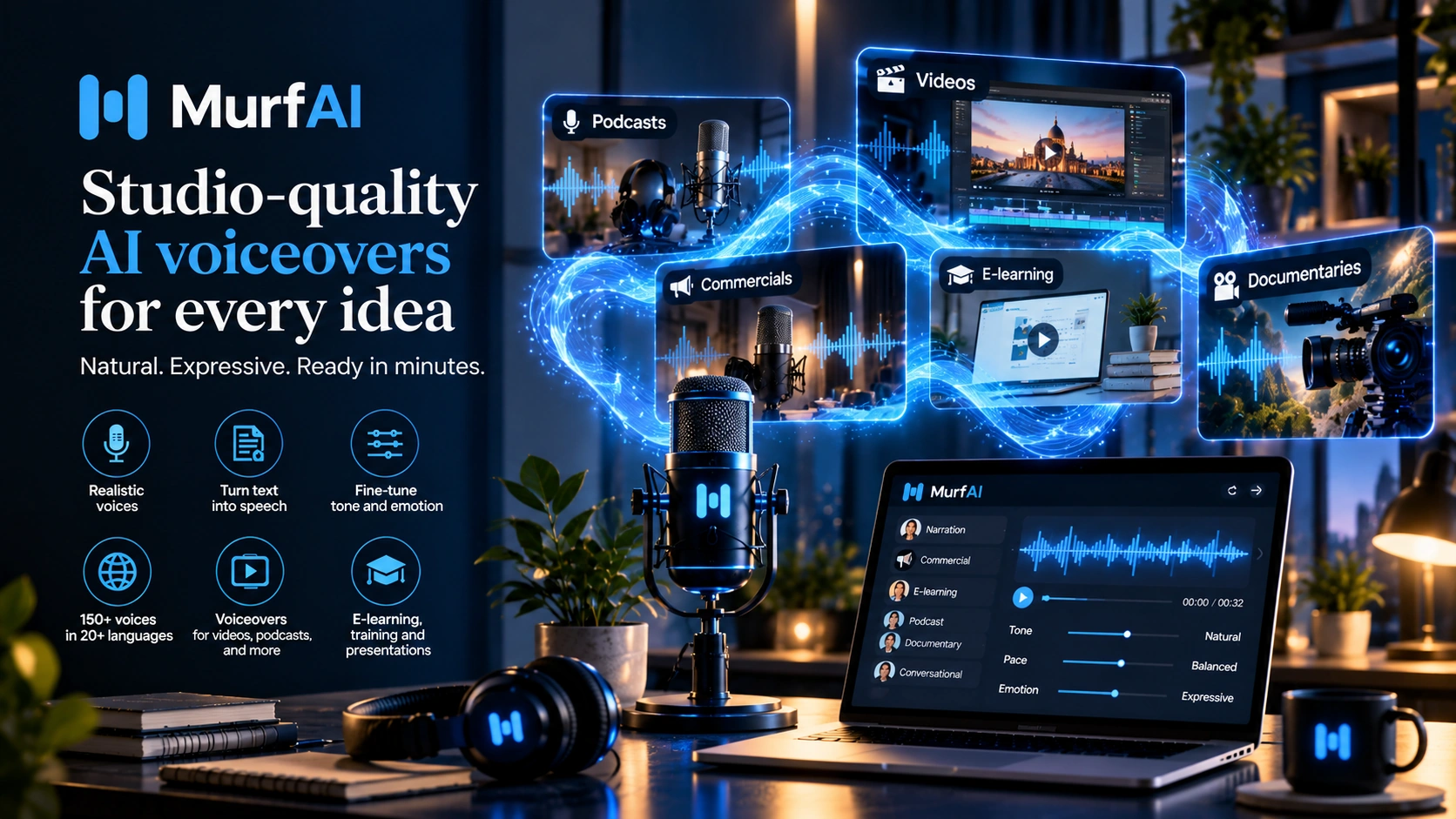
Murf AI is the studio editor for voiceovers, built to align narration precisely to your timeline. It's also grown into a real-time API and a set of conversational voice agents built on that same voice engine.
Murf AI is a voice platform with 200+ professional voices used by over 10 million creators, developers, and businesses. Murf AI's Studio product syncs narration precisely with slides, scenes, and video transitions through a built-in timeline editor. Beyond Studio, Murf AI offers Murf Falcon 2, a real-time text-to-speech API for building voice agents; Murf Dub, an AI dubbing product supporting 40+ languages; and a lineup of conversational voice agents (Receptionist, SDR, Sales Agent, Customer Service, Recruiter, and Cold Calling), all built on the same voice engine. The emotional range is deliberately narrower than performance-focused tools; the priority is alignment, predictability, and workflow fit. The output behaves the same way every time, whether that's a training video, a live phone call, or a dubbed presentation.
A Studio Built
Around Timing.
Murf AI is a voice platform used by more than 10 million creators, developers, and businesses. It has 200+ professional voices, a built-in timeline editor, a real-time API called Murf Falcon 2, and AI dubbing into 40+ languages.
Most voice tools compete on one thing: how real they sound. ElevenLabs goes after emotional performance. Resemble AI sells voice infrastructure to developers. Speechify is built for personal listening. Murf AI is going after something else: getting the voice to line up with everything around it, every time.
That matters more than it sounds like it should. In a training video, a product walkthrough, or an onboarding deck, nobody's grading the narrator on how human they sound. They're checking whether the voice lands where the slide changes, whether the pacing matches the visuals. That's the job Murf AI is built for.
It helps to think of Murf AI as a production environment rather than a performance tool. You're producing voice content that has to fit cleanly into something bigger: a deck, a course, a demo. Next to a tool built purely for realism, Murf AI can look like the weaker option. At the job it's actually built for, keeping voice in sync with everything around it every time, it's one of the strongest tools out there.
Murf AI has also outgrown being just a studio editor. The same voice engine now runs Murf Falcon 2, a real-time API for developers building voice agents, plus a set of named agents (Receptionist, SDR, Sales Agent, Customer Service, Recruiter) that handle live calls instead of pre-recorded narration. What started as a studio tool is now a studio, an API, and an agent platform, built on one voice engine.
Murf AI aims to land on the right beat: every slide, every scene, every time.
It Feels Like Building
a Presentation.
Open Murf AI Studio for the first time and the interface tells you what it's for. There's no blank text box waiting for a script. You get a script editor on the left, scene blocks down the middle, and timeline controls along the bottom. It's closer to a slide deck or video editor than a voice generator.
- You build voice scene by scene, not as one long script
- You can adjust pacing per scene, not per paragraph
- Emphasis controls work at the word level, not through hidden syntax tags
- Slide and video sync is built into the timeline, not a separate step
- Voice and visuals sit in the same workspace from the first click
The experience feels structured and predictable. The first take lands close to what you expected, and the second and third takes behave the same way. If you're expecting performance-grade drama, that consistency reads as flat. If you're evaluating this for an actual work project, that same consistency is exactly what you're paying for.
Murf AI assumes you want things lined up, the same way, every single time.
Four official demos:
voice, pronunciation, and Murf Falcon
Four official Murf AI videos cover the core Studio workflow and the newer Falcon API, each showing exactly what's described in the sections around them.
Three ways to import your script and begin your first Murf AI project.
How to browse, preview, and filter voices in the Murf AI voice library.
How to control and correct pronunciation of specific words in Murf AI.
Murf AI's CEO introduces Murf Falcon, the real-time API that Falcon 2 has since replaced.
How to Sync Murf AI Voiceover
with Your Slides
Slide and video sync is Murf AI's main selling point, but only if you know the workflow. Here's how to go from a silent Google Slides or PowerPoint deck to a fully narrated, synced export.
- 1Start a new project in Murf AI and import your deck, through the Google Slides or PowerPoint integration, or by uploading the file. Each slide becomes its own scene.
- 2Write or paste your script scene by scene, adjusting pacing and emphasis for each slide instead of writing one long block.
- 3Use the timeline to line the voiceover up with slide transitions and animations: drag scene boundaries until the narration lands exactly where the visual changes.
- 4Preview and fine-tune the timing scene by scene, then export as a synced video or audio file, or leave it live inside Google Slides or PowerPoint through the native integration.
What Murf AI Is Actually
Optimizing For: Sync.
Most reviews of Murf AI start by comparing its voice quality to tools built for emotional realism. That comparison is fair. Murf AI isn't as expressive, the emotional range is narrower, and the voices read as more obviously synthetic, but it misses the point of the product. What Murf AI is actually optimizing for is sync: getting the voice to land exactly where the slide or scene changes.
Here's what that looks like in practice: the voice finishes exactly when the slide changes. Pacing matches scene transitions in video. Audio and visual beats line up inside one timeline. Someone with no audio background can produce a clean, professional voiceover without leaving the browser. These are the exact problems people run into with most other AI voice tools: the voice ends too early, the slide change doesn't match the narration, the timing drifts as the deck gets longer. Murf AI was built to solve that specific problem.
How teams actually combine tools: use a performance-focused tool for the moments where emotional connection matters: an opening hook, a closing line. Use Murf AI for the information-heavy, narration-driven sections where staying in sync matters more than dramatic delivery. Mixing the two plays to each tool's strength.
The short version: Murf AI optimizes for timing and alignment, not for first-listen impact. It's built to line everything up, every time, without surprises.
Six capabilities that define the tool.
Narration syncs precisely with slides, scenes, and video transitions inside one timeline. No exporting to another tool, no manual timing fixes. This is the core thing the whole product is built around.
Long content breaks into scene blocks, each with its own pacing, emphasis, and voice settings. It matches how teams already think about presentations and explainers: section by section, not one long audio file to fix afterward.
Consistent tone, no unexpected emotional swings. For corporate content that legal or brand teams have to sign off on, that predictability is often the actual reason the tool gets picked over something more expressive.
Writers, reviewers, and editors work on the same project inside the tool. Comments, revisions, approvals, and exports all happen in one place. For content made by more than one person, this alone can be the deciding factor.
A deep library covering a wide range of accents, languages, ages, and tones. If you need a specific voice character without casting or recording anyone, this removes that whole problem.
Run the same script twice and get the same result twice. For anything that needs re-rendering when content changes (a product update, a compliance edit, a new training batch), that consistency saves real time.
G2 Community Reviews
From 1,413 verified users
At the time of this review, Murf AI holds a 4.7/5 rating on G2 based on 1,413 verified user reviews. Here's what users consistently say, good and bad.
- Ease of use: reviewers call out the interface and the range of voice options. (78 mentions)
- Variety of natural-sounding voices: users describe it as efficient and easy to pick up. (74 mentions)
- Natural sound quality: makes voiceover creation simple. (61 mentions)
- Professional voice quality: improves the overall voiceover experience. (56 mentions)
- Voice customization: fine control over tone and delivery. (56 mentions)
- Cost for smaller projects: some users feel it's pricey for simple needs. (35 mentions)
- Accessibility at small scale: the cost structure feels limiting for light use. (31 mentions)
- Voice quality lacking natural emotion: some find it under-expressive. (28 mentions)
- Limited voice options on lower plans: some languages and features are locked. (25 mentions)
- Pronunciation issues: occasionally needing manual correction. (25 mentions)
This reflects 1,413 verified G2 reviews at the time of this writing. Visit G2 for the most current user feedback and individual review comments.
View all reviews on G2 →Murf AI vs ElevenLabs:
which voice tool fits your workflow
Murf AI and ElevenLabs come up together constantly, and most comparisons stop at "ElevenLabs sounds more human." That's true, but it's not the decision that actually matters. What matters is what each tool is built to do well.
| Capability | Murf AI | ElevenLabs |
|---|---|---|
| Core optimisation | Alignment, predictability, brand-safe delivery | Emotional realism, performance-grade delivery |
| Voice realism | Clean and consistent, intentionally narrower emotional range | Human-level realism, widest emotional range in the category |
| Sync and editing | Built-in timeline and scene-based editor, no external tools needed | Requires a separate editor for visual sync |
| Collaboration | Multi-user workflow built into the product from day one | Primarily single-user creative workflow |
| API for developers | Murf Falcon 2: real-time TTS API for voice agents | Production-grade API with broad model selection |
| Best for | Training, onboarding, corporate explainers, structured content | Audiobooks, narrative podcasts, creative and performance content |
Murf AI for Voice Agents:
the same voice, now on the phone
Murf AI has grown well past pre-recorded voiceover. Built on the Murf Falcon 2 API, it now offers a lineup of named conversational voice agents, each aimed at a specific business function rather than a generic "build a chatbot" toolkit.
Handles inbound calls, books appointments, and routes leads. Connects to your existing CRM, calendar, and phone system, with no number or carrier change needed.
Automates top-of-funnel outreach, qualifies buyer intent, books meetings, and updates the CRM, handling both inbound sales questions and outbound qualification.
Built for support teams that need instant answers and real workflow actions, not just scripted replies. It connects to ticketing and knowledge-base systems.
Screens, interviews, and evaluates candidates on autopilot: auto-calling applicants, running role-specific interviews, and pushing transcripts and scores into the ATS.
Handles outreach, objection handling, and appointment setting, or replaces a "press 1 for sales" phone tree with a natural-language IVR that understands intent directly.
Agents can run on OpenAI, Anthropic, Gemini, or a fine-tuned model of your choice. Murf AI provides the voice and call infrastructure, not a locked-in reasoning layer.
Murf Falcon 2:
the real-time TTS API
Murf's real-time text-to-speech API has moved on from the original Falcon. The original Falcon launched in beta on November 6, 2025, with sub-130ms time-to-first-audio and 99.37% pronunciation accuracy. Murf replaced it with Falcon 2, released June 16, 2026, and by mid-August 2026 had deprecated the old streaming model entirely. Murf's own changelog tells developers to migrate "promptly."
Falcon 2 is Murf's current real-time TTS model. Murf reports sub-100ms time-to-first-audio, verified across 10+ geographies, benchmarked against competitors using 1,500+ pings from geo-distributed locations, where Murf says it ranked first in every region tested. It supports 150+ voices across 35+ languages, with the same mid-sentence language-switching (MultiNative) the original Falcon had, plus better handling of digits and acronyms.
Murf also says Falcon 2 supports up to 10,000 concurrent calls, data residency across 11 geographies, and cloud, edge, and on-premise deployment. The company's own claim is "10x better naturalness" versus the original Falcon, trained on real customer calls and booking flows rather than scripted recordings alone. Instant voice cloning is now available too, as an enterprise feature.
Pricing didn't change with the upgrade: Falcon 2 runs at $0.01 per minute of generated speech, pay-as-you-go, the same rate as the original Falcon.
Falcon 2 competes directly with ElevenLabs, Deepgram, Cartesia, and OpenAI's Realtime API on speed and cost. Independent benchmarking on Artificial Analysis has it scoring above some competing products, including OpenAI's Realtime API.
Murf AI Dubbing:
40+ languages, one voice
Murf Dub translates and re-voices video content into 40+ languages, aiming to keep the original speaker's tone, emotion, and timing instead of the flat, mistimed delivery common in older AI dubbing tools. It uses instant voice cloning to recreate the original speaker's voice in the target language without separate training, plus custom pronunciation control for brand names and technical terms, and lip-sync to match the dubbed audio to the original video.
One useful technical detail: languages like Spanish or German commonly run 20-30% longer than the equivalent English sentence, and most dubbing tools simply speed up the voice to force it back into the original timeline, producing the rushed, breathless delivery familiar from badly dubbed content. Murf AI's dubbing pipeline instead re-translates the flagged segment to fit the original timing naturally, preserving pacing rather than distorting the voice to compensate.
Murf AI has also published its own translation-quality benchmark, using the MQM (Multidimensional Quality Metrics) framework to compare its dubbing output directly against HeyGen and ElevenLabs, a notable move since most dubbing marketing focuses on voice quality alone and ignores translation accuracy, which is where much of the "uncanny" feeling in AI dubbing actually originates.
Murf AI Integrations
& Ecosystem
A big part of Murf AI's value for enterprise and education buyers isn't the Studio interface at all. It's that Murf voices show up natively inside the tools those teams already use, cutting out the export-and-reimport step that normally sits between a voiceover and the deck or course it belongs in.
Canva, Google Slides, and PowerPoint let you generate and preview voiceover directly inside the deck you're building, without switching tools.
Adobe Captivate (including the Classic version) and Articulate 360, the two leading e-learning authoring tools, both supported as direct plugins rather than requiring an export step.
Adobe Audition brings Murf voices directly into a dedicated audio-editing environment for teams that need finer post-processing control.
WordPress, Notion, Wix, and Webflow, plus an HTML embed option for any custom site, useful for turning written content into a listenable audio player.
Zapier and Make connections let voiceover generation trigger automatically from form fills, CMS updates, or other workflow events, without manual intervention.
Adds Murf voices to any application that supports the Microsoft SAPI voice standard, the same mechanism that also enables the Adobe Captivate Classic desktop integration.
Murf AI pricing:
what do you actually get?
Murf AI runs Studio on four tiers, all priced in USD, plus separate pay-as-you-go pricing for the Falcon 2 API. At the time of this review, the Studio rates were:
| Plan | Price (at time of review) | What's included |
|---|---|---|
| Free | $0 | 10 min of generation total, no downloads, no commercial rights |
| Creator | $29/mo (~$19/mo billed annually) | ~2 hrs/mo (24 hrs/yr), unlimited downloads, commercial rights, Canva integration, 1 editor seat |
| Business | $99/mo (~$66/mo billed annually) | ~8 hrs/mo (96 hrs/yr), priority rendering, multi-seat collaboration, 30+ languages |
| Enterprise | Custom | Unlimited generation, voice cloning, API access, SSO, dedicated account manager, SOC 2 Type II / ISO 27001 / ISO 42001 / GDPR / HIPAA |
Separately, Murf Falcon 2 (the developer API for voice agents) is priced at $0.01 per minute of generated speech, pay-as-you-go, unrelated to the Studio plans above and billed independently.
A few things worth knowing before you pick a tier: voice cloning isn't available on Creator or Business. It's gated to Enterprise. The free plan can't be used commercially at all, so it's really a test drive rather than a usable tier for real work. Because Studio measures usage in generation hours, longer scripts and slower narration use more of your allowance.
Pricing and tier limits change as Murf ships new models, so check murf.ai/pricing directly for current numbers rather than treating this table as fixed.
A few things worth
understanding upfront
Being honest about how a tool is designed helps you get the most from it. Here is what to know before you commit to Murf AI as your primary voice tool.
Voices are clean and clear, but the emotional range is narrower than performance-focused tools by design. If a listener can tell it's an AI voice, that's expected, not a flaw.
For audiobooks, narrative podcasts, or emotionally heavy content, Murf AI won't give you what you need. These voices are built for clear information delivery, not drama.
In corporate settings, unpredictability is a risk. Murf AI treats a steady, unsurprising voice as a deliberate choice, which is often exactly why brand and legal teams approve it.
Unlike the core voice library, cloning your own or a client's voice is gated to Murf AI's Enterprise tier and requires a longer recording session than instant-cloning competitors. It's there, but it's not an entry-level feature.
It works best when the content has clear sections, slide transitions, or visual pacing built in. It is overbuilt for pure audio-only narratives with no accompanying visual component.
Studio, Falcon 2, and the voice agents are genuinely different products aimed at different buyers: a content team, a developer, and a sales or support operations lead. Knowing which one you actually need avoids evaluating the wrong interface.
Under the hood, at a glance.
No installation for Studio. All rendering on Murf AI's servers. Works on any modern browser without local processing.
Trained on a large corpus of professional voice recordings; Murf reports 99.38% pronunciation accuracy in blind testing across six languages. Separate from the Falcon API line below.
Wide range of accents, tones, ages, and languages. No recording session required for the core library.
Sync narration to slides, video, and ad timelines directly in the editor. No round-tripping to external audio tools.
Launched June 2026, replacing the original Falcon beta. Sub-100ms time-to-first-audio verified across 10+ geographies, 150+ voices across 35+ languages, 10,000+ concurrent calls, $0.01/min pricing (figures at the time of this review).
Built on Falcon 2, connectable to CRMs, calendars, and telephony; supports bring-your-own-LLM for the reasoning layer.
Instant voice cloning of the original speaker, lip-sync, and context-aware re-translation to preserve natural pacing across languages.
Each scene block has independent voice settings, timing, and word-level emphasis.
Writers, editors, and reviewers work inside the same project. Core to the design, not a bolt-on.
Canva, Google Slides, PowerPoint, Adobe Captivate, Adobe Audition, Articulate 360, WordPress, Notion, Wix, Webflow, Zapier, Make.
At the time of this review: Free $0, Creator $29/mo, Business $99/mo, Enterprise custom, metered in generation hours. Falcon 2 API billed separately at $0.01/min.
AES-256 encryption at rest, TLS 1.2+ in transit; data residency options available for Falcon 2 deployments.
Presentation-ready exports including audio files and video with synced narration.
What to expect
session by session
The interface matches a mental model anyone who's built a slide deck already has: script editor, scenes, timeline. Most people finish session one with a basic but usable explainer-style audio output synced to a deck or short video.
You stop pasting a full script into one block and start breaking content into scenes. You notice scene structure changes how the voice handles pacing, transitions, and emphasis. You start syncing audio to visuals on purpose.
Murf AI stops being a tool you visit for a one-off voiceover and becomes part of how you produce content. If your needs go beyond Studio, this is usually also when teams discover Falcon 2 or the voice agents.
Four users
this platform was built for
You're producing content where consistency and brand safety matter more than emotional performance. Your reviewers include legal and brand teams who need to approve content without surprises. Murf AI is the tool that gets approved, every time, without a fight.
Your content is broken into segments, your visuals are structured, and clarity is the priority. The Adobe Captivate and Articulate 360 integrations skip the export step most voice tools require, and re-recording one section doesn't mean rebuilding the whole module.
Content production is a team effort for you. Writers draft scripts, managers review and approve, editors export the final cut, all inside one system. The collaboration layer is often the real reason this gets picked over a tool with better-sounding audio.
You're building something that talks back in real time. Murf Falcon 2 and the named voice-agent products (Receptionist, SDR, Support) are built specifically for this user, a different buyer than the Studio content creator.
Who should
look elsewhere
Being honest about fit is what makes a recommendation worth trusting. Here is when a different tool will serve you better than Murf AI.



Everything you need to know
before your first Murf AI session
The verdict
Murf AI made one deliberate choice: put alignment ahead of realism.
That choice shows up everywhere in the product: the scene-based editing model, the visual sync engine, the narrower emotional range that keeps output predictable, the collaboration layer that treats voice production as a team job rather than a solo creative one.
What's changed is how far that alignment-first engine now reaches. Murf Falcon 2 extends it into a real-time API for developers. A lineup of named voice agents (Receptionist, SDR, Sales, Support, Recruiter) extends it into live conversation. Murf Dub extends it across 40+ languages for video localization. Murf AI has grown from a studio for one person producing one voiceover into a studio, an API, and an agent platform, all running on the same engine.
It's trying to answer one question better than anything else in the category: how do you produce voice content, on any surface, that lines up precisely with everything around it, every time, without surprises?
Murf AI is built around alignment, across the Studio, Falcon 2, and the voice agents. Pick it when alignment is what you're optimizing for.
Try Murf AI for yourself
Open the editor, paste a script into a scene, sync it to your slide deck or video, and export. The first session tells you exactly whether this workflow fits how your team produces content.
 Try Murf AI →