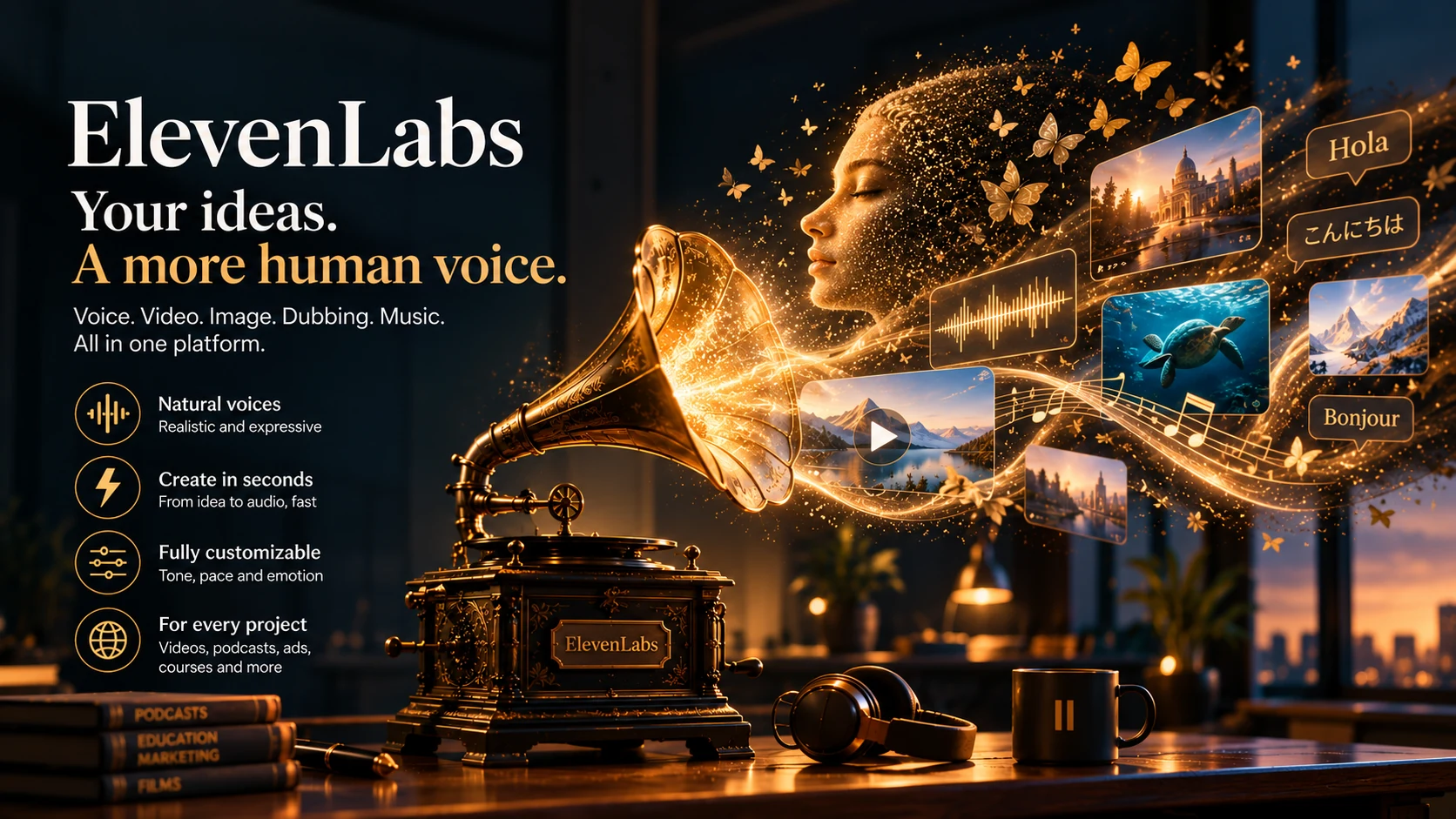
AI voice generation that sounds human — plus video, dubbing, music, and agents, all built and edited in one workspace.
ElevenLabs is an AI voice, video, and multimedia platform used by more than 100,000 developers. It offers a library of 11,000+ voices, with language support that depends on the model — anywhere from 29 to 90+ languages — and dubbing that covers 90+ languages. Its fastest model, Eleven Flash v2.5, generates speech in as little as ~75ms. Beyond text-to-speech, it can take a recording of your own voice and replay it in a different voice through its Voice Changer feature, keeping your pacing and emotion intact. The same underlying technology also runs conversational AI agents for customer support.
We ran ElevenLabs through two tests: a long technical narration script, and a prompt for cinematic background music. Both were scored on the criteria that matter for real content work, and both ran inside the live ElevenLabs dashboard. The outputs and settings are below.
We used the same type of mixed technical script we'd use for a software review — product names, acronyms, numbers, dates, currencies, and URLs in one passage — then listened for pronunciation, pacing, consistency, and audio quality. For the music test, we gave a single detailed prompt and scored the result against what the prompt actually asked for.
The test script mixed technical product names, acronyms, dates, numbers, currencies, and URLs into one long passage — the kind of mixed content that trips up most text-to-speech tools. ElevenLabs kept its pacing and pronunciation steady for the full three minutes, without any obvious drop in quality during our test. It handled the technical terms and mixed formatting cleanly, which matters for software reviews and educational content.
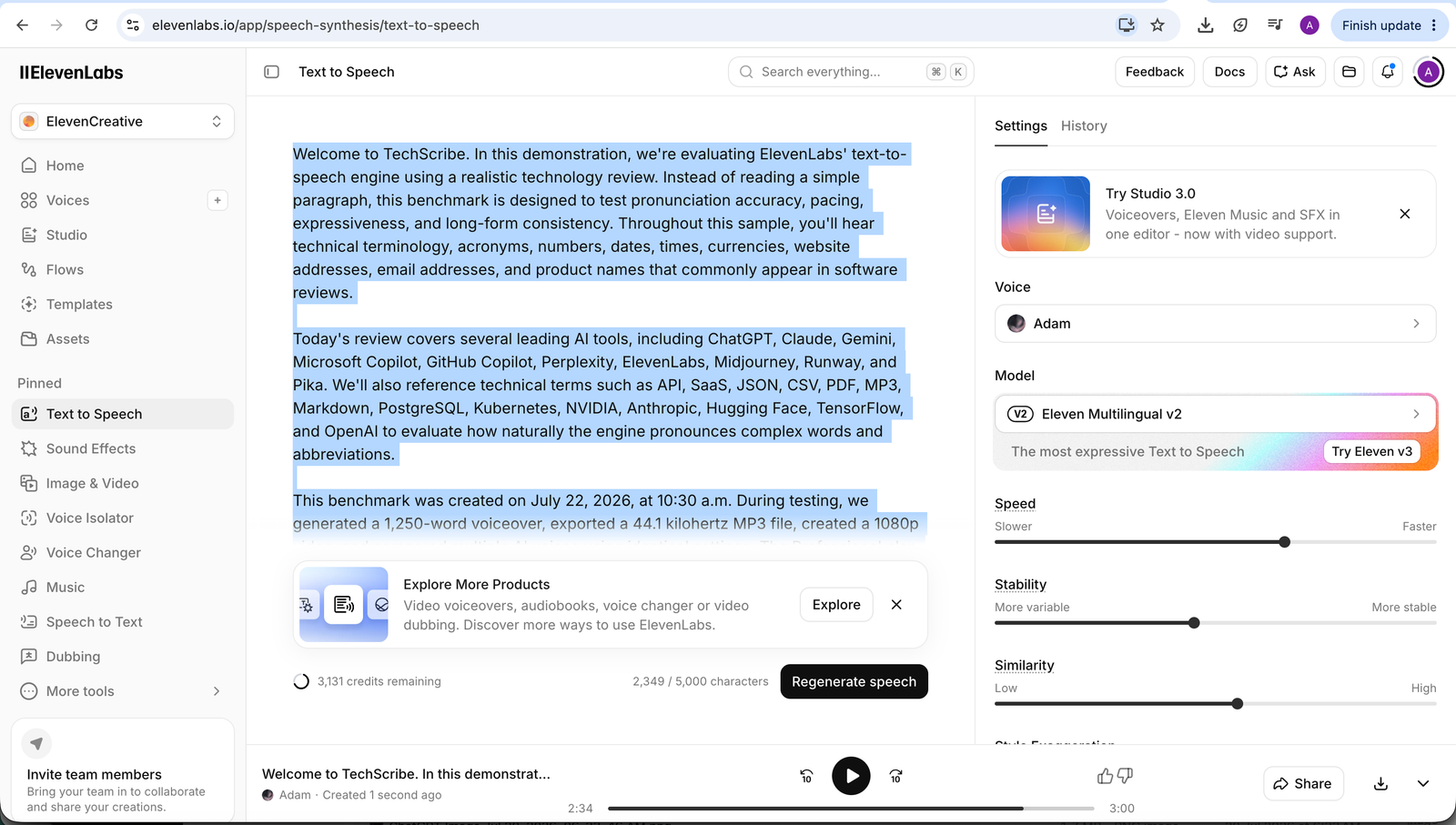
The ElevenLabs dashboard, showing the script, the voice (Adam, Eleven Multilingual v2), and the settings used for this test.
Listen to the full three-minute sample generated from the script on the left.
| Category | Score |
|---|---|
| Naturalness | 9.6/10 |
| Pronunciation | 9.5/10 |
| Technical terminology | 9.8/10 |
| Numbers & dates | 9.5/10 |
| Acronyms | 9.7/10 |
| Long-form consistency | 9.7/10 |
| Audio quality | 9.6/10 |
| Overall | 9.6/10 |
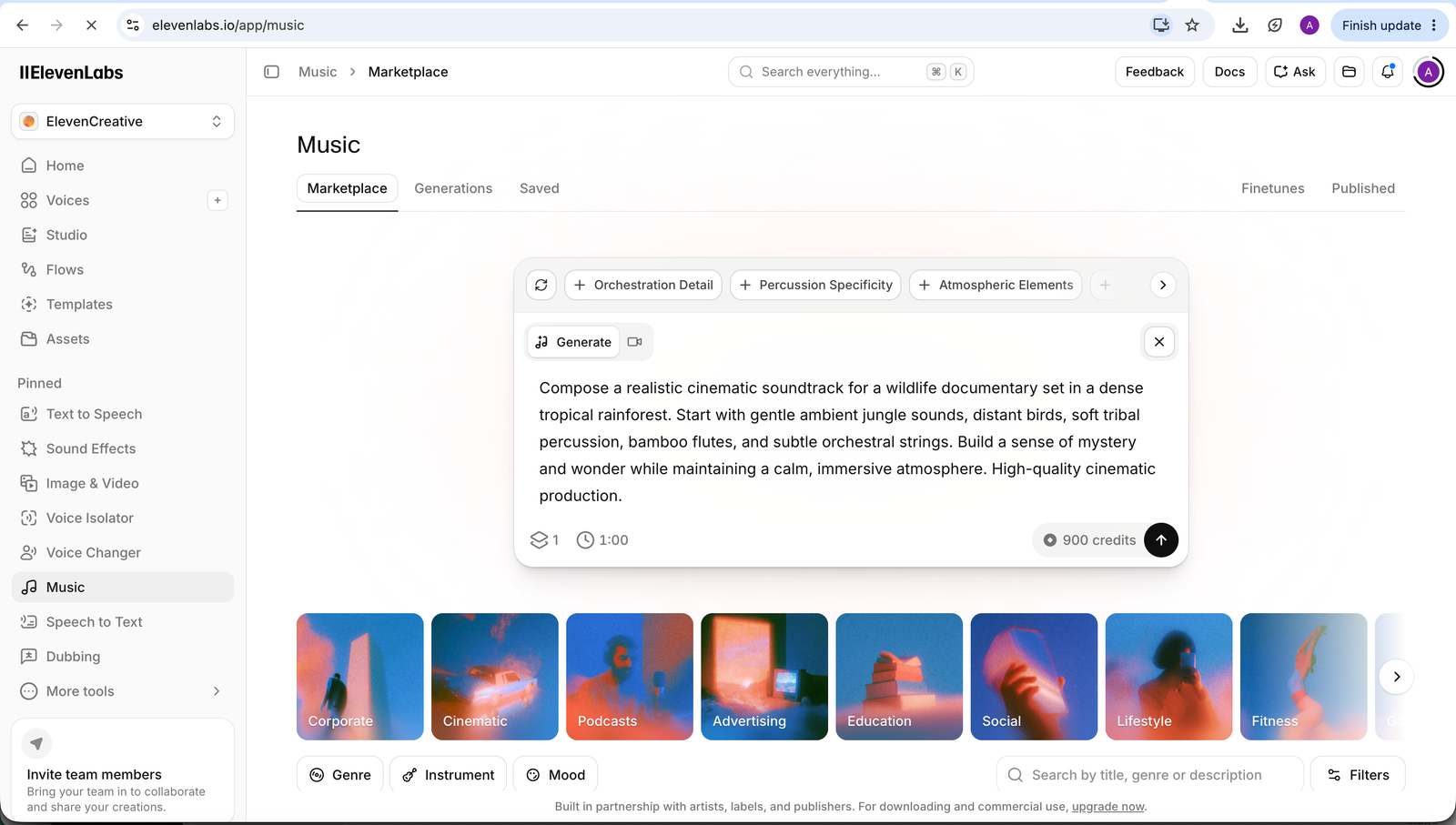
The ElevenLabs music composer, showing the rainforest documentary prompt as it was entered.
Listen to the full cinematic soundtrack generated from the prompt on the left.
ElevenLabs generated a cinematic, ambient track that matched the rainforest documentary theme we asked for. It stayed calm and immersive for the full length, which works well as background music for wildlife footage, travel videos, and educational content. The orchestral layer and overall production quality were strong. The bamboo flute, tribal percussion, and jungle sounds we expected from the prompt came through more quietly than expected. Even so, the track stayed cohesive and worked well as background music under narration.
| Category | Score | Assessment |
|---|---|---|
| Prompt adherence | 9.2/10 | Calm, immersive mood that builds gradually instead of jumping around; cinematic rather than pop-style, and it captures the "mystery and wonder" the prompt asked for. |
| Atmosphere | 9.5/10 | The strongest part — a real sense of exploration that would work well under dense rainforest footage, wildlife shots, slow drone footage, or nature documentaries. |
| Instrumentation | 8.5/10 | Solid orchestral ambience, but the bamboo flute, tribal percussion, and jungle sounds are quieter than the prompt suggested — it leans cinematic-ambient instead of spotlighting each instrument. |
| Musical progression | 8.8/10 | Builds naturally instead of feeling like a short loop on repeat; the smooth build works well as underscore for narration. |
| Production quality | 9.3/10 | Clean, balanced mix with no clipping and a steady volume — sits well under voice narration. |
| Creativity | 8.7/10 | Enjoyable but a bit safe. That's a plus for a wildlife documentary, where you don't want the music to distract — a film trailer would want sharper peaks. |
| Narration suitability | 9.6/10 | Cohesive and well-balanced — effective as background music under narration. |
| Overall | 8.9/10 | Captures the mood well. It reads as background music for a nature documentary, not a standalone song — which is exactly what the prompt asked for. |
ElevenLabs generates speech from a library of more than 11,000 voices, with language support that depends on the model, and dubbing in 90+ languages. More than 100,000 developers use it. Voice Changer, ElevenLabs' current name for what used to be called Speech-to-Speech, is one of the platform's most distinctive capabilities — it can take your own recorded performance and play it back through any voice in the library. In our testing, we haven't found another mainstream tool that matches it.
The platform has grown past voice. It now connects to 15+ outside video and image models — including Sora, Veo, Kling, Seedance, and Wan — to generate video up to 4K resolution alongside its own voice engine. Most competitors still do one thing well: Murf focuses on structured voiceover editing, Resemble.AI is an API backbone for developers, and Speechify is built for listening to content rather than creating it. ElevenLabs has moved past that single-lane model. It's now one of the only platforms where voice, video, image, and music are all generated, synced, and edited in one place.
The platform runs on three connected products, all built on the same voice technology. ElevenCreative generates and edits speech, music, sound effects, images, and video in one workspace. ElevenAgents turns that same voice technology into conversational agents for customer support and phone calls. ElevenAPI gives developers programmatic access to all of it, including an official MCP server that connects the whole platform to Claude, Cursor, and other AI tools. Text-to-speech used to be the whole product — now it's the foundation everything else is built on.
In our testing, ElevenLabs still produced one of the most natural voices we've heard in this category. What's changed is everything built around that voice. One project can now start as a script, become a cloned voiceover, get dubbed into 90+ languages, scored with an AI-generated soundtrack, and come out as a finished video — all without leaving the platform. Some of this is still new: Image & Video is in Beta, and it's competing against video tools that have had more time to refine their output.
When you open ElevenLabs for the first time, the interface looks simple: a text box, a voice selector, and a couple of sliders for stability and style. There's no timeline, no project setup, and no brand configuration to deal with. You paste your script, pick a voice, and click generate.
The output has a specific quality that's easy to notice: it sounds like deliberate choices were made about how to say the words, rather than simply reading them aloud. That quality can thin out later, in very long narration, where some artificial patterns can still show through — but in our testing, the starting point was well above anything else we've used in this category.
Rather than just take the "does everything" claim at face value, here are six official ElevenLabs demos that show the range of the platform — the original voice engine, the newer Studio and Image & Video tools, and the agent platform. Each one links to the section that covers that feature in more depth.
Create video voiceovers and podcasts with multiple speakers and sound effects in a single workflow.
Create your own AI voice clone and generate realistic voiceovers with ElevenLabs.
Translate your video into 90+ languages while carrying over the emotion and performance of the original speaker.
Discover, remix, create, and earn from music built on the ElevenLabs music model.
A dedicated entry point for talking-head video inside ElevenCreative.
A dedicated offering for customer support teams to launch continuously improving conversational agents.
ElevenLabs has grown well beyond a paste-and-generate tool, but that core workflow is still the fastest way in. Here's how to go from a blank project to a finished piece of content — voiced, and optionally dubbed or scored.
Most reviews describe ElevenLabs as the most realistic text-to-speech tool. That's true, but it misses the bigger point. ElevenLabs calls this feature Voice Changer — it used to be called Speech-to-Speech, and you'll still see both names used. What makes it particularly useful is how much of the original performance it preserves.
Here's what it actually does: you record yourself reading your own script, with your own timing, pauses, emphasis, and acting choices. ElevenLabs takes that performance and plays it back through any voice in the library, including a clone of someone else's voice. Your performance stays; only the voice changes. That's different from text-to-speech, where the AI has to invent the acting on its own — and acting is still hard for AI to fake well. Voice Changer sidesteps that problem: you supply the performance, the AI supplies the voice. For audiobook narrators, character voice actors, and creators with a strong script but the wrong voice, in our testing this is one of the strongest versions of this capability we've used.
Other tools have added emotion tags, expression controls, and voice cloning, but in our testing, none have matched how much of the original performance ElevenLabs' Voice Changer preserves. In our testing, ElevenLabs was the strongest overall performer we tried when natural-sounding delivery was the main goal — and that same engine is the foundation for its video and dubbing tools too.
Your performance, in any voice — in our testing, that's still the clearest advantage ElevenLabs has over the rest of the category.
In casual listening, our test voice sounded convincingly human. For storytelling, audiobooks, and premium video, in our testing, the difference next to the next-best option was noticeable.
A feature few competitors match this well. Record your own performance, then play it back in any voice. For voice actors, narrators, and creators with a strong script, this feature alone can justify the tool.
Tone and rhythm follow the meaning of your words, not just punctuation. Eleven v3's inline tags — [whispers], [laughs], [excited] — give you direct control over how a line is delivered.
Clone a voice from about a minute of clean audio with strong consistency across long scripts, or use a Professional Voice Clone — 30 minutes to three hours of audio, with longer samples generally producing better results — for a near-exact match.
Generate speech across a wide range of languages depending on the model (up to 90+ on the newest ones), or dub an existing video into 90+ languages while keeping its character and performance.
At the time of this review, connects to Sora, Veo, Kling, Seedance, and Wan for video, and Nano Banana, Flux Kontext, GPT Image, and Seedream for still images — all generated alongside voice, music, and sound effects instead of in a separate tool.
Clean documentation, predictable latency, and stable voice IDs, plus an official MCP server that gives Claude, Cursor, and other AI tools direct access to the platform.
A free, standalone noise-removal tool — feed in any audio or video and it strips background noise to return clean dialogue. Available as its own web app, inside ElevenCreative, and via the API, independent of a text-to-speech or cloning workflow.
At the time of this review (October 2026), ElevenLabs held a 4.5/5 rating on G2 based on 1,151 verified user reviews. Here's what users consistently praise — and where they see room for improvement.
This summary reflects 1,151 verified G2 reviews as of this writing. Visit G2 for the most current user feedback and individual review comments.
View all reviews on G2 →ElevenLabs' mobile app brings the core voice engine — and a growing part of the wider platform — to iOS and Android, built for creators who write, record, and publish straight from their phone.
Full access to the voice library and Instant Voice Cloning, synced with your web account — clone on desktop, use on mobile, or the other way around.
Turn a recorded voice into a different one right on your device, and strip background noise from the source audio before generating.
Export straight to Instagram, TikTok, and CapCut, built for short-form and faceless-channel creators.
App Store and Play Store ratings are currently strong (around 4.8 on iOS, 4.5 on Android) — check the current listings directly, since ratings shift over time.
At the time of this review, Image & Video brings in the best outside visual models rather than building a competing one from scratch. For still images, that's Nano Banana, Flux Kontext, GPT Image, and Seedream. For video, it's Sora 2 and Sora 2 Pro, Veo 3 and 3.1, Kling 2.5 through 3.0, Seedance 1 Pro through 2.0, and Wan 2.5 — each suited to a different job, from realism to stylized motion to multi-shot storyboarding.
Generated video supports lip-sync so it matches an ElevenLabs voice, upscaling up to 4K, and a direct export into Studio 3.0 to add narration, music, and sound effects. Seedance 2.0 goes further, generating video and matching audio together in a single pass instead of needing a separate audio step.
ElevenCreative is ElevenLabs' workspace for generating, editing, and localizing audio, image, and video at scale — voiceovers, music, sound effects, dubbed and localized audio, images, and video, all produced and exported from one place. Studio 3.0 is the editor inside it: a real timeline for lining up voiceovers, music, and effects, with one-click captions, shareable drafts with time-stamped feedback, and support for multiple languages.
This changes something worth calling out directly: ElevenLabs used to be fair to describe as generation-only, with no real way to edit your output. That's no longer true. Studio 3.0 is a genuine timeline editor. It's not a full video editor like Premiere or DaVinci Resolve, but it's well past having no editing tools at all.
ElevenCreative also includes features built for teams, not just solo creators: multi-seat workspaces with shared credit pools, content libraries, role-based access and approvals, SOC 2 compliance, single sign-on, audit logs, and Master Service Agreements.
Eleven Music launched as its own product, not a feature bolted onto text-to-speech. It generates instrumental and vocal tracks with control over genre, style, structure, and language, and lets you edit the lyrics or sound of a whole track or just one section — closer to a composition tool than a one-shot generator. Music v2 improved vocals, instrumentation, and arrangement across genres.
AI sound-effect generation sits alongside it, letting you pull in ambience, foley, or a specific sound from a text description instead of searching a stock library. Both are available inside ElevenCreative and through the API, and both plug directly into Studio 3.0 for scoring a finished video or podcast.
Dubbing v2 solves a real problem: traditional dubbing usually flattens the original performance, so a dramatic scene ends up sounding disconnected from how it was delivered. Dubbing v2 is built to carry over the emotion, pacing, and intent of the original speaker across languages instead of replacing it with a generic voiceover. It now covers 90+ languages and can use a voice clone of the original speaker to keep their identity across the dubbed version.
You can use this through ElevenCreative for one-off projects, or through the API if you're building localization into a larger pipeline — feeding in an existing video and getting back a multilingual dub without hiring translation voice actors or setting up a separate production process.
ElevenAgents is ElevenLabs' conversational AI platform — voice agents built from speech recognition, turn-taking, a language model, and an ElevenLabs voice, used for customer support, phone calls, and other interactive experiences. Procedures let teams set up playbooks for common situations, similar to how employees follow a standard process — a refund request can load steps like checking the order ID, confirming policy eligibility, and issuing the refund, pulled in only when that situation comes up. ElevenAgents for Support is built specifically for support teams moving away from traditional ticketing toward agents that keep improving over time.
ElevenLabs publishes an official MCP server that gives MCP clients — Claude Desktop, Cursor, Windsurf, and others — direct access to its text-to-speech, voice cloning, transcription, sound effects, music, and conversational-agent tools. Once connected, an assistant like Claude can generate speech, clone a voice, transcribe audio, or set up a voice agent from a plain-language prompt instead of writing API code.
This also works in reverse: ElevenAgents can connect to outside MCP tool servers mid-conversation, triggering a workflow, looking something up, or taking an action based on what the caller says. ElevenLabs provides the connection but doesn't manage or vet any third-party MCP server you choose to connect, so reviewing the security of an outside server is up to the team connecting it.
Buried under all the voice and video capabilities is a transcription engine, Scribe v2, that's a meaningful product on its own. It transcribes audio in 90+ languages with word-level timestamps, speaker diarization for up to 32 speakers, and entity detection across 65 types — useful for turning a recorded meeting or interview into a structured, searchable transcript rather than a wall of text. A Realtime variant targets live transcription at roughly 150ms latency, aimed at captioning and live-transcription use cases rather than after-the-fact processing.
It's easy to miss this if you came to ElevenLabs for voice generation, but for anyone who also needs to go the other direction — audio to text — it's built on the same account and API, not a separate tool.
Audiobook narration shows what ElevenLabs is built for: long, emotionally consistent, single-voice narration at scale.
Studio 3.0 added a real timeline for voice, music, effects, and video, with captions and collaboration. It's still not a replacement for a dedicated editor like Premiere or DaVinci Resolve if your project needs heavy compositing or color work.
Weak writing leads to weak delivery, even with the best voice engine. Read your script out loud yourself before generating — if it's awkward in your mouth, it'll be awkward in the output.
Short and medium-length content sounds genuinely human. Very long, continuous narration can still show some artificial patterns — plan to break content into smaller segments and check the output for consistency.
ElevenLabs runs on a credit system, and higher-quality voice, video, and image models use more credits per generation. Rates change as new models ship — check elevenlabs.io/pricing for current numbers instead of relying on a fixed figure.
Voice cloning carries real legal and ethical risk. ElevenLabs requires you to confirm consent before cloning, and it uses voice verification and watermarking. Make sure you own the rights to any voice you clone, and keep a record of consent for any voice that isn't your own.
The platform now covers voice, video, image, dubbing, music, and agents. That's a real advantage if you use several of them — but it also means there's more to learn than with a tool that does one thing.
ElevenLabs runs on tiered plans priced in USD, with usage measured in shared credits rather than separate charges per feature. Credits cover text-to-speech, voice cloning, dubbing, music, and the image/video tools, so a project that uses several of them at once draws from the same pool. At the time of this review, the standing monthly rates were:
| Plan | Price (at time of review) | Credits / mo |
|---|---|---|
| Free | $0 | 10k |
| Starter | $6/mo | 30k |
| Creator | $22/mo | 121k |
| Pro | $99/mo | 600k |
| Scale | $299/mo | 1.8M |
| Business | $990/mo | 6M |
| Enterprise | Custom | Custom |
At the time of this review, the Free plan doesn't include commercial-use rights or voice cloning. From the Starter tier up, plans add a commercial license and Instant Voice Cloning; Professional Voice Cloning and the higher-volume features are gated to the higher tiers. ElevenLabs also frequently runs first-month promotions — at the time of this review, Starter and Creator were both discounted for the first billing cycle — so the price shown at signup can be lower than the standing rate above, and pricing can also vary by region and currency. Rates and tier limits change as new models ship, so check elevenlabs.io/pricing for current numbers rather than treating this table as fixed.
Not on every plan. At the time of this review, the Free tier is for testing and personal use — it doesn't include a commercial license, so content generated on it isn't cleared for business or client use. Starting with the Starter tier, plans include a commercial license that covers using the generated audio, video, and music in paid or public work. If you're a marketer, agency, or business planning to publish or sell what you make with ElevenLabs, budget for at least the Starter tier rather than assuming the free plan covers it.
No local processing — generation happens on ElevenLabs' servers, through the browser, the mobile app, or the API.
A hybrid system: text-to-speech for generating from scratch, Voice Changer for preserving a performance you recorded yourself.
At the time of this review, the current flagship model — highest overall quality and expressiveness, 90+ languages.
Emotionally rich speech with inline tags — [whispers], [laughs], [excited] — supporting 70+ languages. Best for long-form, dramatic, or multi-speaker content.
The speed model — very low latency, 32 languages, lower cost per character. Built for voice agents, real-time apps, and quick drafts.
Favors stability and consistency across 29 languages, trading some speed for that consistency.
90+ languages, word-level timestamps, speaker diarization for up to 32 speakers, entity detection across 65 types. The Realtime variant targets live transcription at roughly 150ms latency.
Instant Voice Cloning from about a minute of audio; Professional Voice Cloning from 30 minutes to three hours, with longer samples generally producing better results.
Sora, Veo, Kling, Seedance, and Wan for video; Nano Banana, Flux Kontext, GPT Image, and Seedream for images — generation up to 4K.
A real timeline for voice, music, effects, video, and captions, with collaboration and shareable drafts — not a full NLE, but no longer "no editing tools."
Dubbing v2 preserves the original speaker's emotion and performance across languages, available via ElevenCreative and the API.
Stable voice IDs, clean documentation, and an official MCP server exposing the platform to Claude, Cursor, and other AI clients.
Voice verification, watermarking, and consent requirements are built into the cloning workflow, not bolted on.
At the time of this review: Free $0, Starter $6/mo, Creator $22/mo, Pro $99/mo, Scale $299/mo, Business $990/mo, Enterprise custom — billed on shared credits, with promotional first-month pricing common. Check elevenlabs.io/pricing for current rates.
The simple interface — paste, pick, generate — means there's almost no gap between curiosity and a finished clip. Most users generate something that genuinely surprises them in the first ten minutes.
From there, you start adjusting stability and style on purpose, discover Voice Changer, and the tool clicks differently. The shift goes from "this is impressive" to "I can actually direct this."
Once you're comfortable with the voice workflow, you can move into Studio 3.0 for a full project, Dubbing for a second language, Eleven Music for a soundtrack, or ElevenAgents for something that talks back. The platform's full range only becomes visible once the core voice workflow feels automatic.
You need realism that holds up across hours of content, and a Voice Changer layer that lets you use your own performance in voices you don't physically have. ElevenLabs is a strong fit if voice realism and performance control matter more to you than the lowest possible cost.
You produce regular long-form content where voice quality is part of the brand experience, and how the audio feels emotionally matters more to you than the lowest cost per minute.
You need a production-grade API, stable voice IDs, and increasingly, an MCP server that connects the platform to Claude, Cursor, or your own agent setup.
You want voice, video, image, and music generated in one workspace instead of stitched together from four separate tools. ElevenCreative and Studio 3.0 are built for exactly this, even though Image & Video is still in Beta.
You're deploying conversational voice agents for customer support or outbound calls, not making one-off content. ElevenAgents' Procedures and MCP integrations are built for this kind of operational work, not for the creator workflow.
ElevenLabs is built around realism and, increasingly, breadth. Here's when a narrower, more specialized tool will still serve you better.
| If you care most about... | Consider |
|---|---|
| Voice realism | ElevenLabs |
| Simple, structured voiceover editing | Murf |
| API / developer workflows | ElevenLabs, or Resemble.AI for a lighter API-first option |
| Listening to existing documents and articles | Speechify |
| Full video editing with deep compositing or color work | Premiere or DaVinci Resolve |


ElevenLabs made one deliberate choice early on: put realism and performance ahead of everything else. That choice built its reputation, but it's no longer the only choice shaping the product.
Studio 3.0 added a real timeline editor, so "no production workflow" isn't a fair criticism anymore. ElevenCreative brought music, sound effects, image, and video generation into the same workspace as the voice engine. ElevenAgents turned the same technology into conversational AI for customer support and phone calls, with an official MCP server connecting the whole platform to Claude, Cursor, and other AI agents. Dubbing v2 and Eleven Music both launched as standalone products, not features bolted onto text-to-speech. None of this replaces the original idea — it builds on it. The voice is still the main reason to use ElevenLabs. The wider platform gives you more reasons to stay.
That doesn't make ElevenLabs the best tool in every one of these categories yet. Image & Video is in Beta, and dedicated video-generation platforms have had more time to refine their output. Studio 3.0 is a capable editor, not a replacement for a full video editor. What ElevenLabs offers instead: one workspace where the voice, the video, the music, and the agent all share the same quality and the same identity.
Use it when realism is the point. Use a specialist tool when you need the single best version of just one piece of that stack.
Free tier available. Test the voice, then explore Dubbing, Music, and Image & Video before committing to a paid plan.
 Try ElevenLabs free →