Speechify
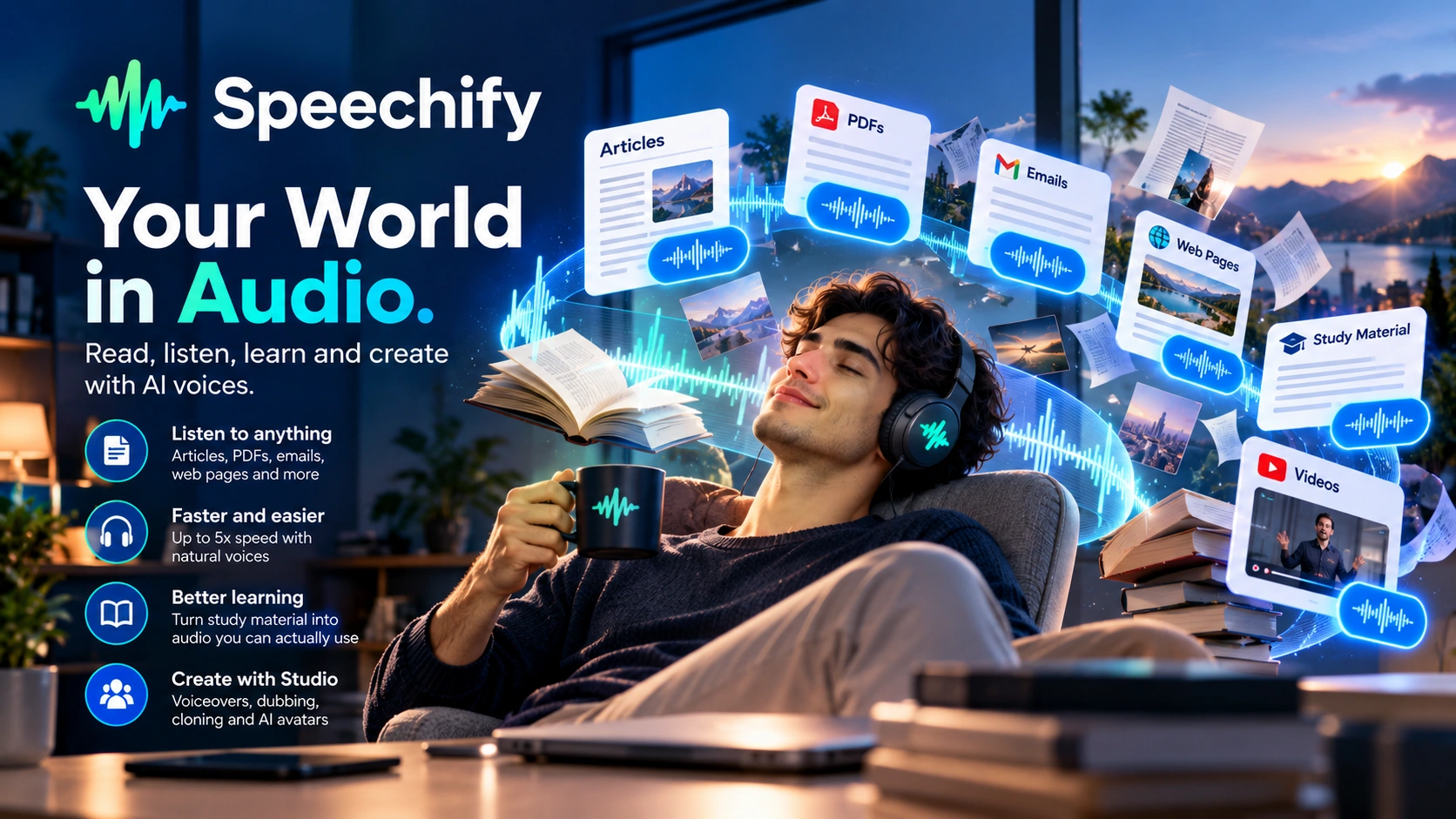
Speechify is best known as the Listener: paste an article, a PDF, or a web page, and it reads it back to you at up to 5x speed. A separate product line, Speechify Studio, is built for the opposite job: voiceover generation, voice cloning, dubbing, and now avatar video.
Speechify is best known as an audio consumption layer for written content, converting articles, PDFs, emails, and web pages into speech you can listen to at up to 5x speed on Premium, built for personal productivity and accessibility. Separately, Speechify Studio offers an AI voice generator, voice cloning, AI dubbing into 20+ languages, and AI avatar video, a distinct, creation-focused product line billed on its own credit-based plans under the same company.
More Than a Reading App:
Speechify Studio Creates Too.
Speechify is best known as an audio consumption layer that converts articles, PDFs, emails, and web pages into speech you can listen to at up to 5x speed on Premium, built for personal productivity and accessibility. That's the product most reviews, including an earlier version of this one, focus on exclusively. It's an incomplete picture. The same company also runs Speechify Studio, a separate product line for creating voiceovers, cloning voices, and dubbing video, which puts it in more direct competition with ElevenLabs, Murf, and Resemble AI than a "reading app" reputation suggests.
Most AI voice tools in this category are built for output. ElevenLabs creates voice with emotional realism. Murf produces structured voiceover content. Resemble AI governs voice as a verifiable asset. The mainstream Speechify app most people know is solving a different problem: it helps you consume information faster, not create it. You paste or scan content, and it reads it back to you, faster than you could read it yourself.
That's only one half of what the company builds. Speechify Studio is the creation half: an AI voice generator for producing voiceovers (used for videos, ads, e-learning, audiobooks, dubbing, and website content), a voice cloning tool, an AI dubbing product for localizing video into 20+ languages, and, newer still, an AI avatar tool for generating talking-head video. These are purpose-built creation tools, not a side feature bolted onto the reading app.
The honest framing: if what you're evaluating is the everyday app (paste an article, listen at 3x on your commute), the "Listener, not Creator" description is accurate, and most of this review focuses on exactly that experience. If what you actually need is voiceover generation, voice cloning, or dubbing, Speechify Studio is a separate product worth evaluating on its own terms, covered in its own section below.
The reading app helps you absorb content faster. Speechify Studio is a different product, built to generate content instead.
Speechify Studio:
The Creation Side.
Everything above describes the consumption side, the app most people install to listen instead of read. Speechify Studio is a separate suite built for the opposite job: producing voice and video content for other people to experience, not just for yourself.
Creates AI voiceovers for videos, ads, e-learning, audiobooks, dubbing, and website content. Narrate a script, video, or explainer in a chosen voice rather than recording it yourself.
Clones a voice for use across projects. User reviews describe it as easy to use for quick cloning, with natural results for straightforward material, though complex technical jargon and unique names can sound slightly robotic, and cloning is more error-prone when the source recording has background noise.
Localizes existing video content into 20+ languages, aimed at teams that need to take video they've already produced and make it accessible to audiences in other languages without re-shooting or re-recording.
A newer addition that generates talking-head video from a script or voice, rather than audio alone. It's billed separately and consumes substantially more credits than the other Studio tools. Not independently tested for this review.
What Speechify
Actually Costs.
Pricing here covers two separate products, and they're priced completely differently.
| Reader plan | Price | What's included |
|---|---|---|
| Free | $0 | 10 voices, playback capped at 1.5x, basic text-to-speech, 5-file library limit |
| Premium | $29/mo ($11.58/mo billed annually, ~60% off) | 1,000+ voices across 60+ languages, playback up to 5x, OCR scan-to-listen, AI summaries and chat, cloud integrations, Voice Typing, AI Podcasts, the Voice AI Assistant, offline listening, priority support |
Speechify Studio runs on separate, credit-based billing:
| Studio plan | Price | What's included |
|---|---|---|
| Free | $0 | 600 credits, access to Voiceover Studio, Dubbing Studio, Voice Changer. No cloning, no commercial rights |
| Starter | $100/yr | 86,400 credits, voice cloning, commercial usage rights, stock music, video, images, sound effects |
| Creator | $300/yr | 345,600 credits, everything in Starter, larger credit allowance (Speechify's own "best value" tier) |
| Enterprise & EDU | Custom | Contact sales |
Credits burn at different rates depending on what you're generating: 1 credit per second for voiceover, 3 credits per second for dubbing, and 30 credits per second for the AI Avatar video feature. At those rates, the Starter tier's 86,400 credits work out to roughly 24 hours of voiceover, 8 hours of dubbing, or well under an hour of avatar video a year, so the right tier depends heavily on which Studio tool you actually plan to use.
Speechify: You Paste or Scan,
and It Starts Speaking.
When you open Speechify for the first time, the experience is intentionally minimal. No project setup. No voice library exploration. No timeline or editing interface. The entire workflow is three steps.
- 1Paste text, upload a PDF, scan a document with your phone camera, or point it at a web page. Any of these starts the same workflow.
- 2The tool begins narrating immediately, with no configuration or voice selection required to begin.
- 3Playback moves from 1x up toward 5x on Premium as you get comfortable, with continuous playback flowing paragraph to paragraph and progress synced across mobile, desktop, and browser.
The experience has a specific quality: frictionless, fast, functional. There's no creative layer to navigate, no production overhead, no decisions to make. You point the tool at content and it starts speaking. For someone expecting a voice generation workflow, this can feel underwhelming. For someone drowning in unread articles, research papers, or email backlogs, this is exactly the point. The first session makes the product's priority clear: getting you from written content to spoken content with as little friction as possible.
Speechify assumes your goal is speed, not production.
Speechify in Action
Four official videos from Speechify's own YouTube channel, covering the voice assistant, the SIMBA voice model, the Gmail reading workflow, and notes and highlights.
Not Text-to-Speech:
Speechify's Reading Acceleration.
Almost every review of Speechify compares its voice quality to tools like ElevenLabs, or evaluates it as a content creation platform. That framing misses what the reading app is actually doing. The product it's building is reading acceleration, applied to anything you'd otherwise read on a screen.
Converts reading into listening. Articles, PDFs, emails, web pages: anything you would normally read on a screen can be consumed as audio. That frees up your eyes and hands, so you can absorb information while commuting, exercising, cooking, or doing anything else that doesn't require visual attention.
Increases consumption speed. Speechify users can listen at 2x, 3x, 4x, or 5x speed, allowing them to move through spoken versions of written material much faster. The voices are designed to stay clear and intelligible at those speeds, and you can move through more information in less time, provided the playback speed remains comfortable for you.
Makes learning material easier to consume. You can listen to study material during commutes, walks, or other downtime. That can make it easier to revisit material, although listening alone isn't a substitute for active study or recall.
The core truth: Speechify's reading app prioritizes speed, accessibility, and ease of consumption over content creation, storytelling, or editing. It produces an experience for you to consume information faster, rather than files for other people to listen to. Other tools in this category are about making voice. Speechify's reading app is about using voice to make reading optional.
Speechify's reading app is a content consumption accelerator. That's where the product is at its clearest.
The Moments That Make
Speechify Worth Knowing
Convert articles, PDFs, and documents into speech instantly, with no setup, configuration, or workflow overhead. Point the tool at content and it starts reading.
Listen at accelerated speeds up to 5x while adjusting playback to a pace you can comfortably follow. Voices are optimized for clarity at high playback rates.
Seamless use across mobile, desktop, and browser. Start listening on your phone, continue on your laptop, pick up where you left off on any device.
For users with visual impairments, dyslexia, ADHD, and other reading challenges, this functions as accessibility infrastructure rather than a convenience feature, removing a barrier that traditional reading creates for them.
Convert physical or scanned text into audio. Point your phone camera at a book, a printed article, or a menu, and Speechify reads it aloud.
Designed for uninterrupted consumption, not editing. Playback flows from paragraph to paragraph without stopping, prioritizing immersion over control.
What Speechify
Users Actually Say
Speechify doesn't have a single G2 listing covering the mainstream reading app. G2's listings sit under the Speechify Studio umbrella instead, blending to a 4.4/5 across 32 reviews.
For the reading app itself, the number Speechify has put on the record is self-reported: the company announced surpassing 300,000 reviews on the US iOS App Store, without stating a specific star rating in that announcement. The themes below are carried forward from this review's prior research pass on Speechify's user feedback rather than freshly re-pulled this round.
- Fast, simple conversion: paste a script, choose a voice, adjust speed, pitch, or pauses, and generate audio quickly.
- Natural-sounding voice quality, with one reviewer calling it the most natural-sounding AI voice they'd tried.
- Genuine time savings from how quickly voices can be cloned or text converted.
- Handles longer content without added complexity, with a voice library suited to different content types.
- Accurate conversion and support for uploading multiple text formats.
- Struggles with jargon and unique names, sometimes requiring manual phonetic spelling to fix pronunciation.
- Voice cloning is sensitive to background noise, with isolation issues when the source recording wasn't clean.
- Manual tuning is often needed for tone and pacing, especially on educational content.
- Inconsistent handling of natural pauses, sometimes requiring manually inserted spacing.
- Free-tier text length limits made full evaluation harder for at least one reviewer.
Visit G2 for the most current user feedback and individual review comments across Speechify Studio's listings.
View all reviews on G2 →Speechify vs
Other Reading Tools
Speechify isn't the only way to turn text into audio. Here's how it stacks up against the tools people actually compare it to, by what each one optimizes for rather than by numbers that change constantly.
| Capability | Speechify | Traditional Audiobooks |
|---|---|---|
| Core optimization | Speed and volume: consume any text you have, fast | Narrator artistry and immersive storytelling |
| Content library | Reads any text you provide: articles, PDFs, emails, scanned pages | Limited to published, professionally narrated titles |
| Playback speed | Adjustable well beyond normal speech, built for accelerated consumption | Fixed at the narrator's natural pace |
| Best for | Non-fiction, news, research, study materials, email and document backlogs | Fiction and immersive storytelling where narration quality matters |
Worth naming directly: ElevenReader, from ElevenLabs, is the closest head-to-head competitor to the reading app specifically, not just an adjacent voice tool. It offers 1,000+ voices across 90+ languages, a 200,000+ audiobook and ebook library, and a free tier (10 hours of text-to-audio a month). Its Ultra plan is $11/month or $8.25/month when billed annually. Speechify Premium is $29/month or about $11.58/month on its annual plan, putting the two much closer on annual pricing than their monthly list prices suggest. The tradeoff runs the other way on breadth: Speechify's longer-standing Chrome extension, Voice Typing, AI Podcasts, and the separate Studio creation suite give it a wider platform footprint than a reading app built primarily around text-to-audio and an audiobook library.
Speechify Is Building
Past Voice
Worth knowing even though it sits outside what this review tested directly: Speechify has recently announced two products that aren't voice generation in the ElevenLabs/Murf/Resemble sense at all, and neither appears anywhere on the current live page.
Speechify Work is an early-access product the company describes as an AI coworker for delegating business tasks: market research, presentation building, spreadsheet creation, report generation, dataset analysis, and workflow automation, aimed at executives, consultants, researchers, marketers, founders, and analysts. It's closer to a general AI agent product than a voice tool.
Speechify AI Workspace is described as a voice-native document environment: file storage and organization combined with text-to-speech, voice typing dictation, and the AI assistant, positioned as an alternative to Dropbox or Google Drive with AI built in throughout, aimed at students, professionals, founders, researchers, and teams.
Neither has been tested hands-on for this review, and both are new enough that independent user feedback is thin to nonexistent so far. The reason to mention them at all: a company known for "reading app plus a separate creation studio" is now building a third pillar aimed at knowledge work generally, not just voice. If you're evaluating Speechify specifically for its voice capabilities, Reader and Studio above are still the two products that matter.
More Ways to
Use Speechify
"Listen instead of read" undersells what this changes for some users. A few specific ways the same core capabilities (speed control, clarity at pace, cross-platform sync) show up in practice:
For readers who find visual text distracting or hard to sustain attention on, voice-first consumption removes a layer of friction. A steady playback speed can make it easier to stay with a piece of content start to finish.
Adjustable speed from well below normal pace up to several times faster makes Speechify useful for comprehension practice: slow down unfamiliar content, then speed up as fluency improves.
Papers, reports, and long articles queue up fast. If academic papers specifically make up most of what you're converting, Paper2Audio is a free, narrower alternative built around handling equations, citations, and figures in research PDFs.
Speechify Voice Typing
and Dictation
Alongside converting text to speech, Speechify also runs in the other direction: speech to text. Voice Typing lets you dictate instead of type, for emails, notes, and essays, with the app transcribing what you say in real time and cleaning up filler words and grammar along the way. For anyone who talks faster than they type, or wants to draft while walking, commuting, or away from a keyboard, it adds a second voice-based workflow alongside text-to-speech: speech-to-text dictation.
Speechify's
AI Assistant
Speechify also includes an AI assistant layered on top of whatever you're reading or listening to: a way to ask questions about the content, get a summary before committing to the full piece, or quiz yourself on what you just heard. It turns the app from a one-way playback tool into something closer to an interactive study or research aid, built on the same source material you fed it.
Speechify
AI Podcasts
Speechify can also turn written content into a podcast-style listening experience rather than a straight read-aloud, with multiple formats available (a discussion format, a lecture style, a storytelling style, among others). It's useful for articles or notes you'd rather absorb in a more conversational format, or for turning a backlog of saved reading into something that fits the way people already consume podcasts.
The Speechify
Chrome Extension
The Chrome extension is one of the more common ways people actually run into Speechify. It reads web pages aloud directly in the browser, without needing to copy text into a separate app first. Combined with the mobile and desktop apps, it's part of why cross-platform sync (starting an article on your phone, finishing it in the browser) matters as much as it does for this product.
A Few Things Worth Knowing
About Speechify
The everyday Speechify app is a consumption tool; it doesn't produce files for other people to listen to. Studio is the separate product for that job, with its own credit-based pricing.
In the consumption app specifically, voices are designed to be clear and steady at high playback speed rather than expressive. That's a different design goal than Studio's voice generator.
Avatar video burns credits 30 times faster than voiceover. A Starter plan that comfortably covers a year of voiceover work could be used up in a handful of avatar videos.
Whether Speechify Studio supports team accounts or API access for larger workflows hasn't been independently verified for this review, beyond what's listed on its own pricing page.
The consumption app is the mainstream, best-known product. But if you need voiceover generation, cloning, dubbing, or avatar video, evaluate Studio on its own terms.
What Speechify Actually
Looks Like Under the Hood
Cross-device syncing across phone, tablet, desktop, and browser extension.
Built for sustained listening at speed, rather than realism.
Scanned documents via phone camera supported.
Adjustable playback for faster listening.
On Premium. Limited set on the free tier.
Separate product, 20+ languages for dubbing, credit-based pricing.
This is an end-user product, not infrastructure.
Studio exports voiceover, cloned voice, dubbed video, and avatar video files.
For downloaded content on Premium.
Studio's team support isn't independently confirmed.
For users with dyslexia, ADHD, and visual impairments.
Reader: $29/mo or $139/yr. Studio: $100 to $300/yr credit-based. Billed separately.
What to Expect From Speechify
Session by Session
Paste text and it starts reading. The first session makes the product's simplicity clear: you feed it content, and it starts reading.
Moving from 1.5x to 2x to 2.5x, and discovering you can comprehend information at speeds significantly faster than reading. The tool stops being a novelty and starts becoming a utility.
If you find yourself regularly listening to articles, papers, or documents, Speechify can start becoming part of your normal reading routine.
Three Speechify Users
Who Get Real Value From This
You consume large volumes of information daily and don't have time to read all of it. Speechify lets you absorb content while commuting, exercising, or doing other tasks, with an immediate practical benefit. Watch out for voice fatigue at very high speeds; start at 1.5x to 2x and increase gradually rather than jumping straight to 4x or 5x.
Faster learning and revision cycles, reviewing lecture notes, textbooks, and study materials while doing other things, with the ability to listen to the same content multiple times at accelerated speeds. Particularly effective for auditory learners. Watch out for over-relying on passive listening; active recall still matters for retention, since Speechify accelerates input, not output.
For users with visual impairments, dyslexia, ADHD, or other reading challenges, Speechify can make written content easier to access and consume. Accessibility is one of the clearest areas where the product can provide value beyond convenience. Watch out for premium features sitting behind a subscription; for accessibility-dependent users the cost is usually justified, but it's still a real cost.
Who Should Look Elsewhere
Instead of Speechify
Being honest about fit is what makes a recommendation worth trusting. This applies to the reading and consumption app specifically. If what you need is voiceover creation, cloning, dubbing, or avatar video, see Speechify Studio above before assuming you need a different vendor entirely.



Speechify FAQ
The Speechify Verdict
The Speechify most people know is primarily a consumption product.
That choice is visible in everything the reading app does. The instant playback that removes friction between encountering content and absorbing it. The speed controls that let users process information faster than reading. The accessibility focus that treats voice as functional utility rather than creative output. For that specific product, it isn't trying to compete with ElevenLabs on voice quality or match Murf on production workflows. It's answering a different question: how do you absorb more information in less time, without being limited by reading speed or screen availability?
What an earlier version of this review got wrong was treating that as the whole story. Speechify Studio, with voiceover generation, voice cloning, AI dubbing, and now avatar video, is a separate, genuine creation product line under the same company. Studio belongs in the same comparison set as ElevenLabs, Murf, and Resemble AI, though this review doesn't claim that Studio is better or worse. And increasingly, there's a third direction too: Speechify Work and AI Workspace point toward a company building general knowledge-work tools well beyond voice.
So: at least two products worth separate verdicts, billed separately, aimed at different jobs. The reading app doesn't improve what you read; it improves how fast you can absorb it, and remains the better choice when consumption is the bottleneck. Speechify Studio is the one to evaluate when creation is the bottleneck instead, on its own terms, not as an afterthought to the reading app's reputation.
Speechify is the Listener first, and best known for it, but "not the Creator" was never accurate for the whole company. Use the reading app when consumption is the bottleneck. Evaluate Studio on its own terms when creation is.
Try Speechify for yourself
Paste an article, set the speed to 2x, and listen for five minutes. That single moment tells you everything you need to know about whether this tool is right for you.
 Try Speechify →