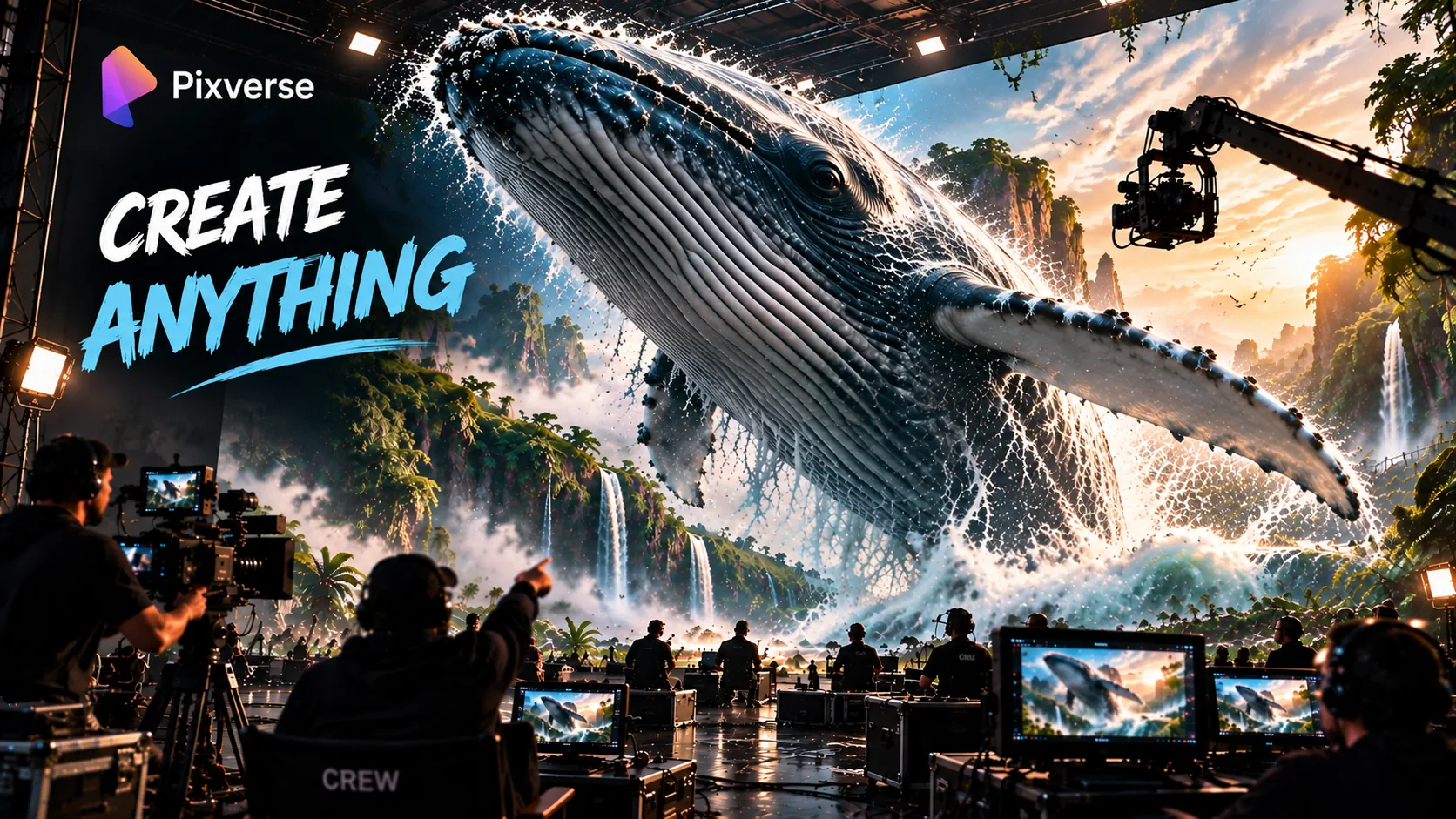
Pixverse AI Review 2026: Multi-Shot Video Generation with Native Audio
Pixverse AI logo
Pixverse AI โ€” Honest Deep Dive 2026

Pixverse AI

Pixverse AI turns a single prompt into a directed multi-shot sequence โ€” 15-second 1080p clips with native audio and 20+ cinematic camera controls. The future of AI video creation in 2026.

Multi-Shot Engine
Native Audio
20+ Camera Controls
1080p ยท 15s
What is Pixverse AI in 2026?

Powered by its V6 model, PixVerse AI transforms a single prompt into a directed, multi-shot video sequence with camera movements, character actions, and audio, marking a major shift beyond isolated AI-generated clips. Instead of generating one scene at a time, a single prompt can describe multiple shots, cinematic camera movements, character performances, and synchronized audio, with the Multi-Shot engine generating the entire sequence in a single pass while maintaining consistency in characters, environments, and lighting across shots. Native audio synthesis produces dialogue, ambient sound, and sound effects alongside the visuals, including lip-synced speech in 20+ languages, eliminating the need to generate audio separately for many workflows. The platform also provides 20+ cinematic camera controlsโ€”including pans, tilts, tracking shots, zooms, and perspective shiftsโ€”giving creators precise, directable control over camera movement instead of relying solely on descriptive prompt engineering. Available on Web, iOS, and Android, Pixverse AI is redefining how creators approach AI video generation in 2026.

Pixverse AI in Action
See the C1 model and Seedance 2.0 in 4K

Watch these official demos to see Pixverse AI's latest capabilities โ€” the C1 model built for film production and Seedance 2.0 delivering native 4K cinematic generation.

PixVerse C1 โ€” First Model Built for Film Production

Coherent action, storyboard-to-video, and ref-guided consistency in 1080p, 15 seconds, with native audio. Available on PixVerse Web and API Platform.

Seedance 2.0 4K โ€” Cinematic Terror

Text to 4K video with motion blur, dust kick-up, and depth of field. Production-ready AI video generation from PixVerse.

Pixverse AI Video Generator โ€”
from single clips to directed sequences

Most AI video tools โ€” including earlier versions of Pixverse itself โ€” are evaluated by the quality of one isolated clip per prompt. Pixverse AI's V6 model is built around a different premise: the bottleneck has moved from "does this five-second clip look good" to "does this still look like the same character, in the same room, with the same lighting, three shots later."

Its core distinction is the multi-shot engine. Pixverse AI can take a single prompt describing a scene with multiple camera angles โ€” wide, medium, close-up โ€” and generate the entire sequence in one pass, with the environment and subject remaining aligned across the cuts. That is the shift from a clip generator to a scene generator.

Layered on top of that is native audio synthesis. Dialogue, ambient sound, and effects are generated alongside the video rather than requiring a separate text-to-speech or sound-design pass โ€” and over 20 named camera controls give the model director-level instructions about how the camera should move, rather than leaving camera movement as a vague adjective for the model to interpret.

  • Available on Web, iOS, and Android โ€” generate from any device
  • V6 model introduced 15-second 1080p single-pass generation
  • Multi-shot engine keeps environment and character consistent across cuts
  • Native audio synthesis including lip-synced dialogue in non-English languages
  • 20+ named cinematic camera controls โ€” not vague adjectives

A clip is a moment. A scene is a sequence. Pixverse AI is built for the scene.

Pixverse AI Video Generator โ€”
the full feature set for 2026

Pixverse AI V6 is built around four capabilities that work together: multi-shot sequencing, native audio, precision camera controls, and character performance. Here is what each one actually does.

๐ŸŽฌ
Multi-Shot Engine

One prompt generates a sequence of connected camera angles โ€” wide, medium, close-up โ€” while the subject, environment, and lighting stay consistent across every cut. No re-prompting between shots.

See it in action โ†’
๐Ÿ”Š
Native Audio Synthesis

Dialogue, ambient sound, and effects generated in the same pass as the video โ€” including lip-synced dialogue in non-English languages. No separate audio step required.

Learn more โ†’
๐ŸŽฅ
20+ Cinematic Camera Controls

Tracking shots, perspective shifts, environmental reveals, push-ins, and orbits as named, directable moves. High success rate even on extreme angles and high-speed motion.

How to use them โ†’
๐ŸŽญ
Character Performance

Facial expressions and body language maintain continuity through scene changes rather than resetting to neutral with every new shot โ€” the difference between a clip and a scene.

Learn about Character Reference โ†’
๐Ÿ“
8 Aspect Ratio Options

Vertical social formats to widescreen cinematic deliverables from the same workflow โ€” TikTok, Reels, YouTube Shorts, and 16:9 widescreen all covered without re-renders.

๐Ÿ“ฑ
Web, iOS & Android

Full generation on web, with iOS and Android apps for reviewing and managing generations on mobile. Download the app to create videos with Pixverse on the go.

Try it free โ†’

Edit With Text โ€”
Modify videos using natural language

Pixverse AI's Edit With Text feature lets you modify videos using natural language commands. Instead of manual timeline editing, you describe the change you want โ€” and the AI executes it.

What you can do with Edit With Text:

  • Change a character's expression or action
  • Modify the lighting or mood of a scene
  • Replace background elements
  • Adjust camera angles or movements
  • Add or remove objects from the scene

This feature makes Pixverse AI accessible to creators who don't have traditional video editing skills, while still providing the control professionals need.

Describe the change. The AI makes it happen. That's the power of Edit With Text.

PixVerse AI Agent: Automate Your Video Creation Workflow
Let AI handle the repetitive work

The Pixverse AI Agent automates your video creation workflow โ€” turning a single brief into a complete video sequence without manual intervention. Instead of writing prompts for every shot, you describe the end result, and the Agent handles the rest.

What the Agent can do:

  • Convert a script into a multi-shot video sequence
  • Generate consistent characters across multiple scenes
  • Apply consistent branding and style throughout
  • Optimize prompts for better output quality
  • Batch generate videos from a single template

For creators producing at scale โ€” social media managers, agencies, and content teams โ€” the Agent feature transforms Pixverse AI from a generation tool into a production system.

Write the brief. Let the Agent handle the sequence. That's the Pixverse AI Agent.

Character Reference โ€”
Consistency across generations

Pixverse AI's Character Reference system ensures that characters maintain their identity across multiple generations. Instead of re-rolling and hoping the same character appears, you lock in their appearance once and reuse it.

How Character Reference works:

  • Upload a reference image of your character
  • Pixverse AI extracts key features โ€” face, body, clothing
  • Apply the reference across multiple prompts and scenes
  • The character appears consistently in every generation

This is essential for storytelling, branded content, and any project where a character needs to appear in multiple shots or scenes without looking different each time.

One reference image. Infinite consistent scenes. That's the Character Reference system.

Write the shot list,
not just the prompt

The vocabulary shift is the first thing that stands out. Instead of writing one prompt per clip and hoping the camera angle works, Pixverse AI rewards describing a scene the way a director would brief a cinematographer โ€” the subject, the setting, the camera move, the mood, and, if you want it, the dialogue or sound.

What a first session with Pixverse AI surfaces
  • 15-second single-pass generation at 1080p with strong temporal stability from first frame to last
  • The multi-shot engine cutting between wide, medium, and close-up angles while keeping the environment aligned
  • Native audio generated in the same pass โ€” dialogue, ambient sound, and effects, with lip-sync that holds even in non-English languages
  • 20+ named camera controls โ€” tracking shots, perspective shifts, environmental reveals, push-ins, orbits
  • Character performance โ€” facial expressions and body language โ€” holding steady across scene changes rather than resetting to neutral

The effect is that you spend the first session thinking in shots rather than in single prompts โ€” describing a sequence rather than gambling on one generation. Whether that vocabulary lands depends on how comfortable you already are thinking in cinematic terms; if you do, Pixverse AI feels like it is speaking your language from the first generation.

How to Use Pixverse AI โ€”
step-by-step guide for 2026

Creating your first multi-shot video with Pixverse AI takes five steps. The model rewards literal, physically descriptive prompts โ€” so the more specific you are about the scene, camera move, and sound, the better the output.

1
Step One โ€” Sign Up & Get Credits
Create a free account and claim your starter credits.

Go to Pixverse AI and sign up โ€” no credit card required. The free tier provides enough credits to test multi-shot generation, camera controls, and native audio on a real prompt before subscribing.

2
Step Two โ€” Write Your Shot List
Describe the sequence, not just a single frame.

Write the prompt the way a director would brief a cinematographer โ€” subject, setting, camera angles in order (wide โ†’ medium โ†’ close-up), and mood. Example: "A detective walks into a dimly lit office. Wide shot. Cut to a medium shot as she picks up a photograph. Close-up on her face โ€” she looks shocked."

3
Step Three โ€” Choose Your Camera Controls
Name the moves. Be specific.

Select camera controls by name from the 20+ options โ€” tracking shot, push-in, orbit, environmental reveal. Avoid vague adjectives like "dramatic camera movement." The more specific the named move, the higher the accuracy of the output.

4
Step Four โ€” Add Audio (Optional)
Include dialogue or ambient sound in your prompt.

If your brief includes sound, describe it in the prompt โ€” character dialogue, ambient noise, music style. Native audio generates in the same pass as the video, including lip-synced dialogue in non-English languages. No separate audio tool required.

5
Step Five โ€” Review, Refine, Export
Tighten the prompt before re-generating.

If the output misses the brief, tighten the prompt with more literal, physically descriptive language rather than re-rolling on the same loose prompt. Credits are consumed on every render, so a more deliberate prompt pays for itself. Export in your chosen aspect ratio โ€” 8 options available.

Direct the sequence once,
let the engine carry continuity

The practical workflow starts with the shot list. You describe the scene โ€” subject, setting, camera angles in order, mood โ€” and the multi-shot engine handles the internal consistency that used to require manual color-matching and re-prompting between cuts.

Camera direction comes next. Rather than hoping the model interprets "dramatic camera movement," Pixverse AI's 20+ named camera controls let you specify tracking shots, perspective shifts, push-ins, or orbits directly. In testing, camera movements were rendered with noticeably greater accuracy and fewer artifacts than in the previous V5.6 release, with a high success rate even on extreme angles and high-speed motion โ€” historically one of the hardest combinations for AI video models to render without warping or smearing.

If dialogue or sound is part of the brief, native audio generates it in the same pass. In testing with a multilingual prompt โ€” a stylized character with a male and female voice exchanging dialogue in Japanese โ€” the male voice read in the requested gentle tone, the female voice sounded genuinely surprised, and mouth movement matched the spoken words closely across the full 15-second generation, with the character's distinctive features holding throughout.

When a render does not quite match the brief, the practical workflow is to tighten the prompt rather than re-roll repeatedly. Pixverse AI responds best to literal, physically descriptive language, and renders that miss the brief still consume credits with no automatic refund โ€” so a more deliberate shot-list-style prompt pays for itself.

The pieces that make
a sequence feel directed

๐ŸŽฌ
The Multi-Shot Engine

A sequence of connected camera angles from a single prompt while the subject, environment, and lighting stay aligned across cuts. Directly solves AI video's biggest historical weakness โ€” drift between shots.

๐Ÿ”Š
Native Audio Synthesis

Dialogue, ambient sound, and effects generated in the same pass as the video โ€” including lip-synced dialogue in non-English languages. Turns a clip into something publishable without a separate audio step.

๐ŸŽฅ
20+ Camera Controls

Tracking shots, perspective shifts, environmental reveals, push-ins, and orbits as named, directable moves โ€” with a high success rate on extreme angles and high-speed motion that historically broke AI video models.

๐ŸŽญ
Character Performance

Facial expressions and body language maintain continuity through scene changes rather than resetting to neutral โ€” the difference between a clip that looks AI-made and one that feels like a scene.

๐Ÿ“
8 Aspect Ratio Options

From vertical social formats to widescreen cinematic deliverables from the same workflow. Useful for creators producing for multiple platforms without separate re-renders.

๐Ÿ†“
A Genuinely Usable Free Tier

A starter allotment of credits sufficient to test multi-shot generation, camera controls, and native audio on a real prompt before committing to a subscription โ€” not just a watermarked teaser.

The honest constraints โ€”
shared by the category, not unique to Pixverse AI

Pixverse AI's multi-shot engine and native audio add real structure around the generation process, but the underlying diffusion remains probabilistic โ€” generation is approximation, not exact rendering. A few specific places where that shows up:

๐ŸŽฏ
Localized edits can drift

User feedback highlights inconsistency on highly specific, localized edits โ€” masking a character's eyes to change their color has been reported to alter the entire face instead of the targeted region only.

โœ๏ธ
Prompt style sensitivity

Output quality varies depending on how literally the prompt is written. Pixverse AI rewards physically descriptive, shot-list-style prompts; abstract or purely emotional prompting tends to produce less predictable results.

๐Ÿ’ณ
Credits consumed on misses

Renders that do not match the brief still consume credits, with no automatic refund โ€” a real cost for budget-conscious creators iterating toward a specific result.

๐Ÿ“บ
1080p resolution ceiling

Pixverse AI V6 tops out at 1080p. If a deliverable specifically requires 4K, models like Google Veo 3 currently lead on raw resolution โ€” at the cost of some of Pixverse AI's creative flexibility.

Pixverse AI vs Other
AI Video Tools in 2026

How does Pixverse AI compare to the other major AI video generators on the features that matter most for directed, publishable output? Here is a direct comparison across the metrics creators and marketers actually care about.

FeaturePixverse AI V6Runway Gen-3Pika 2.0Google Veo 3
Multi-shot engineโœ“ Nativeโœ— Manualโœ— Manualโœ— Single clip
Native audio synthesisโœ“ Same passโœ— Separateโœ— Separateโœ“ Same pass
Named camera controlsโœ“ 20+โœ“ Limitedโœ— Prompt onlyโœ— Prompt only
Max resolution1080p1080p1080p4K
Max clip length15 seconds10 seconds10 seconds8 seconds
Character consistencyโœ“ Strongโœ“ GoodVariableVariable
Free tier availableโœ“ YesLimited trialโœ“ Yesโœ— Paid only
Mobile appโœ“ iOS & Androidโœ— Web onlyโœ“ iOS & Androidโœ— Web only

Bottom line: Pixverse AI leads on multi-shot sequencing, clip length, and camera control precision. Google Veo 3 leads on raw resolution. Runway gives more manual editing control for frame-level work. Pika is the strongest free-tier alternative for single-clip generation.

PixVerse AI vs Sora 2 & Kling 3.0: Which AI Video Generator Wins in 2026?
A head-to-head comparison

Pixverse AI faces stiff competition from Sora 2 and Kling 3.0 in the AI video generation space. Here's how they compare across the features that matter most for creators in 2026.

FeaturePixverse AISora 2Kling 3.0
Multi-shot engineโœ“ Nativeโœ— Single clipโœ— Single clip
Native audioโœ“ Same passโœ— Separateโœ— Separate
Camera controlsโœ“ 20+ namedโœ— Prompt onlyโœ— Limited
Max resolution1080p1080p4K
Max clip length15 seconds10 seconds10 seconds
Character consistencyโœ“ StrongVariableVariable
Free tierโœ“ Yesโœ— Limitedโœ— Limited

Verdict: Pixverse AI wins on multi-shot sequencing, native audio, and camera control precision. Kling 3.0 leads on resolution. Sora 2 offers strong general video generation but lacks Pixverse's creative control features.

PixVerse AI Credits: Costs, Earning, and Optimization Tips
Make every credit count

Understanding the Pixverse AI credit system is essential for budget-conscious creators. Here's everything you need to know about costs, earning mechanics, and optimization strategies.

Credit Cost Per Render
  • By Resolution: 720p (1 credit) ยท 1080p (2 credits)
  • By Clip Length: 5s (1 credit) ยท 10s (2 credits) ยท 15s (3 credits)
  • By Model Version: V5.6 (1 credit) ยท V6 (2 credits) ยท C1 (3 credits)
How to Earn Free Credits
  • Daily Login: Earn credits just by opening the app each day
  • Referral Program: Share your referral link and earn credits when friends sign up
  • Community Challenges: Participate in weekly challenges to earn bonus credits
  • Promotional Events: Limited-time events with extra credit opportunities
Budget Optimization Strategies
  • Write Tight Prompts: More literal, physically descriptive prompts reduce re-renders
  • Test on Free Tier: Use the free tier for testing before committing credits
  • Batch Generation: Generate multiple videos at once to reduce overhead
  • Refine Before Regenerating: Tighten the prompt rather than re-rolling on the same loose prompt
  • No Automatic Refund: Renders that miss the brief still consume credits โ€” so be deliberate
๐Ÿ’ฐ
Pro tip: Start with the free tier to test your workflow. Once you've refined your prompts and know what works, upgrade to a paid plan for higher volume and faster processing.

PixVerse C1 โ€” First Model Built for Film Production
Coherent action, storyboard-to-video, ref-guided consistency

PixVerse C1 is the company's first model specifically built for film production. It introduces capabilities that professional filmmakers have been waiting for in AI video generation.

Key C1 Capabilities:

  • Coherent Action: Characters move naturally across multiple shots without breaking physics
  • Storyboard-to-Video: Convert storyboard sequences directly into video
  • Ref-Guided Consistency: Reference images guide the model for consistent output
  • 1080p Resolution: Professional-grade quality at 15 seconds per clip
  • Native Audio: Dialogue, ambient sound, and effects generated in the same pass
  • Available on Web and API: Accessible via PixVerse Web and the API Platform

C1 represents a significant step forward for AI video generation in film production, making it a viable tool for pre-visualization, concept development, and even final deliverables in some contexts.

C1 turns storyboards into sequences. That's the difference between concept and production.

Seedance 2.0 4K โ€” Cinematic Terror
Your prompts turned into production-ready 4K video

Seedance 2.0 is Pixverse's native 4K video generation model. It takes prompts and turns them into cinematic-quality video with detail that survives speed and motion.

What Seedance 2.0 delivers:

  • Native 4K Output: Production-ready resolution for professional deliverables
  • Motion Blur: Realistic motion blur that maintains detail during fast movement
  • Environmental Detail: Dust, particles, and atmospheric effects rendered naturally
  • Depth of Field: Cinematic depth of field that adds production value
  • Detail That Survives Speed: High-motion scenes maintain quality and clarity

Seedance 2.0 makes Pixverse AI a viable option for projects that require 4K resolution โ€” bridging the gap between high-quality AI video and professional production standards.

Text to 4K video. Production-ready. That's Seedance 2.0.

Pixverse AI โ€” architecture overview

Max Duration / Resolution
15-Second 1080p Single Pass

A major jump from shorter, lower-fidelity clips of earlier versions, with strong temporal stability from first frame to last.

Multi-Shot Engine
Native Cross-Cut Continuity

Manages camera-angle transitions while preserving environment and subject alignment across cuts โ€” no manual re-prompting required.

Audio Synthesis
Native Dialogue, Ambient, SFX

Generated in the same pass as video, including lip-synced dialogue in non-English languages. No separate text-to-speech step required.

Camera Control Library
20+ Named Cinematic Moves

Tracking shots, perspective shifts, environmental reveals, push-ins, and orbits, with high success on extreme angles and fast motion.

Aspect Ratios
8 Format Options

Vertical social formats to widescreen cinematic deliverables from the same generation workflow.

Model Versions
V6 ยท V5.6 ยท V5.5 ยท C1

V6 introduces multi-shot, native audio, and improved camera precision. C1 is built for film production with storyboard-to-video and ref-guided consistency.

Pricing Model
Free Trial + Credit-Based Scaling

Generation length, resolution, and model version affect credit consumption. Renders that miss the brief still consume credits.

Platform
Web, iOS, Android

Browser-based generation with mobile app access across iOS and Android for review and light editing.

Pixverse AI Canvas and Video Editing
Multi-frame control and professional editing tools

Pixverse AI's Canvas tool provides multi-frame control and advanced video editing capabilities that go beyond simple generation.

What the Canvas tool enables:

  • Multi-frame control: Edit multiple frames simultaneously
  • Frame-level precision: Make precise adjustments at the frame level
  • Scene composition: Arrange and compose scenes within the canvas
  • Layer management: Work with multiple layers for complex compositions
  • Professional editing: Tools that rival traditional video editors

Compared to traditional video editors, Pixverse AI's Canvas tool is designed for AI-native workflows โ€” you can generate, edit, and refine in a single interface without switching between tools.

Pixverse AI API Access
Integrate Pixverse into your production pipeline

Pixverse AI offers API access for developers and enterprises who need to integrate video generation into their production workflows.

API Features:

  • Programmatic Generation: Generate videos via API calls
  • Bulk Processing: Generate at scale for production pipelines
  • Enterprise Integration: Embed Pixverse into your existing workflow
  • Custom Models: Access to C1 and other specialized models via API
  • Webhook Support: Automate workflows with webhook callbacks

API Use Cases:

  • Content automation platforms
  • Enterprise video production
  • Product demo generation at scale
  • Social media content pipelines
  • Pre-visualization for film production

For pricing and rate limits, visit the Pixverse API documentation or contact their enterprise team.

Stage by stage โ€”
from shot list to sequence

1
Stage One โ€” The Shot List
Describe the sequence, not just a single frame.

Write the prompt the way a director would brief a cinematographer โ€” subject, setting, camera angles in order, mood. This is the input the Pixverse AI multi-shot engine builds the whole sequence against.

2
Stage Two โ€” Camera and Audio Direction
Name the moves. Add the sound.

Specify camera controls โ€” tracking, push-in, reveal โ€” by name rather than vague adjectives, and add dialogue or ambient sound if the brief calls for it. Native audio generates alongside the video in the same pass.

3
Stage Three โ€” Tighten, Don't Re-Roll
Refine the prompt before generating again.

Since renders that miss the brief still consume credits, the more efficient habit is tightening the prompt toward literal, physically descriptive language rather than repeatedly re-rolling on the same loose prompt.

Five creators who will
get real value from Pixverse AI in 2026

๐Ÿ“ฑ
Social Media Creators
Cinematic clips without a camera

Describe the shot, the move, and the mood โ€” get a multi-shot clip with audio ready for TikTok, Reels, or YouTube Shorts in minutes, with 8 aspect ratio options to match each platform.

๐Ÿ“ฃ
Performance Marketers
Ad creatives at velocity

Generate product-focused video ads with camera movement and native audio, then iterate variants quickly for A/B testing without booking a studio for every concept. Use the Marketing Hub for campaign management at scale.

๐Ÿ›’
Ecommerce Sellers
Catalog video at SKU scale

Turn product photography into short video showcases across a catalog โ€” camera movement, native audio, and consistent branding without a studio shoot for every item.

๐ŸŽฅ
Indie Filmmakers
Shot lists become sequences

Use the Pixverse AI multi-shot engine to build establishing shots, reveals, and cutaways for projects without budget for a full on-site crew โ€” directed the way a cinematographer would brief a shot list.

๐Ÿข
Small Agencies
Client briefs, delivered fast

Convert client video briefs into polished cinematic deliverables with consistent characters and branding across multiple cuts, without a traditional production pipeline.

PixVerse AI for Ecommerce: Generate Product Videos at Scale
Turn your catalog into video content

For ecommerce sellers, Pixverse AI offers a powerful way to generate product videos at scale โ€” without a studio, without a crew, and without the expense of traditional video production.

Why Pixverse AI fits ecommerce:

  • Multi-shot engine: Showcase products from multiple angles in a single sequence
  • Camera controls: Dynamic angles that highlight product features
  • Native audio: Voiceovers and ambient sound in the same pass
  • Batch generation: Create videos for multiple SKUs using a template
  • Brand consistency: Maintain colors, logos, and style across all videos

Prompt templates for ecommerce:

  • Product showcase: "Wide shot of product on white background. Cut to medium shot showing texture. Close-up on logo."
  • Unboxing: "Top-down shot of box opening. Cut to product reveal. Close-up on product features."
  • Lifestyle: "Product in use in a natural setting. Ambient sound. Natural lighting."
  • Before/after: "Wide shot of problem state. Cut to product application. Close-up on result."

For ecommerce sellers generating videos at scale, Pixverse AI's batch generation workflow โ€” creating a template prompt and iterating product names/descriptions for multiple SKUs โ€” dramatically reduces the time and cost of video production.

Catalog video at SKU scale. That's Pixverse AI for ecommerce.

PixVerse AI Community & Enterprise Plans: Pricing, Features, and Use Cases
From individual creators to enterprise production

Pixverse AI supports creators at every level โ€” from individual creators building their first project to enterprises producing video at scale.

Community Features:

  • Community Challenges: Weekly challenges to earn bonus credits and showcase your work
  • Affiliate Program: Earn by sharing Pixverse AI with your audience
  • Creator Showcases: Featured creators and their best work
  • Community Support: Active community forums and Discord
  • Festival Partnerships: Partnerships with film festivals for creator recognition

Enterprise Features:

  • Team Management: Multi-user accounts with role-based access
  • Custom Branding: White-label options for agencies
  • API Access: Programmatic generation at scale
  • Dedicated Support: Enterprise-level customer support
  • Custom Solutions: Tailored workflows for specific use cases

Partners and Integrations:

  • Film Festival Partners: Pixverse AI partners with major film festivals for creator recognition
  • Content Platforms: Integration with major content creation platforms
  • Agency Partners: Preferred partner program for agencies

From community to enterprise. Pixverse AI scales with your ambitions.

When Pixverse AI
is not the right choice

Pixverse AI โ€”
common questions answered for 2026

Is Pixverse AI worth it?

For creators who think in shot lists rather than single clips โ€” social creators, ecommerce marketers, indie filmmakers, and small agencies โ€” yes. Pixverse AI's multi-shot engine keeps environment and character consistent across cuts, native audio generates dialogue and effects in the same pass, and 20+ camera controls let you direct specific moves by name rather than hoping the model interprets a vague prompt correctly.

What is the multi-shot engine in Pixverse AI?

The multi-shot engine lets a single prompt produce a sequence of connected camera angles โ€” wide, medium, close-up โ€” while keeping the subject, environment, and lighting consistent across the cuts. This directly addresses one of AI video's biggest historical weaknesses: characters and scenes drifting or changing appearance between generations.

How does native audio work in Pixverse AI?

Pixverse AI V6 generates audio โ€” dialogue, ambient sound, and effects โ€” natively alongside the video in the same pass. Dialogue is synced to mouth movement, including in non-English languages, removing the separate text-to-speech and sound-design step that older AI video tools required.

What camera controls does Pixverse AI offer?

Pixverse AI V6 offers more than 20 distinct cinematic camera controls โ€” tracking shots, perspective shifts, environmental reveals, push-ins, orbits, and more. These are named, directable moves rather than vague adjectives buried in a prompt, and the model shows a high success rate even on extreme angles and high-speed motion.

How does Pixverse AI maintain character consistency?

Pixverse AI V6 targets character performance directly โ€” facial expressions and body language maintain continuity through scene changes rather than resetting to neutral with every new shot. In testing, a stylized character's distinctive features held the same shape and proportions across a full 15-second multi-shot generation.

How do I use Pixverse AI to create a multi-shot video?

Write your prompt as a shot list โ€” describe the subject, setting, and camera angles in order (wide, medium, close-up). Then specify camera moves by name (tracking, push-in, orbit) and add any dialogue or ambient sound. The multi-shot engine generates the full sequence in one pass. If the result misses the brief, tighten the prompt with more literal, physically descriptive language before regenerating, since credits are consumed on every render.

What is Pixverse V6 compared to V5.6?

Pixverse V6 is the latest model, introducing 15-second single-pass generation at 1080p, the native multi-shot engine, native audio synthesis, and improved camera control precision and character performance compared to V5.6. It moves the platform from isolated clip generation toward a unified, model-driven video production workflow.

What are the realistic limitations of Pixverse AI?

User feedback points to inconsistency on highly specific, localized edits โ€” masking a character's eyes to change their color can alter the entire face instead of the targeted region. Output quality is sensitive to prompt style, rewarding literal, physically descriptive language over abstract prompting. Credits are consumed even on renders that don't match the brief, with no automatic refund.

Who should NOT use Pixverse AI as their primary tool?

If your deliverable specifically requires 4K resolution, models like Google Veo 3 currently lead on raw resolution. If your workflow depends on precise, isolated edits to existing footage, a dedicated editor with manual masking may be more reliable. And if your real need is post-generation timeline editing rather than generation itself, a dedicated editor is the better starting point.

The Pixverse AI verdict for 2026

Pixverse AI made a deliberate bet. Most AI video generators compete on how good a single clip can look. Pixverse AI's V6 model competes on whether a sequence holds together โ€” across camera angles, across characters, and now across sound.

The result is a platform that behaves less like a slot machine for clips and more like a small production team: it frames the shot, moves the camera by name, keeps the character looking like themselves, and writes the audio track โ€” all from one brief. That framing prioritises creators who think in shot lists over the novelty of a single unpredictable generation.

The trade-off is prompt discipline: Pixverse AI rewards literal, physically descriptive briefs, and renders that miss the mark still cost credits โ€” so the model assumes you are willing to direct, not just describe.

The shot list is the input. The scene is the output โ€” and Pixverse AI's greatest achievement is not generating a beautiful clip, but generating a sequence that still makes sense three cuts later.

Ready to direct a sequence with Pixverse AI in 2026?

Write your shot list, name your camera moves, and see how the multi-shot engine and native audio handle your first 15-second generation.

Affiliate link โ€” we may earn a commission at no extra cost to you. Our review is always independent.

Try Pixverse AI Free โ†’
See it in action

Real workflows using Pixverse AI

Back to Top