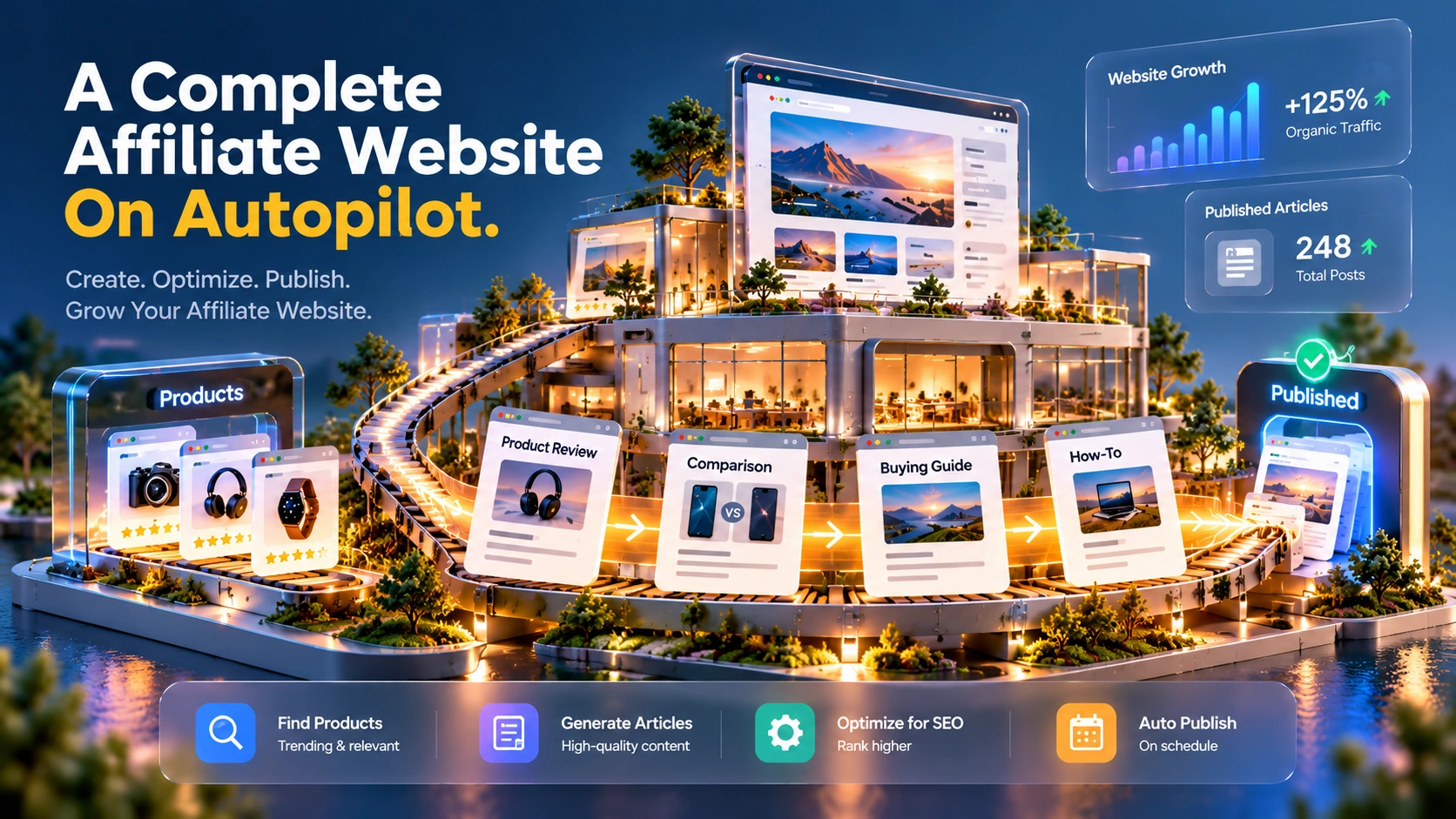
UseArticle automates affiliate content: paste a product link, and it writes, formats, and publishes the article on a schedule you set. This review covers what UseArticle's AI tools actually do, current pricing across its three direct plans, a separate AppSumo lifetime deal with different terms, SEO and affiliate-compliance considerations, and who gets real value from it.
Pricing and features can change. Check UseArticle's current pricing page before you subscribe.
UseArticle is an AI tool that turns a product URL into an affiliate article and publishes posts on a schedule. You provide a product link or choose one from its built-in marketplace, pick a site, and set how many posts a day and for how long. UseArticle then writes the article, builds a product card with your affiliate link, and publishes it automatically; thumbnail generation is available on some plans, covered in the pricing section below.
Each site also gets a separate product-showcase homepage automatically: product cards with images, prices, ratings, and affiliate calls to action, with products grouped into categories automatically. The homepage displays the products, while the blog is designed to attract search traffic.
The company describes it as a way to run multiple affiliate sites without writing or publishing each post by hand. It's built around automation first: you set it up once, and it keeps producing content for the period you choose, from 7 to 90 days.
UseArticle says creating a site takes about 60 seconds, and that full setup, from signing up to your first scheduled post, takes about 5 minutes. Those are the vendor's own stated times, not independently measured for this review.
Each automated run produces a full article: headline, introduction, body sections with headings, a conclusion, and an FAQ block.
Pulls product details, pricing, and reviews automatically when you paste a supported URL, according to UseArticle.
UseArticle says it adds nofollow tags to affiliate links. These tags help tell search engines how to treat the links, but they don't replace a clear affiliate disclosure for readers; more on that in Content Quality, SEO, and Affiliate Compliance below.
Generates a thumbnail image for the post on plans that include that feature. See Pricing for which plans do.
Applies Product schema markup to the page, which can make a listing eligible for richer search results, though eligibility depends on Google's own requirements and isn't guaranteed by adding the markup alone.
You can also set the writing tone, choose a target word count, and select from more than 15 output languages. UseArticle advertises articles of 1,500 words or more, but its word-count setting also offers shorter outputs, including a 500-word option and a 4,000-word option, so actual length depends on what you choose.
The clearest strength is that scheduling and multi-site management live in the same dashboard, so you're not stitching together separate tools to plan, write, and publish across several affiliate sites.
UseArticle includes 13 formats for how a given product gets written up: reviews, head-to-head comparisons, buying guides, "alternatives to X" roundups, gift guides, and shorter quick-verdict posts, among others. Automations rotate through whichever templates you select, so a single product can generate several different kinds of posts across a run instead of the same format repeated.
UseArticle's marketplace lists 100+ affiliate programs, with commission rates displayed in the marketplace, positioned as a way to build a site around a product without first sourcing your own affiliate deal. That's the count UseArticle advertises: it doesn't mean every program is open to new applicants, available in your country, or guaranteed to pay out at the listed rate. Joining a program and getting approved are still separate steps you'd do outside UseArticle.
All three direct-site plans include API access for connecting UseArticle to tools such as n8n (a workflow-automation tool) and other custom integrations. This is worth noting because it's included on the entry-level Base plan, not gated to the more expensive plans.
UseArticle automates much of the manual process of collecting product information, writing a post, building the product card, and hitting publish. UseArticle's own documentation doesn't describe a built-in pre-publish approval step, and we couldn't verify from the available materials whether one exists. The site does confirm automations can be paused, resumed, and edited, but that's a different thing from a draft-review state before a post goes live. If reviewing every post before publication matters to you, confirm directly with UseArticle whether that's possible rather than assuming it.
Checked directly on UseArticle's pricing page, October 13, 2026. Confirm current pricing before you subscribe, since SaaS pricing changes.
Billed monthly, 7-day free trial.
Billed monthly, 7-day free trial. The vendor's own "Most Popular" label.
One-time payment, no recurring UseArticle fee.
A yearly billing option is shown on the pricing page as a "Save 20%" toggle, but the page doesn't display exact yearly prices.
Separately, UseArticle also currently runs a lifetime deal through AppSumo, at $49 for Tier 1 and $119 for Tier 2. This is a live, separate offer at the time of this review, not an ended promotion, and its terms don't match the direct-site plans exactly. Tier 2 lists up to 10 post automations, double the 5-automation cap on the direct site's Unlimited and BYOK plans. Both AppSumo tiers are BYOK, so the same separate-OpenAI-cost caveat that applies to the direct site's BYOK Lifetime plan applies here too: factor in your own API usage costs when comparing the one-time price against the subscription plans. Unlike the direct-site plan list, both AppSumo tiers also list auto-generated thumbnails as an included feature. Check the AppSumo listing itself for current availability, included features, and terms before buying through it, since deal inclusions can change.
Published posts live on a site UseArticle hosts for you, with custom domain support on every plan, carry Product schema markup, and use SSL by default, according to the vendor. The official site describes hosting, not publishing to an existing website you already run; this review could not confirm from the available material whether UseArticle can publish into an existing WordPress site rather than a UseArticle-hosted one, so check that directly if it matters for your setup. Export, backup, and migration options if you wanted to move a site elsewhere also aren't detailed in UseArticle's materials, so that's not something this review can confirm either way.
Want new posts going up on a schedule without writing each one themselves.
Manage content across multiple client sites, where multi-site management and removing UseArticle branding both matter.
Want a faster path from "found a product" to a published comparison or review post.
If you need one carefully researched review that you can edit yourself, UseArticle may not be the best fit. It's designed to automate publishing across multiple posts and sites, not to help you write and refine one detailed review.




This review is based on UseArticle's own site and pricing page, cross-checked against its AppSumo listing, as of October 2026. No hands-on testing of the product (creating a site, running an automation, reviewing the output) was done for this piece, so claims about article quality, actual publishing reliability, and day-to-day usability reflect the vendor's own description rather than independent verification. This page contains affiliate links; if you sign up through one, TechScribe may earn a commission at no extra cost to you. That relationship has no bearing on the findings above.
Full affiliate articles, built from one of 13 templates, with a product card, affiliate link, and a generated thumbnail on plans that include thumbnails, published automatically on the schedule you set. Every site also gets an automatic product-showcase homepage alongside the blog.
Not necessarily. UseArticle advertises a marketplace of 100+ affiliate programs you can plug into directly, though you still need to apply to and get approved by each program, and disclosure requirements vary by program and jurisdiction.
On the direct-site plans, each automation publishes 1 or 2 posts a day, for a window of 7 to 90 days that you choose. You can run multiple automations at once, up to 2 on Base or 5 on Unlimited and BYOK Lifetime.
Yes, both the Base and Unlimited monthly plans include a 7-day free trial, as shown on the pricing page at the time of this review. The one-time BYOK Lifetime plan is not shown with a trial.
The $250 BYOK Lifetime plan is a one-time payment with no recurring UseArticle fee, but "unlimited" content on that plan depends on connecting your own OpenAI API key, and that key's usage is billed to you separately by OpenAI. The direct-site BYOK Lifetime plan does not list auto-generated thumbnails, although both AppSumo tiers currently list that feature as included.
UseArticle automates affiliate publishing across one or more sites, with a product-showcase homepage alongside the blog. You still need to check the articles, follow each affiliate program's disclosure rules, and treat generated posts as drafts that need fact-checking, not as verified, finished reviews. For marketers and agencies who need ongoing volume across sites and are willing to own that editorial step, it's a reasonable fit. For a single, carefully hand-edited page, a tool built around writing one page well is the better match.
Paste a product URL and see the generated article, then decide for yourself whether the automation is worth the editorial checks covered in this review.
Independent review. Prices and features may change; always check the official UseArticle site for the latest information.
 Durable
 UseArticle
 Lovable
 Carrd
Carrd