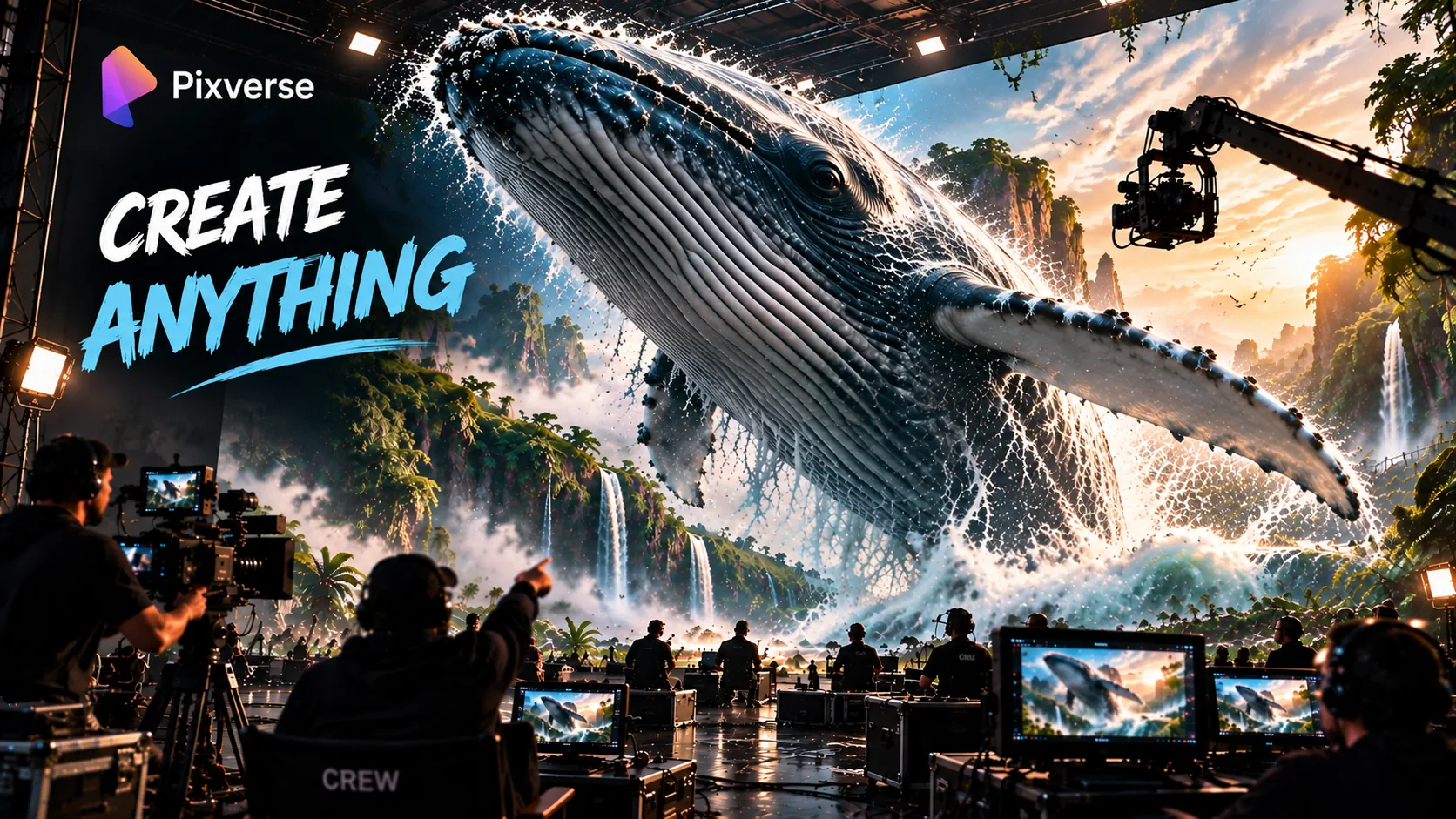
AI Video Generator — Multi-Shot Sequences, Built-In Audio, and Camera Controls
PixVerse is an AI video platform. Its own V6 model can turn one prompt into several connected shots — wide, medium, close-up — with camera movement, character actions, and audio built into the same generation. Beyond V6, the platform also gives you Character Reference, Modify, Canvas, an automation Agent, and access to other models and tools, including C1 and the ByteDance Seedance 2.0/2.5 models.
It's worth separating the platform from what runs on it. V6 and C1 are PixVerse's own models. Seedance 2.0 and Seedance 2.5 are made by ByteDance and hosted on PixVerse. Canvas is the workspace for organizing assets and storyboards. The Agent automates parts of the workflow. The API lets developers use PixVerse from their own apps and workflows, with its own separate credit system. This distinction matters because not every feature available on PixVerse comes from a PixVerse-built model.
Coherent action, storyboard-to-video, and reference images used to keep the result consistent, in 1080p, up to 15 seconds, with built-in audio. Available on the web and through the API.
Text to video with motion blur, dust, and depth of field. A ByteDance model hosted on the platform.
V6's main feature is its multi-shot engine. Give it one prompt describing a scene from several angles — wide, medium, close-up — and it generates the whole sequence in one pass, aiming to keep the subject and setting consistent across the cuts.
V6 also generates audio in the same pass: dialogue, ambient sound, and effects. That can save a separate text-to-speech or sound-design step. And it has more than 20 camera controls — named moves like tracking shots, push-ins, and orbits, rather than describing a camera move in prose and hoping the model understands it.
Modify and its related tools (Swap, Add, Edit, Text Replacement, Restyle) let you change an existing video by describing the change, instead of editing frame by frame on a timeline. Best for targeted changes — for frame-accurate, isolated edits, a dedicated video editor is still more reliable.
The Agent turns a brief into a multi-shot sequence and automates some of the manual prompting. Instead of writing a prompt for every shot, you describe the end result and it handles more of the setup — most useful for teams generating several videos from the same workflow.
Helps keep a character's look the same across multiple generations. Instead of re-describing the character every time, you upload a reference image and apply it across prompts and scenes — useful for storytelling, branded content, and any project where the same character needs to show up in multiple shots.
Creating your first multi-shot video takes five steps. Specific, physically descriptive prompts tend to produce more predictable results than vague ones.
Create a free account and claim your starter credits. Free credits and trial access are available, though the models, resolution, and usage limits you get depend on your plan.
Describe the subject, setting, and camera angles in order — wide, then medium, then close-up — plus the mood you want. Example: "A detective walks into a dimly lit office. Wide shot. Cut to a medium shot as she picks up a photograph. Close-up on her face — she looks shocked."
Name the moves — tracking, push-in, orbit, and so on — rather than describing them in prose. Naming a specific move tends to make your intent clearer to the model.
If your brief includes sound, describe it: dialogue, ambient noise, music style. Audio generates in the same pass as the video.
If the output misses the brief, tighten the prompt with more literal, physical language rather than re-rolling the same loose prompt — credits are used either way. Export in your chosen aspect ratio.
The workflow is straightforward, but there are a few things worth knowing before you rely on it:
AI video generation is not exact, and small changes can affect more of a scene than you intended. A few specific places where that shows up:
User feedback points to inconsistency on highly specific edits — masking a character's eyes to change their color has been reported to alter the whole face instead of just that region.
Output quality varies with how literally the prompt is written. Specific, physical descriptions of the subject, action, and camera tend to produce clearer results than abstract prompting.
A generation you don't like still uses credits. This means a failed generation can reduce the number of videos you can make from the same credit balance, so it's worth refining the prompt before generating again.
PixVerse as a platform offers other models and workflows with higher-resolution options — Seedance 2.0/2.5 and higher paid plans go up to 4K — but V6 itself is documented at a 1080p ceiling.
How does it compare on the features that matter most for directed, multi-shot video? Competitor products change quickly — these figures reflect each vendor's most recent public materials as of September 2026, so check current documentation before relying on any single number.
| Feature | PixVerse AI V6 | Runway Gen-4.5 | Pika 2.5 | Google Veo 3.1 |
|---|---|---|---|---|
| Multi-shot engine | ✓ Native | ✗ Manual | Pikaframes (keyframe-based, 2–5 keyframes) | No direct equivalent (Scene Extension, First/Last Frame, Object Insertion, Ingredients to Video instead) |
| Built-in audio | ✓ Same pass | ✗ Separate | ✗ Separate | ✓ Same pass |
| Camera controls | ✓ 20+ named | Prompt-based (detailed camera choreography, no named presets) | ✗ Prompt only | ✗ Prompt only |
| Max resolution | 1080p | 720p | 1080p | Up to 1080p native; 4K upscaling on the Ultra plan |
| Max clip length | 15 seconds | 10 seconds | 10 seconds standard (Pikaframes extends to 25 seconds) | 8 seconds base; longer with extensions |
| Free tier | ✓ Yes | Limited trial | Yes, limited resolution/features | ✓ Yes, limited credits |
Bottom line: PixVerse's edge in this comparison is the multi-shot workflow, 15-second clips, and camera-control library. Runway's own strength is prompt-driven camera choreography rather than a preset library, and Pika's free tier trades resolution and features for accessibility.
A note on Sora: per OpenAI's own Help Center, the consumer Sora app and web experience were discontinued on April 26, 2026, and the Sora API was discontinued on September 24, 2026. Because it's no longer maintained, it isn't included as a current comparison point here.
| Feature | PixVerse AI | Kling 3.0 |
|---|---|---|
| Multi-shot engine | ✓ Native | ✓ Native (up to 6 shots) |
| Built-in audio | ✓ Same pass | ✓ Same pass (native audio) |
| Camera controls | ✓ 20+ named | Prompt/storyboard-based |
| Max resolution | 1080p | 4K |
| Max clip length | Up to 15 seconds | Up to 15 seconds |
| Character consistency | Character Reference (image-guided) | Element consistency (reference-guided) |
| Free tier | ✓ Yes | ✓ Daily free credits |
Comparison summary: Kling 3.0 also does native multi-shot and built-in audio, so those aren't a unique PixVerse advantage here. The real differences: PixVerse has the larger camera-control library, Kling 3.0 goes to a higher resolution.
PixVerse uses credits, not one flat price per video. The exact cost depends on the model, resolution, duration, and other settings, and is shown before you generate. Generations that produce an unwanted result can still consume credits.
Broadly: the free Basic plan caps out at a lower resolution, and higher paid plans unlock higher resolutions and more volume, up to 4K on the top tiers. For current plan names and prices, PixVerse's own pricing page has the up-to-date numbers — it's the kind of thing that changes often enough that we won't try to reproduce it here.
API credits (published, and more stable than the consumer plans): billed separately from web/app credits. Per PixVerse's API documentation: V6 costs 9 credits/second at 720p without audio (12 with audio), and 18 credits/second at 1080p without audio (23 with audio). C1 costs 10 credits/second at 720p without audio (13 with audio), and 19 credits/second at 1080p without audio (24 with audio). Fusion/reference-image mode roughly doubles these rates.
Ways to earn free credits: daily credits on eligible plans, a referral program, weekly community challenges, and occasional promotional events.
Ways to spend less: write tighter prompts to cut re-renders, test on the free tier before committing credits, batch-generate through the Agent, and refine a prompt before regenerating rather than re-rolling.
C1 is PixVerse's model built specifically for film-production workflows, aimed at storyboard-to-video work.
C1 is aimed at pre-production work — planning a shoot, concept development, and select production tasks — not a replacement for the shoot itself.
Seedance is ByteDance's video model, hosted on PixVerse rather than built by it. Seedance 2.0: Standard mode up to 1080p, Fast mode up to 720p. It's known for motion blur, environmental detail (dust, particles), and depth of field that PixVerse describes as holding up well during fast motion.
Seedance 2.5 launched on PixVerse on August 20, 2026, for Pro, Premium, and Ultra members. It runs alongside Seedance 2.0 and supports longer clips plus Video, Transition, and Reference modes. If you're looking for ByteDance's newest model on PixVerse rather than the more established one, compare both before picking.
Canvas is a visual workspace for organizing assets, storyboards, and batch-generation tasks, bringing results from multiple models onto one board.
Think of Canvas as a project workspace, not a frame-level, layer-based editor. For precise, isolated edits to existing footage, a dedicated video editor is still the more reliable tool.
Developers can use the API to add PixVerse video generation to their own apps and workflows.
API features: programmatic generation, bulk processing for production at scale, enterprise integration, direct access to V6, C1, and other available models, and webhook support for automation.
Common use cases: content-automation platforms, enterprise video production, product-demo generation at scale, social content pipelines, and pre-production planning.
API credits are billed separately from web/app credits, with their own published per-second rates by model, resolution, and audio (see Pricing above). For rate limits and enterprise pricing, see the API documentation or contact PixVerse's enterprise team.
Short multi-shot videos with audio for TikTok, Reels, and Shorts, in 16:9, 9:16, or 1:1. Limitation: still worth reviewing output before posting, since consistency across a longer series of posts can vary.
Product-focused video ads with camera movement and audio, iterated quickly for A/B testing without booking a studio for every concept. Limitation: for a high-volume campaign, expect to budget credits for the misses, not just the keepers.
Product photography turned into short video showcases across a catalog. Limitation: brand consistency across many SKUs takes deliberate reference images and prompts, not something automatic.
Shot lists become establishing shots, reveals, and cutaways for projects without a full crew. Limitation: it isn't a replacement for a traditional editor or a full production workflow.
Client briefs turned into video variations with consistent characters and branding across cuts. Limitation: for precise, client-mandated edits, budget time for a dedicated editing pass afterward.
Product images can become short video variations using camera controls, built-in audio, and reference images.
Prompt templates:
For sellers generating at scale, a template prompt with product names/descriptions swapped in can cut the time needed to produce video variations across a catalog.
Community: weekly challenges for bonus credits, an affiliate program, creator showcases, active Discord/forum support, and a Creative Partner Program.
Enterprise: multi-user team management with role-based access, API access at scale, and enterprise support (check current plan details for specifics).
PixVerse makes the most sense for creators who work in shot lists rather than single clips — especially social creators, ecommerce sellers, indie filmmakers, and small agencies. The tradeoffs are real too: a 1080p ceiling on V6, drift on very targeted edits, and credits spent on generations that miss the brief.
V6 generates dialogue, ambient sound, and effects alongside the video. PixVerse also offers a separate lip-sync tool for syncing speech to mouth movement across languages — a distinct feature from V6's native audio, not the same thing.
V6 is the main multi-shot model: 15-second single-pass generation at 1080p, a native multi-shot engine, built-in audio, and more precise camera control and character performance than V5.6.
Yes, since August 20, 2026, for Pro/Premium/Ultra members. It runs alongside Seedance 2.0 rather than replacing it — longer clips and three creation modes, but 2.0 remains an option too.
If 4K is a hard requirement, higher paid PixVerse plans and Seedance go up to 4K, but V6 itself tops out at 1080p. If your workflow depends on precise, isolated edits to existing footage, a dedicated editor with manual masking is more reliable. And if what you actually need is post-generation timeline editing rather than generation, start with a dedicated editor instead.
We checked PixVerse's own documentation (model specs, pricing structure, API credit rates), ByteDance's Seedance 2.5 announcement, and OpenAI's Help Center (for the Sora discontinuation dates used in the comparison above) when preparing this review. We update this page as PixVerse's pricing, models, or features change.
This page contains affiliate links: if you sign up through them, we may earn a commission at no extra cost to you — which never affects what we recommend.
V6 makes the most sense when your video needs connected shots, camera direction, and audio in the same generation. Its limits matter just as much: output tops out at 1080p, precise edits can drift, and generations that miss the brief still cost credits.
Try it and create your first multi-shot video with built-in audio.
Affiliate link — we may earn a commission at no extra cost to you. Our review is always independent.
 Higgsfield AI
 Pixverse
 InVideo AI
 HeyGen
 Descript
 Fliki
Fliki Pictory
 CapCut Pro
 VEED.io
 google Veo 3
 Runway AI
 Luma Dream Machine
 Synthesia
 Filmora
 Opus Clip AI
 Seedance
 Pika Labs