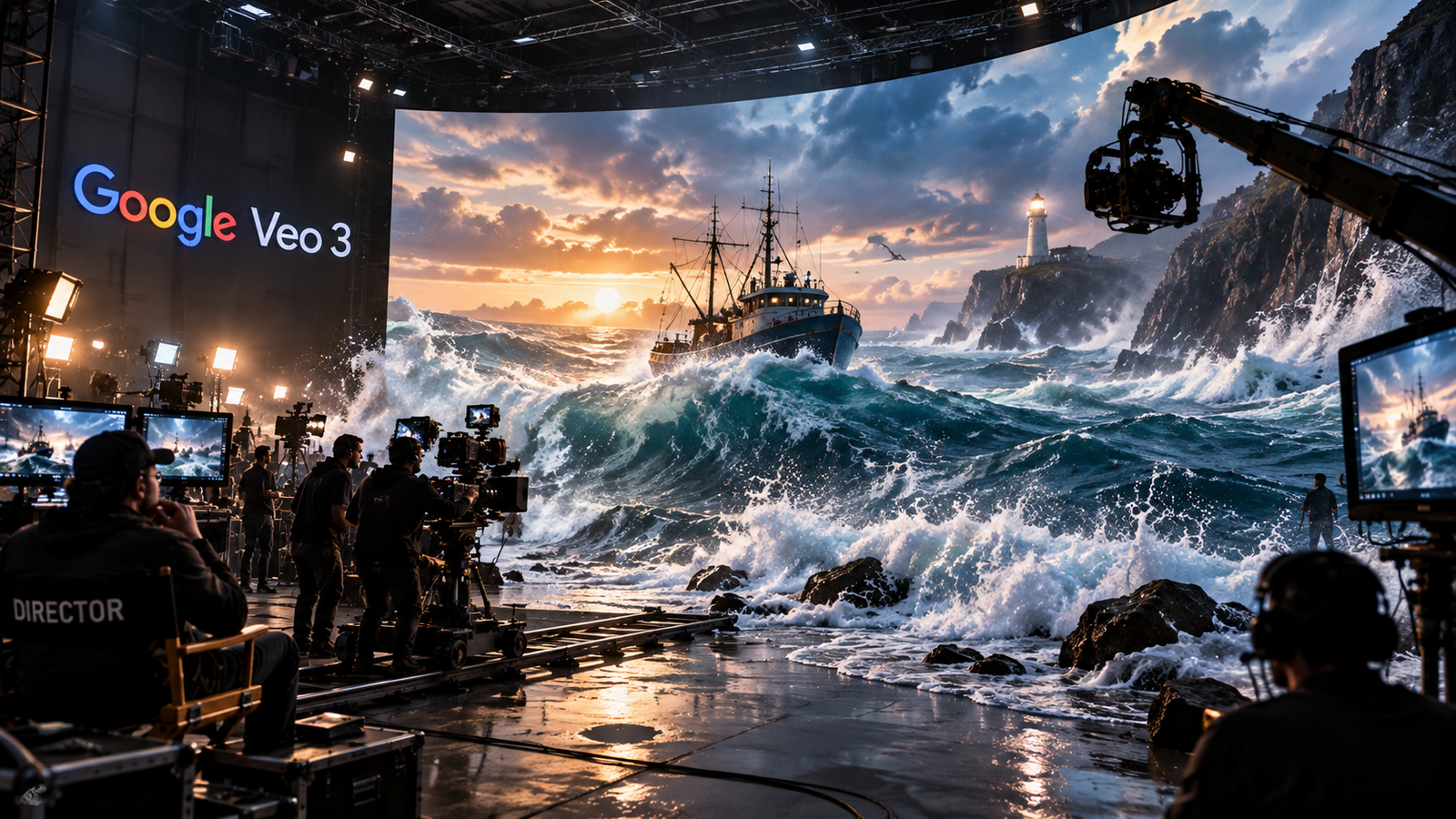
Google Veo 3.1 Review
Google Veo 3.1 is Google's current AI video generation model, built for turning a written prompt into a short video clip. It builds the picture and the sound together in one step, so a clip comes out with matching dialogue, sound effects, and background noise already in place. This review covers Google's current Veo family, mainly Veo 3.1 and its Fast and Lite variants. The original Veo 3 and Veo 3 Fast models have since been marked deprecated in Google's API documentation, with Veo 3.1 now the active generation. Think of it this way: Fliki and InVideo are Production Engines, built to make many videos fast. Veo 3.1 is a Cinematic Engine, built to make one scene look and sound right. It can still make short clips for social media, but its main job is helping a scene feel like it was actually filmed.
This four-layer grouping is this review's own framework for thinking about the category, not an official industry classification.
Built for one strong scene,
not a pipeline of many.
Most reviews describe Google Veo 3 as a strong AI video tool with impressive output. That is true, but it misses the bigger point.
Every video workflow has a quality ceiling. Clips get stitched together, voiceovers get added, and somewhere in that chain, jerky motion or mismatched sound gives away that a machine made it. It is built to raise that ceiling, focusing on making one generated scene look and sound right, rather than running your whole content pipeline.
The mental model matters here. It sits at a different level than Fliki or InVideo: cinematic generation that treats each scene like a directed shot, with picture and sound built together from the start.
Google Veo 3's real value shows up in the details. It is the tool that makes what you generate look and sound correct, coherent, and cinematic.
Write a prompt.
Watch the scene take shape.
Your first session comes down to one thing: you write a prompt, and Google Veo 3 builds the picture and sound together. For anyone who has published AI video that looked obviously synthetic, or had sound that never quite matched the picture, this first result feels like a real jump forward.
- Write a cinematic prompt that includes camera, lighting, and sound direction
- Veo 3 generates motion, lighting, and audio together in one pass
- Camera movement and background sound come out matched, not added on afterward
- Dialogue can be synchronized with a character's mouth, although results can vary
- Review the clip, refine the prompt, and generate again
- Publish a scene that looks and sounds like it was actually filmed
A prompt like "slow cinematic tracking shot through a neon Tokyo alley in the rain, with ambient traffic and soft dialogue" gives Veo 3 enough to work with: camera movement, lighting, mood, rain on the pavement, and background sound. You review the result, adjust the prompt, and generate again until it holds together.
It builds the scene for you, instead of asking you to manage a timeline. That directorial focus is the whole point of the product.
Sound and picture together
is the real story.
Most people try Google Veo 3 for clip generation first and discover its sharpest advantage later: audio and video come out of the same generation pass. Instead of adding a soundtrack afterward, it builds dialogue, sound effects, and background noise into the scene as it creates the picture.
This is the real unlock for a lot of workflows. A solo creator gets a scene with sound already matched to the action. A small brand team gets an ad where the dialogue lines up with the actor's mouth without a separate audio pass. A creator can extend a scene into a longer sequence instead of stitching separate clips by hand. That turns Google Veo 3 into a tool for building a whole scene at once, well beyond a plain video generator.
Identity Consistency With Ingredients to Video: on the Veo 3.1 model, you can upload up to three reference images to help the model keep a character, location, or object looking the same across separate generations. This helps with the drift that makes a lot of AI video look inconsistent from cut to cut. This feature is part of Veo 3.1 and is not available on the base Veo 3 model or on Veo 3.1 Lite.
Longer Scenes With Extensions: base clips can be 4, 6, or 8 seconds. On Veo 3.1 and Veo 3.1 Fast, you can extend a clip in 7-second steps, up to 20 times, for a combined video of about 148 seconds, capped at 720p resolution. Longer chains can start to lose quality, so shorter, well-planned extensions tend to hold together best.
Audio Built Into Generation: dialogue, ambient sound, and sound effects come out of the same generation pass as the picture, rather than being layered on afterward. Google has not published exact technical specs, such as sample rate or audio codec, for this feature, so treat specific numbers you see elsewhere with caution.
Accepting every output as-is still gives you a coherent scene. Treating Veo 3 like a director's tool, not an automation switch, is where the strongest results come from.
Six things it
does especially well
Strong dolly shots, jib moves, tracking shots, and camera movement that looks intentional rather than random.
Dialogue, ambient sound, and sound effects come out matched to the picture from the same generation pass, not added afterward.
On Veo 3.1, upload up to three reference images and Ingredients to Video helps keep a character or object looking the same across separate generations.
Generates in 16:9 landscape or 9:16 vertical, suited to YouTube, TikTok, and Instagram Reels, with 4K available in supported workflows such as Flow, the Gemini API, and Vertex AI.
On Veo 3.1, extend a clip in 7-second steps up to 20 times, for a combined scene of about 148 seconds.
Provide a starting image, an ending image, or both, to guide the transition between them.
What this tool
asks of you
Being upfront about how a tool works helps you get more out of it. Here is what to know before you commit to Google Veo 3 as your cinematic generation engine.
It favors quality over speed, suited to careful, scene-by-scene work rather than high-volume content production. For high-volume content production, a tool such as InVideo AI may fit better.
A weak prompt produces generic footage. A strong prompt reads like a Director of Photography's notes: lens choice, lighting, texture, and pacing, not vague adjectives.
Even with Fast and Lite variants cutting render time, it favors quality over speed. Plan for a little patience here.
It generates strong scenes, and a dedicated editor still handles non-linear editing, multi-track audio mixing, and precision compositing. Bring the output into that editor for the final cut.
This tool rewards intentional direction over passive prompting. "Moody neon lighting with shallow depth of field" beats "cool-looking scene."
It works best after scripting and storyboarding, as one step in a workflow. Treating it as your whole production strategy is a mistake. Use it for generation, then finish in CapCut or Premiere.
Resolution, audio, and extensions,
and everything else under the hood
Strong light simulation and physics-aware motion, with 4K upscaling available in supported workflows such as Flow, the Gemini API, and Vertex AI.
Dialogue, ambient sound, and sound effects generated in the same pass as the video. Google has not published exact technical specs for this audio.
Helps keep character and object identity steady across separate generations. Available on Veo 3.1 only.
Chain extensions for a combined video of about 148 seconds, capped at 720p resolution.
Provide a starting image, an ending image, or both, and Veo 3.1 generates a transition between them.
Both formats are supported, with 4K available in supported workflows such as Flow, the Gemini API, and Vertex AI.
Each variant trades off quality, speed, and resolution differently. See the model comparison below.
Runs in the browser through Google AI Studio or the Gemini app. No desktop install needed.
Veo 3 vs Veo 3.1
Which model fits your workflow?
Google Veo 3 comes in a few model variants, each built for a different balance of quality, speed, and features. Google's current API documentation marks Veo 3 and Veo 3 Fast as deprecated; Veo 3.1, Veo 3.1 Fast, and Veo 3.1 Lite are the active models going forward. Here is how they compare.
| Variant | Resolution | Max Duration | Ingredients to Video | Extensions |
|---|---|---|---|---|
| Veo 3 | 720p, 1080p | 8s only | ✗ | ✗ |
| Veo 3 Fast | 720p, 1080p | 8s only | ✗ | ✗ |
| Veo 3.1 | 720p, 1080p, 4K | 4s, 6s, or 8s base; ~148s via extensions | ✓ Up to 3 images | ✓ Up to 20 |
| Veo 3.1 Fast | 720p, 1080p, 4K | 4s, 6s, or 8s base; ~148s via extensions | ✓ Up to 3 images | ✓ Up to 20 |
| Veo 3.1 Lite | 720p, 1080p | 4s, 6s, or 8s | ✗ | ✗ |
Beyond generation.
Edit a scene after it exists.
Veo 3.1 adds editing tools that go beyond generating a fresh clip from a prompt. Google documents these capabilities individually on its Veo pages rather than as a single unified editing suite, and availability can vary by product surface.
Expand a video past its original frame, adding new picture that blends with the existing scene.
Add a new character, object, or detail into an existing video so it blends naturally with the scene.
Remove something from a video, and the tool fills the gap with content that matches the scene around it.
Adjust a character's look, movement, or voice for more precise performance direction.
Direct movement patterns, such as walk cycles, gestures, and paths, for more natural character animation.
Keep a consistent visual style across generations using a reference image, holding color and lighting steady.
Set both a starting frame and an ending frame for a video, and Veo 3.1 builds a transition between them. This gives you more control over exactly how a scene begins and ends.
How to get started
Access, plans, and availability
Here is what you need to know about getting access to Google Veo 3.
- Google AI Studio: Access depends on the current Google AI Studio offering and account limits; API usage is billed separately.
- Gemini app: Veo access is available through eligible Google AI plans. Google currently lists Google AI Plus, Pro, and Ultra plans, though exact Veo access can vary by plan and product surface.
- API Access: Available for developers through Google Cloud, billed by usage.
Google offers Veo through several products, including the Gemini app, Flow, Google AI Studio, the Gemini API, and Vertex AI. Available models, limits, resolution, and pricing depend on the product and plan you use.
Google has also introduced Gemini Omni Flash Preview, which Google's own developer documentation describes as a next-generation video generation and editing model. Veo remains Google's dedicated video generation model family, focused on directed cinematic scenes, while Gemini Omni represents a broader multimodal generation and editing direction alongside it. Since Gemini Omni is a newer, fast-moving product, check Google's own pages for the most current details on what it supports.
How it handles
trust and transparency
Google's approach to Veo 3 includes watermarking and content safety steps worth knowing about before you publish.
Google says Veo-generated videos carry an invisible SynthID watermark that identifies them as AI-made, so it can be checked later.
Automatic filters aim to block harmful, inappropriate, or policy-violating prompts and output.
Google tests its models across areas like bias and toxicity before release.
Clear guidelines cover acceptable use, content ownership, and how to report a problem.
From your first prompt
to directing a full sequence
Write a cinematic prompt with camera, lighting, and sound direction. Watch Veo 3 generate a clip with matched motion, lighting, and audio. That first coherent result is usually what convinces people the tool is worth learning.
Try the Ingredients to Video system if you are on Veo 3.1. Chain your first scene extension. Start noticing how much better specific, directorial prompts perform than vague ones.
You stop treating each clip as final and start treating it as a first pass you can extend or edit. Plan a shot list, generate, then use Veo 3.1's editing tools to refine instead of starting over.
Google Veo 3 vs.
Runway AI
Google Veo 3 and Runway AI are both strong cinematic AI video tools, but they take different approaches. Here is an honest, feature-by-feature comparison, verified against Runway's current product pages as of September 2026. (OpenAI's Sora is not included here: OpenAI discontinued Sora in 2026, shutting down the app in April and the API in September.)
| Dimension | Google Veo 3 | Runway AI |
|---|---|---|
| Audio | ✓ Generated with the video Dialogue, SFX, and ambient sound built into the same generation pass | Via ElevenLabs Synced dialogue and sound through a partner integration, not native to the model |
| Motion Physics | ✓ Physics-aware Strong results on tracking shots and camera movement | ✓ Physics-aware Strong results on tracking shots and extreme angles |
| Post-Generation Editing | Outpainting, object insert/remove Available on Veo 3.1 | ✓ Aleph 2.0 Describe a change in words and it applies to existing footage |
| Identity Consistency | ✓ Ingredients to Video Up to 3 reference images, on Veo 3.1 only | ✓ Consistent Characters (Gen-4/Gen-4.5) A single reference image helps lock a character's identity across lighting, location, and camera angle changes |
| Longer Sequences | ✓ Extensions, ~148s 7-second steps, up to 20, capped at 720p, on Veo 3.1 | Aleph 2.0 edits, up to 30s Editing existing footage rather than chaining new extensions |
| Platform | Google AI Studio / Gemini app Web-based with a developer API | RunwayML platform Web-based with a developer API |
| Best For | Scenes where sound matters as much as picture Creators who want audio and video built together from the start | Editing existing footage, character work Creators who want to keep shaping a shot after generating it |
Sound Built Into Generation
What it does well, and where it struggles
Audio built into the same generation pass as the video is Google Veo 3's clearest advantage over most other tools in the category. Here is what that actually covers, and where the limits show up.
- Ambient Soundscapes: Environmental audio that matches the scene, such as rain, wind, traffic, or crowd noise
- Sound Effects: Sounds tied to on-screen motion, such as footsteps, impacts, or vehicle sounds
- Dialogue: Speech that lines up with a character's mouth shapes
- Music: Background scores that match the mood of the scene
- Long chains: Audio quality can start to slip in extended sequences with many extensions
- Complex dialogue: Scenes with several speakers may come out less clear
- Noisy environments: Heavy background noise can interfere with dialogue clarity
The Prompt Playbook
From generic to cinematic
The quality of your output depends directly on the quality of your prompt. Here is how to think like a Director of Photography.
- Lens Types: Anamorphic (wide cinematic look), Wide (expansive), Telephoto (compressed, intimate), Macro (extreme close-up)
- Lighting Setups: Rembrandt (dramatic side lighting), Chiaroscuro (high contrast), Volumetric (visible light rays), Natural (soft, diffuse)
- Camera Movements: Dolly (tracking), Jib (vertical arc), Tracking (following the subject), Whip Pan (fast horizontal), Steadicam (smooth walking shot)
Product Shot: "Slow dolly push into [product] with soft studio lighting casting gentle shadows, 85mm lens, shallow depth of field, ambient studio sound."
Character Intro: "Close-up on [character] as they turn toward camera, Rembrandt lighting, 50mm lens, slow motion, ambient room tone."
Action Sequence: "Wide tracking shot following [character] running through [environment], sound effects synced to footsteps, dramatic lighting."
Landscape: "Slow jib up revealing [landscape], natural golden hour lighting, 24mm wide lens, ambient wind and birdsong."
Dialogue Scene: "Over-the-shoulder shot of [speaker], natural light, 50mm lens, soft room tone, clean dialogue."
How to Extend Scenes
Build longer sequences on Veo 3.1
Scene extensions turn Google Veo 3 from a single-clip generator into a tool for longer sequences. Here is how to use the feature well. This is a Veo 3.1 and Veo 3.1 Fast feature; it is not available on the base Veo 3 model.
- Continuous Context: Each extension uses the previous Veo-generated video as its source, helping continue the scene's visual context
- First and Last Frame: Provide a starting image, an ending image, or both, to guide the transition
- Identity Preservation: Ingredients to Video helps keep characters and environments looking consistent across extensions
- A few extensions: Quality generally holds up well
- A longer chain: Some quality loss can show up in complex scenes
- Close to the 20-extension limit: Quality loss becomes more noticeable, so use the full length only if the scene needs it
- Refine as you go: Adjust each extension's prompt slightly to guide the model
- Re-upload references: Refresh your Ingredients to Video reference images every few extensions
- Shorter steps: Consider trimming extensions instead of always using the full 7 seconds
- Plan the story: Write prompts that account for what has already happened in the sequence
Opening: Establish the character and setting with a slow dolly through the environment.
Middle: Build the action or dialogue that drives the scene forward.
Closing: Land on a resolution with a clear final shot.
Who is using
it in production
Its use outside the demo reel is documented in a few notable places.
Darren Aronofsky's studio Primordial Soup partnered with Google DeepMind to make AI-driven short films. The first, "Ancestra," premiered at the Tribeca Festival.
Volley uses Veo to generate video cut-scenes for its game "Wit's End," documented as an official Google case study.
OpusClip has an official Google case study for using Veo as part of its AI video editing platform.
Promise is a Google-backed AI film and content studio building toward AI-driven production. Google has not published a specific Veo case study for it the way it has for Volley and OpusClip.
Three creators who will
get the most out of it
You publish premium social content where visual and audio quality matter more than posting speed. Every frame should look and sound like it cost real money to make. It's a solid baseline for genuinely cinematic AI video.
You need to concept, prototype, and pitch visual ideas quickly and credibly. It gives you strong pre-visualization, with sound included, without a full production crew.
You script and storyboard first, then generate. Google Veo 3 produces coherent scenes with sound built in, on Veo 3.1 extendable into longer sequences without stitching clips by hand.
See It in Action
The model announcement and a prompting walkthrough
These official videos show Google Veo 3 in action: the model announcement, and a step-by-step guide to building a cinematic clip from a prompt.
The official announcement and overview of Veo 3's capabilities, including audio built into generation and identity consistency.
A step-by-step guide to creating a cinematic clip with Veo 3, covering prompt writing, camera direction, and audio.
When it is
not the right choice
Being upfront about fit is what makes a recommendation worth trusting. Here is when a different tool serves you better.






InVideo has integrated a Veo API plugin into its platform. This does not change the underlying layers: when it is wrapped inside InVideo's template interface, Veo is still doing the cinematic generation underneath. InVideo is the automation layer. Veo is the generation engine. The recommendations above still apply; the wrapper does not change what each tool is built for.
Where it goes
after text prompts
Google Veo 3.1 is a strong tool today, and Google is also building toward something broader with Gemini Omni Flash Preview, which Google describes as a next-generation video generation and editing model spanning the Gemini app, Google Flow, and AI Studio.
What that means for someone using Google Veo 3 now: the skills you build here, thinking in shots, writing directorial prompts, planning a sequence, are not tied to one specific interface. They carry over to whatever comes next, whether that is a future Veo update or a more conversational tool like Gemini Omni.
Since Gemini Omni is a newer product, check Google's own pages for the most current details on what it supports and how it relates to Veo.
The skills you build directing scenes in Google Veo 3 are not tool-specific. They transfer to whatever comes next.
Everything you need to know
before your first session
Google Veo 3 is Google's AI video model. It generates coherent scenes with picture and sound built together in the same pass, along with physics-aware motion and, on Veo 3.1, identity consistency across generations. It is built for directed visual storytelling, not bulk content automation.
Access to Veo depends on the Google product you use. Google AI Studio, the Gemini app, Flow, the Gemini API, and Vertex AI can have different models, limits, pricing, and availability.
Yes, it generates dialogue, ambient sound, and sound effects in the same pass as the video, rather than adding audio afterward. Google has not published exact technical specs, such as sample rate or audio codec, for this feature.
Ingredients to Video lets you upload up to three reference images to help lock the identity of characters, backgrounds, or branded objects across separate video generations. It is a Veo 3.1 feature and is not available on the base Veo 3 model or on Veo 3.1 Lite.
Veo 3.1 can generate 4-, 6-, or 8-second base clips. On Veo 3.1 and Veo 3.1 Fast, clips can then be extended in 7-second steps, up to 20 times, for a combined video of about 148 seconds, capped at 720p.
Veo 3.1 is the model variant with the full feature set: higher resolution up to 4K, Ingredients to Video, scene extensions, and editing tools like outpainting and object insertion or removal. Veo 3.1 Fast trades some quality for speed, and Veo 3.1 Lite is a lighter version without the advanced editing tools.
Is it worth it?
Here's the honest answer.
It made one clear choice: build picture and sound together from the start, ahead of building the fastest tool for producing many clips.
Audio generated in the same pass as the video is the standout here: dialogue, ambient sound, and sound effects that already match the scene instead of getting added afterward. On Veo 3.1, Ingredients to Video helps hold a character's identity together across cuts, and scene extensions build sequences well past the 8-second base clip.
It favors quality and coherence over raw speed, and it suits creators who want a scene that looks and sounds directed rather than assembled.
It's built for people who want the picture and the sound to feel like they came from the same camera.
Try it for yourself
Write one prompt with camera direction, lighting, and sound intent. Generate the clip. That single output tells you most of what you need to know about whether this tool fits your workflow.
 Try Google Veo 3 →