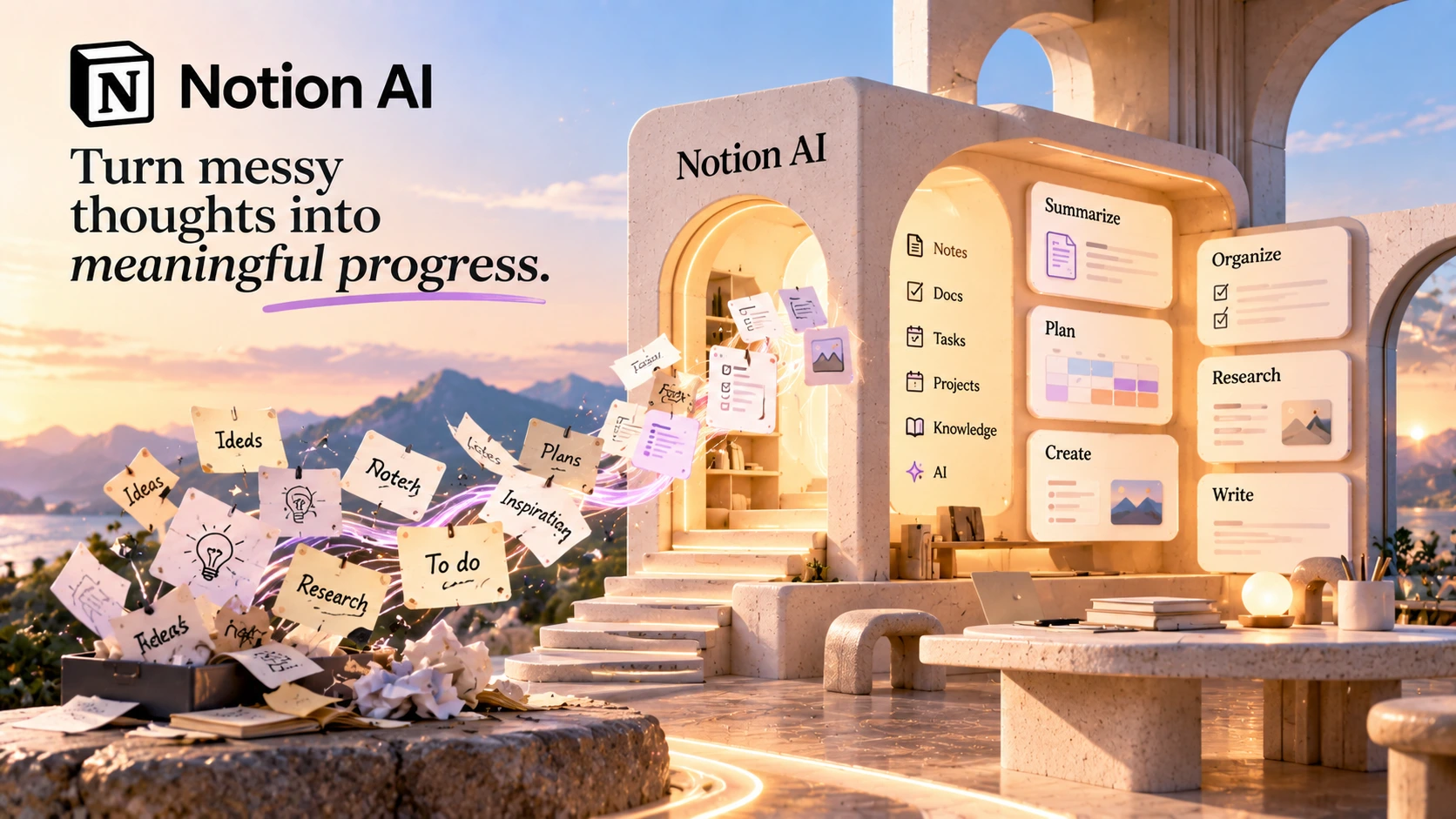
Notion AI is an AI layer built inside the Notion workspace rather than a separate standalone product. It combines an AI agent that can complete multi-step tasks, enterprise search across connected apps, meeting notes and transcription, and writing and content generation tools, with the AI features connected to the pages and databases your team already keeps in Notion.
Notion's free plan lets you try Notion AI on a limited basis with no credit card required. Pricing and features can change, check Notion's current plans before you subscribe.
Notion AI is an AI layer built inside the Notion workspace rather than a separate standalone product. It combines an AI agent that can complete multi-step tasks, enterprise search across connected apps, meeting notes and transcription, and writing and content generation tools, with the AI features connected to the pages and databases your team already keeps in Notion.
Free and Plus plan workspaces get a one-time trial of 20 AI responses total, not a monthly allowance. Once that's used up, AI access requires upgrading to Business or Enterprise.
Outside of AI, the Free and Plus tiers still cover real workspace features:
Someone who just wants to try Notion AI briefly can do that on Free. Ongoing AI access starts with Business, included as a usage allowance rather than a one-time trial; premium AI models and usage beyond that allowance run on separately purchased Notion credits.
Notion holds a 4.6/5 rating on G2, based on 13,862 reviews as of this review.
G2 ratings and review counts change over time. Check G2's current Notion page for the latest figures before relying on this summary.
A personal AI assistant that completes multi-step tasks using workspace context, able to create, edit, and act on pages and databases directly.
Recurring automations that run on a schedule or trigger, such as answering questions in Slack, routing tasks, or sharing project updates, built once and used by the whole team.
Searches across your Notion workspace and connected apps like Slack, Google Drive, and GitHub from one place, instead of switching between tools.
Transcribes meetings, summarizes key points, and surfaces action items inside Notion.
AI blocks that help draft or improve writing inside a page, plus a Research Mode for producing longer reports and summaries on a topic.
Auto-populates database properties and can write formulas, reducing manual setup on recurring workflows.
AI Meeting Notes deserves a closer look since it works differently from a typical meeting bot. Starting it is a manual step: open a Notion page, type /meet, and select Start transcribing once the meeting begins. It isn't limited to meetings held inside Notion either: because it captures whatever audio is playing on your device, it can transcribe Zoom calls, Microsoft Teams calls, and in-person conversations through your computer's microphone. Once you stop recording, Notion generates a summary with citations linking back to specific moments in the transcript, and both the transcript and summary stay on the page as a permanent record you can link to other pages or assign as a task. It's limited to Business and Enterprise plans, works best in the desktop app, and caps out at 10 hours of transcription per user per day.
Translating the feature list into concrete tasks makes it easier to judge fit:
Each of these is a small, specific scenario rather than Notion AI replacing a whole job function, which is closer to how most teams actually use it day to day.
Notion AI and Microsoft 365 Copilot both add AI into an existing workspace, but they start from different places.
| Capability | Notion AI | Microsoft 365 Copilot |
|---|---|---|
| Where it lives | Inside the Notion workspace, built around pages and databases | Inside Microsoft 365 apps (Word, Excel, Outlook, Teams) |
| Cross-app search | Enterprise Search (beta) across Slack, Google Drive, GitHub, and more | Primarily scoped to Microsoft 365 and connected Microsoft services |
| Automation | Custom Agents for recurring, scheduled tasks | Copilot agents and workflows inside Microsoft 365 apps |
| Pricing structure | Included in the Business plan ($20/month per member) | A separate add-on priced on top of an existing qualifying Microsoft 365 subscription |
| Best for | Teams already organizing their work in Notion | Teams already standardized on Microsoft 365 |
Pricing is easy to compare incorrectly here. Microsoft 365 Copilot isn't a standalone product. It requires a qualifying Microsoft 365 subscription underneath it, so the real cost includes both the Microsoft 365 plan and Copilot. Check both vendors' current pricing pages before comparing total cost directly.
A simple way to understand what Notion AI actually does beyond writing assistance is to look at setting up one recurring automation.
That's the key difference between an agent and a normal AI prompt: it can respond to a trigger and take action in your workspace.
| Category | Detail |
|---|---|
| Platform | Cloud-based, browser and desktop apps, iOS and Android |
| AI Agent | Multi-step task completion with workspace context |
| Custom Agents | Scheduled or trigger-based automations, Business and Enterprise |
| Enterprise Search (beta) | Cross-app search: Slack, Google Drive, GitHub, and more |
| Meeting Notes | Transcription and summarization, no separate bot required |
| Writing Tools | AI blocks for drafting and editing, plus Research Mode for reports |
| Database Automation | Auto-populated properties and AI-written formulas |
| Free/Plus AI Access | One-time trial of 20 AI responses total, not monthly |
| Business AI Access | Standard AI usage allowance included at $20/month per member; premium models and extra usage need purchased Notion credits |
| Enterprise | Custom pricing, zero data retention option, advanced security and admin controls |
Notion uses third-party language models, including providers such as Anthropic, OpenAI, and Google, to power its AI features. By default, Notion does not use workspace data or personal information to train any AI models, and its contracts with those providers prohibit them from using customer data to train their own models either. There's a separate, explicitly opt-in program (Notion calls it AI LEAP) for workspaces that want to voluntarily share data to help improve the underlying models, but that's opt-in, not the default.
On retention, Notion's Trust Center states that AI providers can hold data for up to 30 days on Free, Plus, and Business plans, mainly for abuse monitoring, while Enterprise plans get zero data retention, meaning providers delete the data immediately after processing the request. Notion holds SOC 2 Type II and ISO 27001 certifications, among others, and states that customers retain full ownership of everything in their workspace, including AI inputs and outputs.
Data handling terms are the kind of detail vendors update without much notice, so check Notion's Trust Center directly before making a decision that depends on it.
The AI features work directly against pages and databases you're already keeping there, rather than requiring a separate tool synced to Notion.
Finding an answer across Slack, Google Drive, and GitHub from one place removes a real daily friction point.
Answering the same Slack questions, routing the same kind of ticket, or sending the same weekly update, one setup keeps running without someone doing it manually each time.
A team that hasn't adopted Notion as its workspace yet will get much less value from Notion AI specifically, since most of its advantage comes from already having your knowledge organized there.
Figures below are per Notion's official pricing page, checked October 2026.
Personal organization, per member.
Billed monthly, per member (annual billing saves up to 20%, exact figure not shown without toggling billing on Notion's site).
Billed monthly, per member (annual billing saves up to 20%, same caveat as above).
Contact Notion for pricing.
Premium AI models and usage beyond the included allowance on Business and Enterprise run on separately purchased Notion credits.
Notion AI is worth it for teams that already run their work through Notion and want AI that has context across their actual pages and databases, especially for Enterprise Search (beta) and Custom Agents. It's less of a fit for someone who just wants a general-purpose AI writing tool without the surrounding workspace.
Ongoing AI access, as a usage allowance rather than a one-time trial, starts with Business at $20/month per member, billed monthly (annual billing saves up to 20%); premium AI models and usage beyond that allowance draw from separately purchased Notion credits. Free and Plus plans include a one-time trial of 20 AI responses total, not a monthly allowance. Enterprise pricing is custom. Per Notion's official pricing page, checked October 2026.
There's a free trial of AI responses on the Free and Plus plans, 20 total, one-time, not recurring monthly. It isn't a permanent free AI tier the way the rest of Notion's free plan is.
Notion AI is built inside the Notion workspace and centers on pages, databases, and cross-app search. Microsoft 365 Copilot is built inside Microsoft 365 apps and requires a separate qualifying Microsoft 365 subscription underneath it. Choose based on which ecosystem your team already lives in.
ChatGPT is a general-purpose AI assistant, while Notion AI is built directly around the content in your Notion workspace. That's Notion AI's main advantage for workspace-specific tasks like searching your own docs or automating a recurring Notion-based task.
Recurring automations that run on a schedule or trigger inside Notion, such as answering questions in Slack or routing tasks, available on Business and Enterprise plans. One person sets it up and the whole team benefits from it running going forward.
Yes, that's what Enterprise Search (beta) is built for: searching across Notion plus connected apps like Slack, Google Drive, and GitHub from one place, available on Business and Enterprise.
Notion itself has a real learning curve, per G2 reviewers, especially around editing and organization. Notion AI's features sit on top of that same workspace, so someone new to Notion is learning both at once.
Notion AI makes the most sense for teams that already run their work through Notion and want AI with real context across their pages, databases, and connected apps, beyond basic writing assistance. Enterprise Search (beta) and Custom Agents are the features that make Notion AI more than a writing assistant.
For a team just trying Notion AI out, the one-time 20-response trial on Free and Plus is enough to get a feel for it but not enough for real use, Business is where the real capability lives. For a team not already using Notion as its workspace, most of this tool's advantage doesn't apply, and the question is really about adopting Notion itself first.
Start on the free plan, try the Notion Agent on a real page, and see how far the trial responses get you before paying anything.
Independent review. Prices and features may change; always check the official Notion site for the latest information.
 Systeme.io
 ClickFunnels
 GetResponse
 HubSpot
 Kit
Kit Notion AI
 Pipedrive