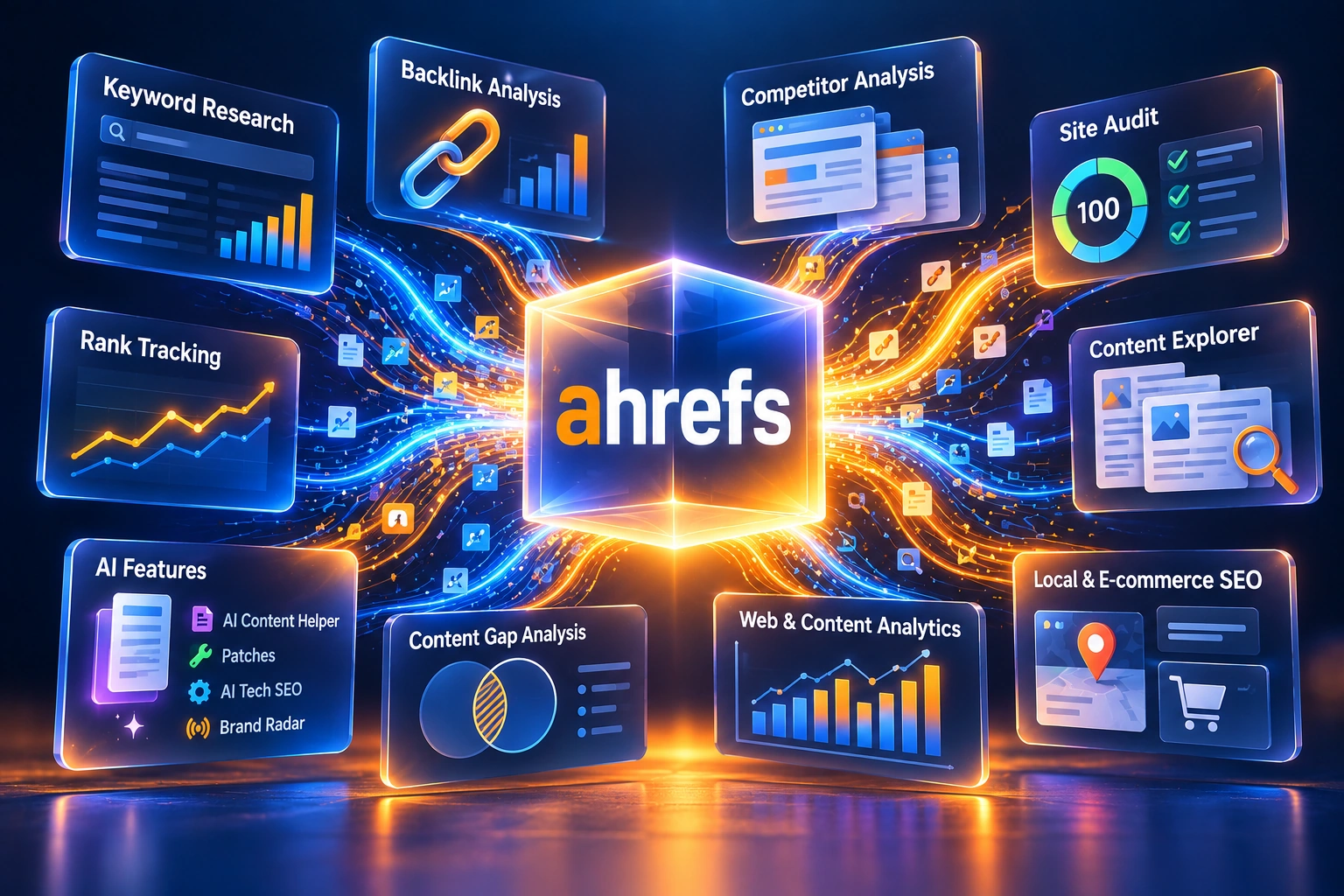
Ahrefs is an SEO and marketing platform built around search, backlink, and competitor data. This review covers what it actually does, real current pricing, the AI features Ahrefs has added on top of its original toolset, the free Ahrefs Free plan, and who gets genuine value from it. Ahrefs runs five paid plans, from $29/month (Starter) to $1,499/month (Enterprise), plus a permanently free account.
Pricing and features can change. Check Ahrefs' current pricing page before you subscribe.
Ahrefs is an SEO and marketing platform built around search, backlink, and competitor data. Think of it as a search intelligence platform: it replaces guesswork with data on search demand, competition difficulty, backlink authority, and traffic potential, so you can judge whether a topic is worth pursuing before you write a single word. Ahrefs reports 35 trillion external backlinks and 28.7 billion filtered keywords in its index (more on the full numbers in the Technical Breakdown below).
Most SEO tools optimize output. Ahrefs helps you decide what's worth outputting in the first place.
ChatGPT, Surfer, and Frase generate and refine content. Ahrefs maps the market before you write it. That's a different job than the one most AI writing tools do.
Ahrefs doesn't make your content better on its own, though its AI Content Helper now covers part of that job too (see AI Features below). Its core strength is still making sure you don't waste time writing the wrong content.
The first thing you notice is the amount of data. Search volume, KD, traffic estimates, backlinks, and competitor rankings all appear together for every topic you check. For a new user, that can feel like a lot at once.
Once you know which metrics matter for your specific goal, the interface gets much easier to use. Some ideas you thought were strong turn out to be unwinnable once you see the competition difficulty and the backlink competition around that topic, while some topics you'd ignored turn out to have real demand behind them.
Most tools ask, "What do you want to write?" Ahrefs asks, "What deserves to be written?"
Calling Ahrefs a "keyword tool" undersells it. It connects search demand, competition difficulty, backlink authority, and traffic potential, and it pushes you to be honest about whether a topic is worth pursuing before you write a single word.
Example: you think a topic is a priority. You plug it into Ahrefs. The data shows search volume is low, competition is saturated, and the backlink profiles of the pages currently ranking are far stronger than yours. That topic gets deprioritized, not because your instinct was wrong, but because the data doesn't support it right now.
Ahrefs is built for decision quality and resource allocation, not speed or raw content volume. It doesn't just show you keywords. It helps you weigh which opportunities actually have a realistic chance of ranking.
Validate demand before execution, not after you've already written 3,000 words. See actual search volume, difficulty, and traffic potential before you commit resources.
Decode authority signals so you know what it actually takes to compete. Reverse-engineer competitor backlink profiles and understand what's required to rank.
Understand which markets are locked and which are open. See where competitors are winning and where they're leaving opportunity untouched.
Find missed opportunities: topics your competitors rank for that you don't. Identify underserved areas where you can capture traffic without competing head-on.
Understand the traffic ceiling for an opportunity, not just whether it's worth writing, but roughly how much return is possible, before you commit resources.
Get a read on what searchers actually want (to buy, learn, compare, or move on) and match your content to that instead of guessing.
Ahrefs is built around several core tools, each covering a different layer of the search intelligence problem.
| Site Explorer | The backlink intelligence engine. Enter any domain, yours or a competitor's, and see its full backlink profile with domain ratings, organic keyword rankings and traffic estimates, top pages by traffic and backlinks, anchor text distribution, referring domains and link velocity over time, and new and lost backlinks as Ahrefs discovers and processes them. |
| Keywords Explorer | Keyword research across 10+ search engines. Every keyword returns search volume and click-through rate, a Keyword Difficulty (KD) score based in part on the backlink profiles of ranking pages, traffic potential (not just keyword volume), SERP history and ranking volatility, parent topic and question variants, and also-rank-for and related keyword clusters. |
| Ahrefs Backlink Checker | Ahrefs reports one of the largest live backlink indexes in the industry (see Technical Breakdown for the exact, verified numbers). For any URL you get every inbound link with source domain rating, anchor text used on each link, follow vs. nofollow status, link type (text, image, redirect), first seen and last checked dates, and broken backlink detection. |
| Ahrefs Site Audit | Crawls your entire site and surfaces issues prioritized by impact: broken internal and external links, missing or duplicate meta tags and H1s, slow-loading pages and Core Web Vitals issues, duplicate content and canonical conflicts, crawlability and indexability blocks, and internal link distribution and orphan pages. |
| Rank Tracker | Tracks keyword rankings across any market: desktop and mobile rankings separately, country, city, and device-level tracking, SERP feature tracking (featured snippet, PAA), visibility score and share of voice, competitor ranking comparisons, and algorithm update correlation. Tracked keywords update weekly by default (see Technical Breakdown; this isn't a real-time feed). |
| Content Explorer | Searches billions of indexed web pages (Ahrefs reports 22.4 billion in its content index) to find proven content in any niche. Filter by organic traffic and referring domains, social shares and engagement signals, date published for freshness relevance, domain rating of the publishing site, low-competition pages with high link counts, and content gaps across a niche or competitor set. |
Ahrefs doesn't have a free trial on its paid plans, but it does have a genuinely useful free tier (see Free Tools below). Current paid plans, verified on Ahrefs' own pricing page, checked October 2026.
A limited entry point.
The first plan with meaningful limits.
The most common plan.
Higher usage limits plus more API access.
Annual commitment required.
Annual billing reduces the effective monthly price by up to 17% on these plans. Brand Radar AI starts at $199/mo. Paid Lite, Standard, and Advanced plans also include 5, 10, and 20 tracked AI prompts respectively, while standalone custom prompt packages start at $50/mo for more (see AI Features below for the breakdown).
Note: Ahrefs also sells some AI features as paid add-ons on top of a core plan (Patches, covered below, is one). We haven't independently confirmed exact add-on pricing for every one of these beyond Brand Radar, so treat any other AI add-on price you see elsewhere as something to double-check on Ahrefs' own pricing page before budgeting.
Choosing a plan: if you're mainly validating topics and checking your own site, Starter or Lite covers it. Standard is a reasonable fit when content strategy and regular research are a significant part of your workflow. Advanced and Enterprise mainly make sense when you need higher usage limits, more historical data, more users, API access, or enterprise controls like SSO, not a different core feature set.
Ahrefs has moved well beyond its original toolset. The platform now includes a suite of AI-powered features that sit on top of the same underlying data: the data stays the same, the execution layer gets faster.
An AI marketing agent with direct access to your Ahrefs data and the ability to perform tasks on its own. Ask it questions in plain language, such as "what should I write about this month?" or "why did my traffic drop?", and it pulls from your live Ahrefs data to answer.
AI-assisted content analysis and writing built directly into the platform. It compares your content against competing pages, identifies topical gaps, and gives you a content score plus suggestions for titles, meta descriptions, and on-page copy. All plans, including the free Ahrefs Free plan, include 1 new document per month; additional document capacity is sold separately as a paid add-on (Ahrefs also sells a bundled "Content Kit" add-on for higher volume).
Uses AI to help interpret technical SEO issues and suggest fixes, on top of what Site Audit already surfaces. This is a current, separate feature from Patches (below), not something that's been discontinued.
A paid Project Boost Max feature that lets you make AI-drafted SEO fixes directly from Site Audit. In its current first release, Patches can change page titles and meta descriptions; Ahrefs says support for redirects, canonicals, robots meta tags, internal links, and other fix types is planned but not live yet. Publishing is manual: you can review, publish, unpublish, or roll back each patch before it goes live, and Batch AI lets you generate fixes across many pages at once.
Tracks your brand's visibility inside AI answers across Google AI Overviews, Google AI Mode, ChatGPT, Perplexity, Gemini, Copilot, and Claude (Custom Prompts only). It reports AI Share of Voice against competitors, estimated impressions, mentions, and citations, plus the search demand and topics driving those mentions. The "Brand Radar AI" add-on (brand research plus your own prompt tracking) starts at $199/mo; separately, paid plans already include a handful of tracked prompts (5 on Lite, 10 on Standard, 20 on Advanced), with standalone prompt-tracking packages from $50 to $250/mo if you need more.
Schedule and manage social posts with SEO context built in, so you're amplifying pages that already have ranking potential instead of just publishing for engagement. Included in the free Ahrefs Free plan.
Worth knowing: these AI features sit on top of Ahrefs' existing data; they don't replace it. Agent A is only as useful as the data underneath it, and Brand Radar only matters if you're tracking the right keywords and prompts to begin with.
Ahrefs doesn't offer a free trial of its paid plans, but it does offer something arguably more useful: a genuinely free, permanent account called Ahrefs Free (this is the same account that used to be called "Ahrefs Webmaster Tools," renamed to reflect what it now includes).
Ahrefs Free currently bundles six tools:
The three tools that require a verified website are limited to your own domain(s). No credit card is needed to sign up.
How to get started: create a free Ahrefs account, verify your site via Google Search Console or an HTML tag, and run your first Site Audit. It will surface your most impactful technical SEO issues, ranked by severity, without needing to touch a paid plan.
The right way to evaluate Ahrefs for free: start with your own site in Ahrefs Free. Run a Site Audit, look at your backlink profile in Site Explorer, and check which keywords you're actually ranking for. That single session will tell you more about what Ahrefs can do than any review, including this one.
Being upfront about how Ahrefs works helps you get the most from it and avoid the failure modes that catch most new users off guard.
Skip Ahrefs if you:
Pro tip: start with one competitor and one content category rather than trying to map your entire market at once. Depth on one segment tends to beat shallow analysis spread across everything.
Numbers below are Ahrefs' own published figures, taken directly from ahrefs.com/big-data; that page itself notes at least one of its underlying stats is dated to May 2024, so treat these as Ahrefs' currently published index figures rather than independently verified real-time 2026 measurements.
| Backlink Index | Ahrefs reports 35 trillion external backlinks and 28.7 trillion internal backlinks, across 493.9 billion pages in its index and roughly 285.7 million vetted domains. |
| Keyword Database | 28.7 billion filtered keywords, drawn from over 110 billion keywords Ahrefs has ever seen, across 217+ countries and 10+ search engines including Google, Bing, YouTube, and Amazon. |
| Crawl Rate | Ahrefs says it crawls around 5 million pages per minute, and that its backlink index processes new and lost links every 15-30 minutes for high-authority domains. That's index-refresh speed, not a guarantee that every page on the web is discovered or recrawled that fast. |
| Country Coverage | 217+ countries. Rank Tracker supports country, city, and device-level granularity for international and local SEO work. |
| Strategy Focus | High. Built more for operators making content decisions than for writers producing drafts. |
| Learning Curve | Steep. The interface shows you a lot of data up front and assumes you know roughly what you're looking for. |
| API Access | Available on Lite and higher plans. Ahrefs' current pricing page lists 200,000 API integration units/month on Lite, 800,000 on Standard, 2 million on Advanced, and 4 million (or custom) on Enterprise, with max rows per request of 100 / 250 / 500 / unlimited respectively. |
| Rank Tracker Update Frequency | Weekly by default, on all plans, per Ahrefs' own help documentation. Not real-time. |
| Content Explorer | Ahrefs reports 22.4 billion pages in its content index. |
Strategic workflow (our own framework, not an industry standard): one possible sequence is Ahrefs for research, Frase or a similar tool for outlining and briefs, and Surfer for on-page optimization checks. Ahrefs comes first in this sequence because deciding what to write has to happen before refining how it's written.
Ahrefs doesn't win every category, and knowing where it loses helps you decide whether it's the right tool for your situation. Ahrefs' own numbers below are verified (see Technical Breakdown); SEMrush (now part of Adobe) and Moz figures are described qualitatively rather than with specific numbers, since those weren't independently re-verified against SEMrush's or Moz's own current documentation.
| Capability | Ahrefs | SEMrush | Moz |
|---|---|---|---|
| Backlink index | One of the largest live indexes (per Ahrefs' own reporting, see Technical Breakdown) | A large index; not independently compared here | Uses its own Domain Authority metric rather than Ahrefs' Domain Rating |
| Keyword research | Strong KD scoring and Traffic Potential metric across 217+ countries | Strong keyword database, with PPC keyword data as a notable strength | Keyword Explorer covers the basics; database size not independently compared here |
| Content gap analysis | Content Gap tool compares up to 10 competitors at once | Keyword Gap tool covers similar ground with a different workflow | More limited gap analysis; not a core focus of the platform |
| PPC and paid search | Weak: built for organic, PPC data is minimal | A core strength: Advertising Toolkit is built specifically for PPC | Not designed for PPC workflows |
| Technical site audit | Fast crawl, clear priority scoring | Detailed fix guidance alongside the audit | Covers the basics; fewer advanced checks than Ahrefs or SEMrush |
| Rank tracking | Weekly updates by default (see Technical Breakdown) | Granular reporting and SERP feature tracking | A core strength of the platform |
| AI features | Agent A, AI Content Helper, AI Tech SEO, Patches, Brand Radar, Social Media Manager | AI Writing Assistant and ContentShake built into the platform | A smaller AI feature set than Ahrefs or SEMrush |
| UI and ease of use | Steeper initial learning curve, clean once learned | More tools, more navigation overhead | Simpler interface, often cited as the easiest of the three to pick up |
Choose Ahrefs if you need to: find what your competitors rank for that you don't; validate a content topic before writing it; understand the backlink authority required to rank; audit inbound links to any domain or page; build a content strategy from market data; track brand visibility inside AI search engines.
Choose SEMrush instead if you need to: run paid search (PPC) campaigns alongside SEO; produce client-ready reports with custom branding; track granular ranking data with visibility scoring; manage a full-service agency workflow in one tool; monitor brand mentions and social signals.
Bottom line: Ahrefs is a strong pick for backlink intelligence, keyword research, and content gap analysis. If PPC data or comprehensive reporting is your priority, SEMrush is worth comparing directly. The two aren't mutually exclusive; some SEO operations run both.
At enterprise scale, the decision often comes down to data freshness, API access, crawl capacity, security, and cost per seat.
| Benchmark | Ahrefs | SEMrush |
|---|---|---|
| Pages in index | 493.9 billion, according to Ahrefs' own published figures (see Technical Breakdown) | Not independently verified here |
| Crawl frequency | Backlink index processes new/lost links every 15-30 minutes for high-authority domains, per Ahrefs | Not independently verified here; generally reported as less frequent at the page level |
| API access | Available on Lite and higher (200K/800K/2M/4M-custom integration units per month on Lite/Standard/Advanced/Enterprise); Enterprise adds uncapped rows per request | Not independently verified here |
| Pricing per seat | Enterprise plan is $1,499/mo with unlimited users (verified, see Pricing) | Not independently verified here |
| SSO and access control | SSO, audit logs, and role-based permissions on Enterprise plans | Not independently verified here |
| Security and compliance | Per Ahrefs' own security documentation: not ISO 27001 or SOC 2 certified today (Ahrefs states a "motion to get SOC2 certification in the near future"); SSO is available to Enterprise-plan users, and 2FA is listed as "coming soon," not currently available | We could not find a SOC 2 or ISO 27001 claim on SEMrush's own security pages; SEMrush states PCI DSS Level 1 compliance |
| Best for enterprise | Organic-first teams: publishers, content-led SaaS, and SEO agencies running large-scale link and keyword intelligence | Full-service agencies managing organic, paid, social, and brand monitoring in one platform |
Ahrefs can feel like data overload the first few times you open it: keywords, backlinks, domain ratings, traffic estimates, and competitive metrics all at once, with no obvious starting point. That's normal; the interface is showing you the full picture rather than a filtered summary.
The real learning curve isn't about time spent, it's about figuring out which metrics actually matter for your specific situation and which are just interesting. Once you've built a sense of that (through your own research questions, not a fixed number of sessions), the workflow gets noticeably faster: you start filtering by the combination that matters to you (commonly something like volume, difficulty, and intent together) instead of staring at every column.
A practical signal that it's time to adopt Ahrefs: you're spending more time guessing what to write than actually writing, your content calendar is built on "topics that feel important" rather than data, or you've published content that should have ranked but didn't, and you're not sure why.
Ahrefs and AI writing tools solve different problems. A common mistake is using them in the wrong order, or not connecting them at all. Here's one way to wire them together so your AI workflow starts with real market data.
The Ahrefs API gives you programmatic access to much of the same backlink, keyword, and traffic data you use in the interface. It's available on Lite and higher plans, with API integration units per month that scale by plan (200K on Lite, 800K on Standard, 2M on Advanced, 4M or custom on Enterprise, per Ahrefs' current pricing page) and max rows per request rising from 100 on Lite to unlimited on Enterprise.
What you can pull via the Ahrefs API: backlink profiles (new, lost, and all links for any domain or URL); organic keyword rankings (positions, traffic estimates, and SERP features); Domain Rating and URL Rating for any domain; referring domains (count, DR distribution, growth over time); top pages by traffic and backlinks; keyword metrics (volume, KD, CPC, traffic potential for any keyword).
/v3/site-explorer/all-backlinks endpoint with your target domain.On API limits: usage is measured against your plan's monthly API integration units, and a large data pull can consume substantially more of that allowance than a small one. Exact unit cost can vary by endpoint, so check Ahrefs' current API documentation for the specific endpoints you plan to use rather than assuming a flat per-row cost everywhere.
Ahrefs isn't marketed as a local SEO tool, but its core capabilities (backlink analysis, keyword research, competitor mapping, and Google Business Profile monitoring) apply directly to local search.
For ecommerce sites, product and category pages are often central to organic visibility. Ahrefs gives you the data to see which competitor product pages are winning and what it takes to compete with them.
You need to prioritize opportunities with the highest probability of success. Ahrefs gives you data to make those calls with more confidence than guesswork. Your metric is ranking success, not keyword count.
You need to evaluate how defensible a market is before committing resources. Ahrefs helps show which battles are winnable and which are traps.
Every piece of content is an investment. Ahrefs helps you weigh which opportunities are worth your limited writing time.
A different tool may be a better fit in these cases:



Ahrefs holds a 4.5/5 rating on G2 based on 717 verified user reviews, per G2's product page, checked October 2026.
What Users Love
Top Concerns
G2 ratings and review counts change over time. Check G2's current Ahrefs page for the latest figures before relying on this summary.
Ahrefs is best used for market intelligence and opportunity prioritization, not content creation. It maps search demand, analyzes competition, identifies content gaps, and shows you the backlink competition around a topic. Use it to decide what to write before you write a single word.
Ahrefs is generally stronger for backlink analysis, keyword research, and content gap work. SEMrush is generally considered stronger on PPC data, position tracking breadth, and reporting. For pure SEO intelligence and content strategy, Ahrefs tends to have the edge; for agencies that want everything in one dashboard, SEMrush is worth comparing directly.
Yes. Ahrefs Free (the renamed Ahrefs Webmaster Tools) is a free, permanent account that includes Site Explorer, Site Audit, Web Analytics, Social Media Manager, AI Content Helper, and the SEO Toolbar, with the site-specific tools limited to verified domains you own.
Ahrefs currently has Agent A (an AI marketing agent with data access and task automation), AI Content Helper (AI-assisted content analysis and writing; 1 free document/month on every plan including Ahrefs Free, with more available as a paid add-on), AI Tech SEO (AI-assisted technical issue interpretation), Patches (AI-drafted title and meta description fixes you review and publish, a paid add-on, with more fix types planned), Brand Radar (tracks your visibility inside AI answers across several major AI platforms), and Social Media Manager. These sit on top of Ahrefs' existing data rather than replacing it.
Site Explorer is Ahrefs' core competitive intelligence tool. Enter any URL or domain to see its full backlink profile, organic keyword rankings, estimated traffic, top pages by traffic, and referring domains.
Start in Keywords Explorer. Enter a seed keyword and filter by a Keyword Difficulty (KD) ceiling that fits your site's authority, and by volume above your minimum threshold. Check the SERP overview to see what's currently ranking, then use the "Questions" and "Also rank for" tabs to surface long-tail variations and topic clusters.
Possibly, if they're solving different parts of your workflow. Ahrefs focuses on deciding what to write about; Frase turns research into writer briefs; Surfer SEO calibrates a draft against live SERP data. Some SEO operations use a combination of all three, though that's not a universal requirement.
Skip Ahrefs if you mainly need a writing tool, want automated content optimization as the primary feature, prefer to work from intuition rather than data, or aren't willing to adjust your content strategy based on what the data shows.
Ahrefs is built around one central idea: knowing what to write about before you write a single word. Demand mapping, competitive gap analysis, backlink intelligence, and content filtering all serve that same goal.
It's a decision tool for people who already know how to write and need help figuring out what's worth writing, rather than a content-generation tool in its own right. Its own AI Content Helper now does cover part of the writing and optimization job too, so the line between "intelligence" and "execution" tools has blurred somewhat since Ahrefs' earlier years, but research and prioritization are still where it's strongest.
If your content calendar runs on guesswork, Ahrefs gives you a way to replace at least some of that guessing with data, and to spend writing time on topics more likely to pay off.
Open Ahrefs, run a competitor gap analysis, and identify a few underserved topics in your market. A single session will usually tell you whether you've been guessing or operating with real data behind your decisions.
Independent review. Prices and features may change; always check the official Ahrefs site for the latest information.
 Ahrefs