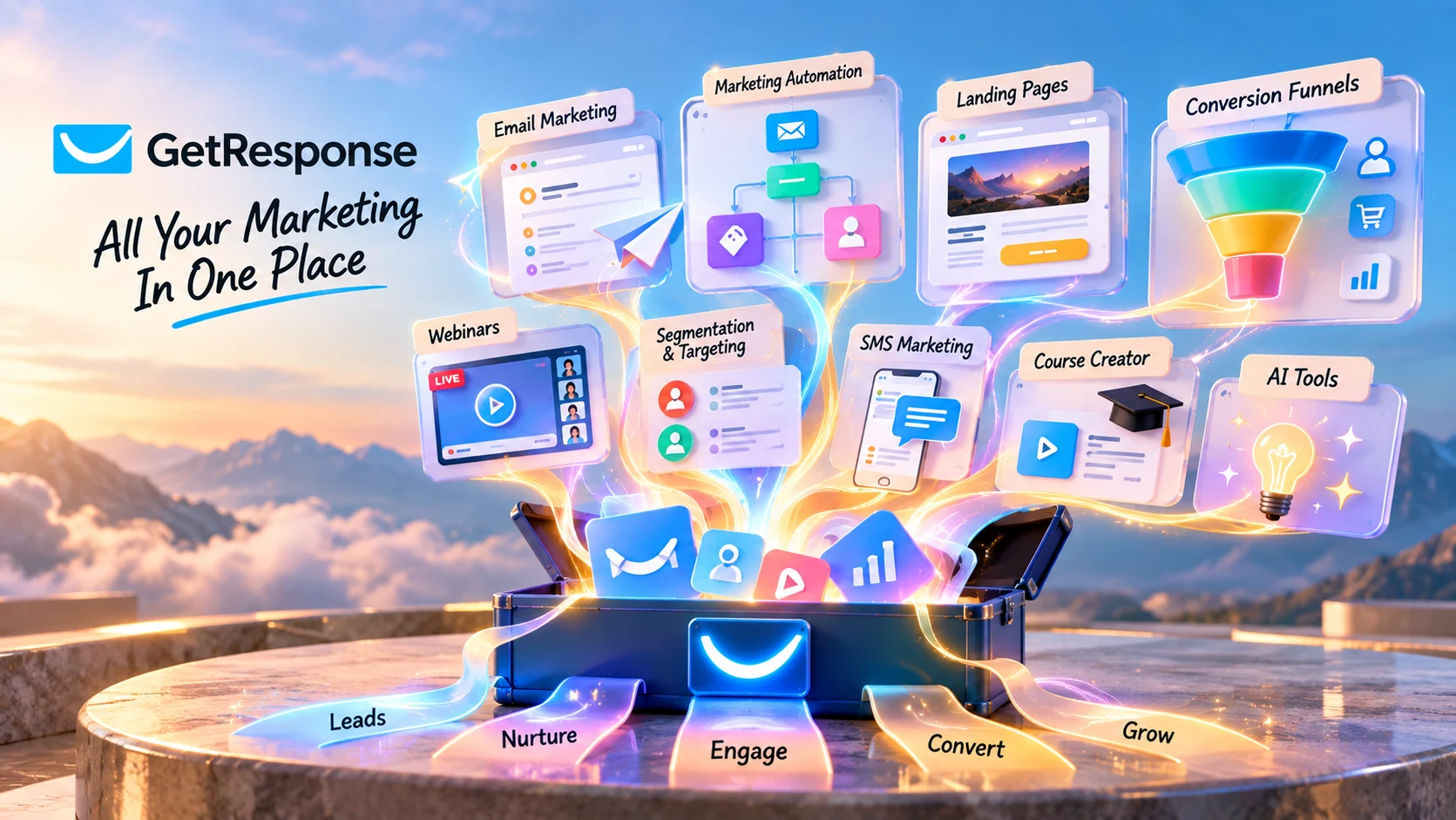
GetResponse is a marketing automation platform built around workflows. You define what should happen when a contact signs up, clicks, buys, or reaches another condition, and the system handles the follow-up automatically. Here's what it actually does, what it costs, and where it falls short.
GetResponse's official pricing page lists a 14-day free trial, no credit card required. Pricing and features can change, check GetResponse's current plans before you subscribe.
GetResponse is a centralized marketing automation platform that connects email, funnels, webinars, and lead scoring into one system. Instead of managing every campaign manually, you build an automation once. It can include a trigger, conditions, and a sequence of actions. GetResponse then runs that workflow for contacts who meet those conditions.
GetResponse goes beyond one-off email campaigns by letting you build workflows that continue running after they are set up. A campaign reaches the people on your list today. A workflow reaches everyone who enters your funnel on an ongoing basis, with the message that matches what they actually did.
Mailchimp and Kit lean toward sending and audience communication. Systeme.io covers basic automation inside an all-in-one starter platform. GetResponse's own positioning is automation-first: workflows, triggers, and segmentation are the center of the product, with email as one channel inside that system rather than the whole point of it.
Opening GetResponse for the first time surfaces workflows, triggers, funnels, and segmentation tools front and center, a workflow canvas rather than a plain message composer. That's a different starting point than a typical "write an email, pick a list, send" tool, and it changes what the product expects from you on day one.
What that first session actually looks like:
Most tools hand you a blank composer and let you figure it out as you go. The interface puts workflows, triggers, funnels, and segmentation close to the center of the experience, so new users may spend more time configuring the system than they would in a basic newsletter tool.
Four videos from the GetResponse channel covering email marketing, workflow automation, A/B testing, and customer retention, each links down to the section covering that topic in depth.
How GetResponse's automation and segmentation tools are positioned to help turn one-time buyers into repeat customers.
A walkthrough of getting started in GetResponse from a fresh account, covering the basics of setting up your first campaign.
An introduction to building and sending campaigns inside GetResponse's email editor.
How to set up A/B tests on email campaigns inside GetResponse to compare subject lines, content, and send times.
GetResponse holds a 4.3/5 rating on G2, based on 1,141 reviews as of this review.
G2 ratings and review counts change over time. Check G2's current GetResponse page for the latest figures before relying on this summary.
GetResponse is more than an email tool. Its main focus is connecting email, funnels, contact behavior, and automation in one platform.
GetResponse connects email, funnels, contact behavior, and lead scoring in the same platform. For example, a signup can start a workflow, a link click can move a contact into another branch, and a purchase can remove them from a nurture sequence.
In practice, you spend less time managing individual sends and more time managing the rules that decide when and how the system reaches out, a different job than writing and scheduling campaigns one at a time.
Multi-step sequences triggered by contact behavior. Once activated, the workflow can run automatically for contacts who meet its conditions.
Dynamic audiences built from what contacts actually do (clicks, opens, purchases, page visits) rather than which list they joined, updating in real time.
Contacts can be moved through different workflows or segments based on actions such as signups, clicks, purchases, and lead-score changes.
Funnels connect to the same contact and automation system as email, so a step in a funnel can trigger an email sequence without a separate integration tool.
Activity in one part of the platform can be used in other workflows, such as using email engagement for segmentation or lead scoring.
Lets businesses manage growing contact lists within the same platform, although pricing and feature access scale with list size and plan.
GetResponse is often compared with ActiveCampaign, MailerLite, and Brevo because they overlap in email marketing and automation.
| Capability | GetResponse | ActiveCampaign | MailerLite | Brevo |
|---|---|---|---|---|
| Core focus | Centralized automation: email, funnels, and lead data as one system | Deep automation with a built-in CRM layer | Simplicity and clean templates | Email, SMS, transactional messaging, and marketing automation |
| Automation depth | Advanced: visual workflow canvas, multi-step logic gates | Advanced automation with CRM and extensive workflow logic | Simpler automation with fewer branching options | Automation available alongside email, SMS, and transactional messaging |
| Funnel building | Native funnel builder connected to the same contact and automation system | Relies more on third-party integrations for funnels | Minimal: templates and forms, not full funnels | Minimal: primarily an email/SMS sending platform |
| Webinars | Built in, integrated with automation | No native webinar tool | No native webinar tool | No native webinar tool |
| Lead scoring | Native, built into the automation layer | ActiveCampaign offers predictive lead scoring and CRM features alongside its automation tools | Not a core feature | Not a core feature |
| Built-in CRM | Lead scoring and lifecycle tools, not a full CRM | Yes, CRM is a core differentiator | No | No |
| Best for | Businesses building centralized, funnel-to-email automation systems | Teams that want automation and CRM combined | Beginners who want clean design and straightforward sending | Teams focused on email, SMS, transactional messaging, and marketing automation |
Pricing varies by contact tier for all four, so it isn't included here. Check each vendor's own pricing page for current figures.
A fifth name worth a quick mention: GetResponse vs. HubSpot for small business. HubSpot is a much larger, full CRM-and-marketing suite; for a small business the comparison usually comes down to scope rather than features, HubSpot spans sales, service, and marketing as one platform, while GetResponse stays focused on email, funnels, and automation. Businesses that need a full CRM alongside marketing typically look at HubSpot; those that just need centralized email automation without CRM overhead are the better fit for GetResponse.
A simple way to understand GetResponse is to look at three common tasks: building an automation, creating a landing page, and setting up an email.
Building Your First Automation Workflow
Creating a Landing Page with the Funnel Builder
Using the Email Editor
Registration forms let existing websites feed contacts into GetResponse without rebuilding the site around a funnel. You can use embedded forms or popups, and submissions can trigger automation workflows.
Three capabilities worth knowing that don't fit neatly into "automation workflows" or "funnels":
Autoresponders: Scheduled email sequences that go out on a fixed timeline after someone joins a list. They are simpler than the full workflow canvas and useful for straightforward drip sequences.
SMS Marketing: Per GetResponse's own help documentation, SMS is currently available on Enterprise (MAX) accounts, and on self-service Starter, Marketer, and Creator accounts based in Poland, Germany, and Switzerland, with a separate setup path documented for the US and Canada. Fees include a 10DLC phone number ($5 to $50 per month), a one-time $5 brand registration fee, and a $30 per month campaign registration fee, on top of per-SMS send rates drawn from a prepaid SMS balance. Confirm current availability and rates for your account's region directly with GetResponse before relying on these figures.
Course Creator: A course-building feature for selling and delivering online courses, integrated with GetResponse's wider marketing and automation tools. Per GetResponse's official pricing page, the Creator plan supports up to 500 students; check GetResponse's current pricing page for limits on other tiers.
GetResponse bundles AI tools directly into its plans rather than selling them separately. Per GetResponse's own pricing page, Starter includes AI content generation limited to 3 uses, while Marketer and above include unlimited AI tools. These cover campaign and email copywriting, subject-line suggestions, and send-time recommendations, aimed at cutting down the blank-page problem when building a sequence, not replacing the automation logic itself. The Creator tier adds an AI website builder, while GetResponse also offers AI tools for generating campaign and landing-page content. GetResponse's homepage also highlights AI-driven product recommendations for personalizing what a contact sees.
These AI features sit on top of the automation system covered elsewhere in this review: the AI writes content and suggests timing, while the workflow canvas still decides when and to whom it gets sent. Check GetResponse's current pricing page for which AI features are included at each tier, since usage limits and tier placement can change.
GetResponse connects to 150+ third-party tools, per GetResponse's own homepage, spanning ecommerce systems, CRMs, webinar and content tools, and general-purpose automation platforms like Zapier for anything not natively supported. The integration library covers many common ecommerce, CRM, webinar, and automation tools, while less common systems may require an API or third-party connector.
GetResponse offers a Data Processing Agreement (DPA) that forms part of its Terms of Service, agreed to electronically at account setup, per GetResponse's own published DPA. Key points from that document:
The DPA doesn't name specific data center regions. If data residency is a hard requirement for your business, confirm the current specifics directly with GetResponse rather than relying on this summary, requirements and infrastructure can change.
Webinars in GetResponse aren't a separate tool that drops registrants into a static list, registration itself is an automation trigger, the same way a link click or a purchase is elsewhere in the platform. A registration can kick off a confirmation and reminder sequence automatically, and attendance status (attended vs. no-show) can branch the follow-up path, a replay and offer sequence for attendees, a re-engagement sequence for no-shows.
Webinar activity can also feed into automation and lead-scoring workflows. That allows follow-up to differ based on whether someone registered, attended, or missed the webinar.
| Category | Detail |
|---|---|
| Platform | Cloud-based, browser-accessible, no installation |
| Email Marketing | Core feature: drag-and-drop template builder |
| Automation | Multi-step workflows, conditional branching, behavior-based triggers |
| Funnel Builder | Natively connected to the same contact and automation system as email |
| Segmentation | Behavior-based, updates dynamically as contacts act |
| Lead Scoring | Built in; can trigger workflows at score thresholds |
| Webinars | Live and on-demand, integrated with automation |
| Integrations | 150+, per GetResponse's own homepage |
| API Access | Public API for custom integrations and data exchange |
| Landing Pages | Template-based, connected to the automation system |
| Customization | Drag-and-drop editors for email, landing pages, and workflows |
| Free Trial | 14 days, no credit card required, per GetResponse's official pricing page |
The basic email editor is easy to understand. The harder part is learning how workflows, conditions, segmentation, lead scoring, funnels, and integrations interact. If you're coming from a simple newsletter tool, expect a longer setup period, especially if you want to build branching automations rather than basic autoresponders.
GetResponse's automation layer turns that map into something that runs on its own.
The native connection between funnels and email removes a layer of integration work that a best-of-breed stack would otherwise require.
Tied to the same lead-scoring system, this avoids stitching together a separate webinar tool and a separate automation platform.
A different tool may be a better fit in these cases:



GetResponse currently offers three standard plans plus an Enterprise plan. Figures per GetResponse's official pricing page, checked October 2026.
$15.58/mo billed annually. The entry point for unlimited email sending with basic automation.
$48.38/mo billed annually. Most Popular. Unlocks unlimited workflows and sales funnels.
$56.58/mo billed annually. Adds Course Creator and webinars.
Talk to GetResponse's sales team for a rate.
These are the starting prices for the smallest listed contact tier; pricing increases as your contact list grows.
GetResponse offers a 14-day free trial with no credit card required.
GetResponse is worth it for businesses that want email, funnels, and behavior-based automation running as one connected system rather than managing separate tools. It's less of a fit for someone who just needs to send occasional newsletters without any automation behind them.
Three standard plans plus Enterprise: Starter at $19/month ($15.58/month billed annually), Marketer at $59/month ($48.38/month annually), Creator at $69/month ($56.58/month annually), and custom Enterprise pricing. Per GetResponse's official pricing page, checked October 2026.
Yes, a 14-day free trial with no credit card required, per GetResponse's homepage and pricing page.
ActiveCampaign combines marketing automation with a built-in CRM, while GetResponse focuses on email, funnels, and lead scoring rather than positioning itself as a full CRM.
Yes, on Enterprise (MAX) accounts, and on self-service plans for accounts based in Poland, Germany, and Switzerland, with a documented setup path for the US and Canada. Confirm current availability for your region directly with GetResponse.
GetResponse provides a Data Processing Agreement covering EEA and cross-border data transfers via Standard Contractual Clauses, lists its sub-processors, and supports double opt-in for documented consent. Specific data center locations aren't named in the DPA; confirm data residency requirements directly with GetResponse if that's a hard requirement.
Yes, live and on-demand webinars are integrated directly with GetResponse's automation and lead-scoring system, not a separate bolt-on tool.
Up to 500 students on the Creator tier, per GetResponse's official pricing page. Check current limits for other tiers directly.
GetResponse makes the most sense for businesses that want their funnels, email, and lead scoring running as one connected system instead of several tools stitched together after the fact. It isn't the simplest option for someone who just wants to send occasional campaigns, and the upfront setup work is real.
For a business still figuring out what it's selling, a simpler tool is probably the better starting point. For a business with a defined funnel that wants automation to carry the ongoing work, GetResponse's centralized approach is built specifically for that.
Build a workflow, connect a funnel to your email list, and see how the automation carries the follow-up once it's set up.
Independent review. Prices and features may change; always check the official GetResponse site for the latest information.
 GetResponse
 Notion AI
 Pipedrive