LetsEnhance doesn't just stretch pixels; it uses targeted neural networks trained on specific textures. Choosing the wrong model will give you a plasticky or blurry print. Here is exactly how to choose your engine.
📷
The Prime Model — For Photos and Product Images
This is your workhorse for real-world textures. It reconstructs missing data based on sharp physical edges—like skin pores, fabric weaves, and small text on packaging labels. It avoids the "hallucination" trap, making it the only safe choice for e-commerce or commercial prints where accuracy is non-negotiable.
🎨
The Digital Art Model — For AI-Generated Images
Midjourney, DALL-E, and FLUX images look great on glass, but when printed, their unique compression artifacts look messy. This model specifically targets and flattens surreal blending patches, noise patterns, and stray pixels, leaving clean vectors and smooth gradients that commercial ink jet plotters can read without choking.
Step-by-Step Guide: How to Upscale Images for Print
Don't just upload and hope for the best. To ensure your print shop doesn't reject your file for low density, follow this precise production pipeline.
Step 01 / Source Check
Time: 30 Seconds
Clean the Source File
Before uploading, ensure you aren't working on a double-compressed WhatsApp screenshot or a thumbnail. Check the file properties. If your starting file is under 500KB, you will need a 4x or even 8x custom upscale factor to generate the raw pixel density required for a standard print.
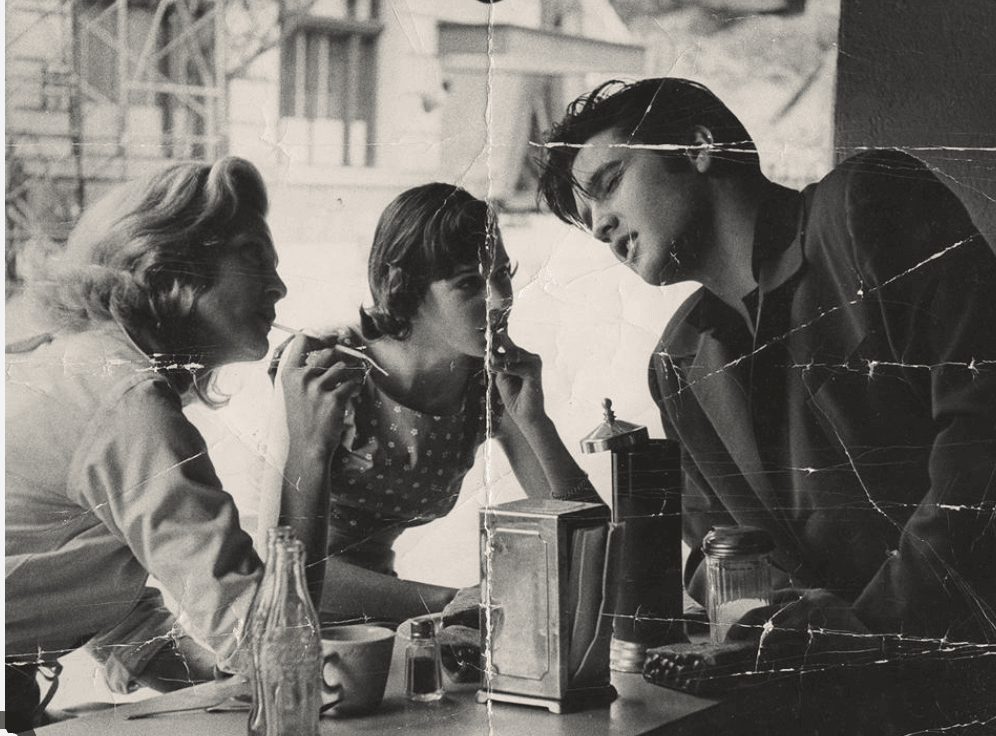 Evaluating compression noise on the raw low-resolution asset.
Step 02 / Core Configuration
Time: 45 Seconds
Select the Model and Scale Factor
Drop your image into the workspace. On the right-hand settings panel, select your processing type. For photography, click Upscale -> Photos -> Prime. Under size settings, select your output multiplier. Refer to our Quick Print Calculator above: if you need to print an 11" x 14" poster from a small web asset, select a minimum of 4x enlargement.
Step 03 / Density Adjustment
Time: 20 Seconds
Toggle the 300 DPI Printing Preset
This is the step most people overlook. Screens read files at 72 dots per inch; physical paper demands 300. In the output preferences, turn on the Print Preset toggle. This tells the algorithm to change the file's metadata header information, automatically embedding the target print size directly into the file layout so the print shop's software opens it correctly without scaling distortion.
Step 04 / Export Cleanly
Time: 60 Seconds
Render and Export as Lossless PNG or TIFF
Click the Start Processing button. The cloud GPUs will render the image inside a localized container. Once ready, download the file. **Crucial Print Tip:** Save your final down-stream asset as a lossless PNG or uncompressed TIFF file. Avoid saving it as a heavy-compression JPEG, which instantly reintroduces blocky artifacts onto your newly upscaled edges before it hits the printer rollers.
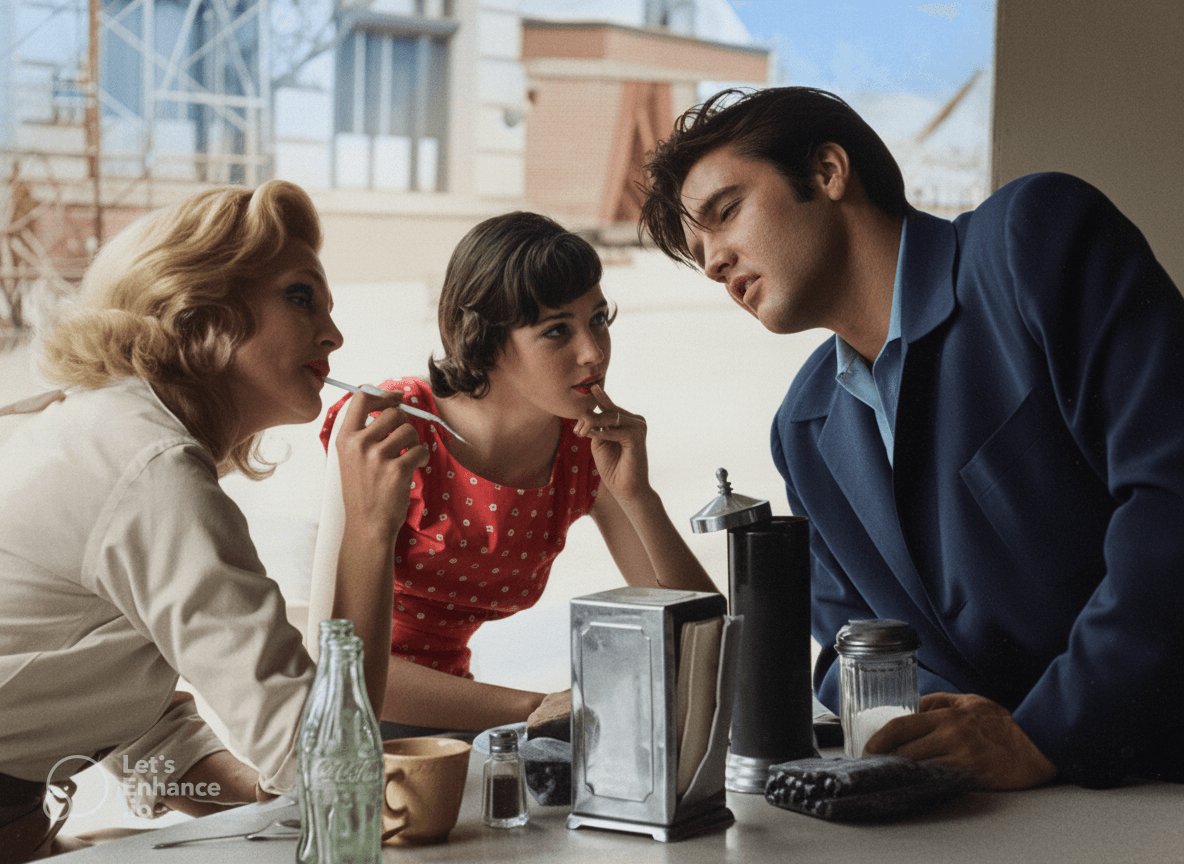 Finished asset output with restored micro-textures, ready for commercial production.