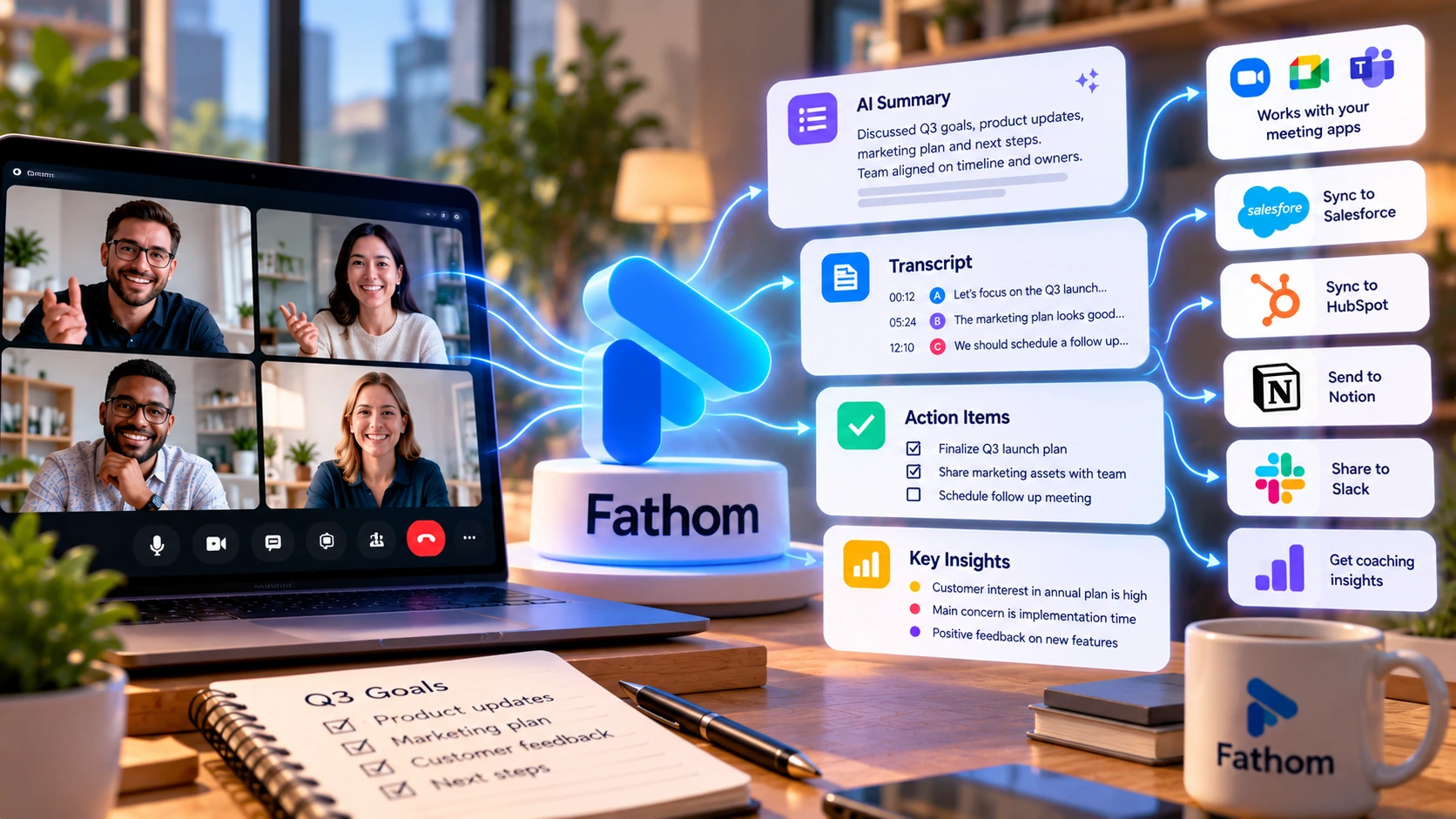
Fathom AI joins your video calls, records them, and produces a transcript, a summary, and a list of action items automatically, with a free plan that has no time limit. This review covers how it actually works, current pricing across five plans, what changed after Superhuman's 2026 acquisition, what independent G2 reviewers report, and how it stacks up against Otter AI and Fireflies.
Pricing and features can change. Check Fathom AI's current pricing page before you subscribe.
Fathom AI is a meeting assistant that joins your video calls, records them, and produces a transcript, a summary, and a list of action items automatically. It works with Zoom, Google Meet, and Microsoft Teams. In September 2026, Superhuman, an AI productivity company, acquired Fathom. The product continues to operate under the Fathom name. The acquisition does not, by itself, mean that its features or pricing will change.
Fathom offers a free plan with unlimited recordings and transcriptions, and it stays free indefinitely rather than expiring after a trial period. Paid tiers add CRM sync, coaching analytics, and team administration.
Multiple G2 reviewers report that a summary is ready within minutes of a call ending, often before they've closed the meeting app. This is a reported experience, not a published service guarantee from Fathom.
You can ask Fathom to pull a specific detail from a call that happened weeks earlier instead of searching through a recording.
Connecting a calendar and a meeting platform is a short process, and several G2 reviewers report needing no separate training.
The free plan (details in the pricing section below) is also a genuine reason to pick Fathom over a paid-only competitor if you're an individual or a very small team not ready to commit to a paid tool.
Fathom gives you a choice of two ways to join a call: as a visible bot that appears as a participant in the meeting, or bot-free, recording silently through the desktop app without joining as a visible attendee. Bot-free capture is in beta and currently available on Mac; Windows support is not yet released, per Fathom's own product page. Telling everyone on a call that it's being recorded is good practice regardless of which method you use, since a silent bot-free recording is even less obvious than a visible one. Whether you're legally required to get consent, and in what form, depends on where you and the other participants are, so check the recording-consent laws that apply to your own situation rather than assuming one rule covers every call.
Once a call ends, Fathom delivers a transcript, an AI-generated summary, and extracted action items. You can also ask Fathom questions about a past call directly, pulling up specific details without re-watching the recording.
Fathom's help center states it currently transcribes 38 languages, including Arabic, German, Portuguese, Hindi, and Russian among others. Seven of those (English, French, German, Dutch, Italian, Portuguese, and Spanish) also get automatically translated summaries, available to Premium and Team Edition users. The full list is published on Fathom's own site and is worth checking directly if your meetings run in a specific language, since that help article was last updated in May 2025 and the list may have grown since.
Two videos from Fathom's own YouTube channel, covering cross-meeting search and how Fathom surfaces meeting notes inside ChatGPT and Claude.
Official Fathom AI video showing how the assistant searches, gathers insights, and takes action across all your meetings. Uploaded 2026-04-17. (Fathom AI's own channel)
Official Fathom AI video showing how Fathom meeting notes integrate into ChatGPT, Claude, and other LLM tools. Uploaded 2026-04-17. (Fathom AI's own channel)
Fathom has five tiers. Prices below are per user, per month, in US dollars, from Fathom's own pricing page. All paid plans carry a 90-day money-back guarantee.
Free indefinitely, not a trial.
$16/month billed annually. For individuals.
$15/month billed annually. 2-user minimum.
$25/month billed annually. 2-user minimum.
Fathom's pricing page routes Enterprise buyers to a "Talk to Sales" conversation; no public figure is shown.
Fathom treats Salesforce and HubSpot a little differently on the Business plan. For Salesforce, Fathom's admin guide ties the org-wide, admin-connected sync and Deal View to Business specifically, while an individual can connect their own Salesforce account in personal settings without a stated plan restriction. For HubSpot, Fathom's help center allows up to 3 individual connections per user on Free and Team, unlimited on Business and Enterprise, but restricts syncing summaries into HubSpot deal fields to Business and Enterprise, and custom field mapping to Team and Business.
Fathom connects to Zoom, Google Meet, and Microsoft Teams for meeting capture. Beyond that, Fathom's own integrations page groups a much wider set of connections, including two added recently.
Fathom's own page states these are "available on every Fathom plan," including Free, bringing meeting content directly into a ChatGPT or Claude conversation.
Added after the acquisition and marked "New" on Fathom's integrations page, it uses your meeting history to help write emails and other messages inside Superhuman's own product, rather than being a meeting-capture feature itself.
CRM sync, with different plan rules for each (see the Pricing section above for the full breakdown). In short: a Salesforce individual connection has no stated plan restriction, but org-wide sync and Deal View need Business. HubSpot allows limited individual connections starting on Free, but syncing to HubSpot's deal fields needs Business or Enterprise.
Sends meeting highlights to a channel in real time.
Converts Fathom action items into Asana tasks.
Sends meeting summaries, action items, and transcripts into Notion through a workflow automation platform such as Zapier or Make, per Fathom's own dedicated Notion integration page, so meeting notes can sit alongside your project documents there.
Separate automation tools that connect Fathom's meeting data to other apps and workflows beyond the direct integrations above.
Fathom also has a public API, webhooks for events like new summaries and action items, and a developer hub for custom integrations. Fathom's pricing page lists "Public API & MCP" with usage limits noted on at least some plans, but its feature table doesn't clearly show which tiers those limits apply to; check the developer documentation or ask Fathom's sales team for your plan's specific limits before building on it. Fathom's G2 profile lists 52 total integrations in all, a count Fathom itself supplies and verifies on G2's integration page.
Fathom's own security help article states directly, in the article body rather than just page metadata, that it has HIPAA compliance, SOC 2 Type II status, and GDPR alignment, and that services are hosted in the United States. A vendor's own compliance claim isn't the same as an independent audit report or a guarantee that every customer's own configuration meets its obligations, so an enterprise buyer with specific requirements should still confirm the details through Fathom's Trust Center and its contract terms rather than this summary alone. Neither that article nor Fathom's privacy policy names a specific encryption standard like AES-256 or TLS; the policy only describes "reasonable physical, technical, organizational and electronic safeguards" in general terms.
On how Fathom uses your data: the same security article states that none of Fathom's AI subprocessors (it names Anthropic, OpenAI, and Google) are contractually permitted to use customer data to train their own AI models. Fathom does say it uses de-identified data, meaning identifying details are removed or reduced rather than the data being fully anonymous, to improve the accuracy of its own proprietary AI models for all users. An individual can opt out of this in their own account settings at any time; on Team Edition, an organization can opt out every user on the account. Fathom also states it does not sell customer data to third parties.
Deleting your data isn't instant. Fathom's policy says it will use "commercially reasonable efforts" to delete your recordings and personal information within 30 days of a request, and explicitly doesn't guarantee that window will always be met. On Team, Business, or Enterprise accounts, deletion has to be requested by your workspace administrator, not by an individual user.
Sharing isn't locked down by default in every case. Fathom's policy states it may automatically share a copy of a meeting with other participants, based on your account's sharing configuration, whenever it already has their email address. If you record meetings with people outside your organization, check your own sharing settings rather than assuming a recording stays private unless you explicitly send it.
For a BAA or compliance documentation you can show a compliance team, confirm directly with Fathom's sales team; the public pages referenced here don't publish which plan tier includes a signed BAA.
| Feature | Fathom AI Current Specs |
|---|---|
| Meeting Platforms | Zoom, Google Meet, Microsoft Teams |
| Capture Method | Visible bot, or bot-free local recording (beta, Mac only) |
| Transcription Languages | 38 languages, per Fathom's help center |
| Transcription Delivery | Full transcript and AI summary after the call ends |
| In-Call Assistant | Conversational Q&A about past calls (Premium and up) |
| AI Assistant Integrations | ChatGPT and Claude, on every plan including Free |
| CRM Sync | Salesforce: personal connection with no stated plan limit, org-wide sync and Deal View on Business+. HubSpot: limited personal connections from Free, deal-field sync on Business+ |
| Coaching Tools | AI scorecards and Deal View (Business plan and above) |
| Mobile | No mobile app yet; an iOS app is listed as "coming soon" on Fathom's own site, no ship date given |
| Team Collaboration | Comments, folders, keyword alerts (Team plan and above) |
| Enterprise Controls | SSO, SCIM, custom data retention, dedicated support |
| Free Plan | Unlimited recordings and transcriptions, no cost |
| Money-Back Guarantee | 90 days on all paid plans |
A capable free meeting assistant without committing to a paid plan.
Want call summaries synced automatically into Salesforce or HubSpot across the whole team, with Deal View or deal-field sync included; that level of setup sits on the Business plan for both CRMs, though an individual can connect their own Salesforce account with no stated plan limit, or a limited number of HubSpot connections starting on Free.
Want coaching data, call scorecards, and deal-level summaries across a sales team.
Need SSO, SCIM, and custom data retention, which sit on the Enterprise tier.
In short: Fathom's free plan and fast meeting summaries make it worth trying first for most individuals and small teams. Compare it against an alternative when you specifically need a different recording-minutes limit, the ability to transcribe files recorded outside the tool, language coverage Fathom doesn't list, or enterprise features Fathom doesn't yet offer.




These are three AI meeting assistants with the same basic job: join a call, transcribe it, summarize it. Prices below are each vendor's own current pricing page, per user. In every cell, the first price is the month-to-month rate and the second is the monthly-equivalent rate when billed annually; neither vendor's table includes a promotional or region-specific rate.
| Category | Fathom AI | Otter AI | Fireflies |
|---|---|---|---|
| Free plan | Unlimited recordings and transcriptions | 300 min/user/month, 30-min cap, 25-conversation history limit | Unlimited transcription, 400 min storage/team, 2-hour recording cap, limited AI summaries |
| Entry paid tier | Premium $20/mo, or $16/mo annually | $16.99/mo, or $8.33/mo billed annually | $18/mo, or $10/seat/month billed annually |
| Mid tier | Team $19/mo, or $15/mo annually (2-user minimum) | $30/mo, or $19.99/mo billed annually | $29/mo, or $19/seat/month billed annually |
| Enterprise | Custom, contact sales | Contact sales | $39 per seat/month, billed annually only |
| Language support | 38 languages transcribed; 7 (English, French, German, Dutch, Italian, Portuguese, Spanish) also get translated summaries on Premium/Team, per Fathom's help center (last updated May 2025) | Transcribes 6 languages (English, French, Spanish, German, Japanese, Chinese) | "100+ languages" per its own pricing page, not broken down further there |
Fathom's pricing structure splits differently from the other two: its Team tier (built for collaboration, not raw features) requires a 2-user minimum, so a single buyer comparing solo pricing should look at Fathom's Premium tier against Otter's Pro or Fireflies' Pro instead of Fathom's Team price. Fathom's standout feature against both competitors is CRM-specific tooling bundled at the Business tier: team-wide automatic Salesforce and HubSpot sync, a Deal View, and AI coaching scorecards together. Otter also syncs to Salesforce and HubSpot starting on its Pro tier, but with a one-user limit that only expands on Otter's own Business and Enterprise tiers, and without Fathom's Deal View or coaching scorecards; Fireflies' own pricing page doesn't detail an equivalent CRM sync or coaching feature for its Business tier.
Fathom holds a 5 out of 5 rating from 7,077 reviews on G2 as of this writing, with an "AI Verified" badge and a Spring 2026 "Best Results" recognition from G2. This rating is a snapshot; check G2 for the latest figures. These points summarize individual G2 reviews. They reflect reported experiences, not a representative survey of all users.
What Users Liked
What Users Disliked
This review was researched by the TechScribe editorial team, based on Fathom AI's own pricing and documentation pages and verified G2 review data (5 out of 5 across 7,077 reviews).
This page may contain affiliate links: if you sign up through them, we may earn a commission at no extra cost to you, which never affects our rating or what we recommend.
Free for unlimited recordings and transcriptions. Paid plans run from $16 to $25 per user per month billed annually (or $19 to $34 monthly), with Enterprise priced individually through Fathom's sales team.
No. You can choose a bot-free recording mode that captures audio locally through the desktop app instead of joining as a visible participant. Bot-free capture is currently in beta and available on Mac; Windows support hasn't shipped yet.
Yes, Salesforce and HubSpot, though the plan rules differ between them. An individual can connect their own Salesforce account in personal settings with no stated plan restriction; HubSpot allows a limited number of individual connections starting on Free. For either CRM, the org-wide sync that updates records automatically for the whole team, plus Deal View or deal-field sync, requires the Business plan, per Fathom's own Salesforce admin guide and HubSpot help-center article.
Yes, on every plan including Free. Fathom brings your meeting content directly into a ChatGPT or Claude conversation.
No. Superhuman acquired Fathom in September 2026. The product still operates under the Fathom name and brand.
Connect your calendar and let Fathom AI record, transcribe, and summarize your meetings. The free plan has no time limit; no credit card required.
Independent review. Prices and features may change; always check the official Fathom AI site for the latest information.
 Read AI
 Fellow
 Fathom AI