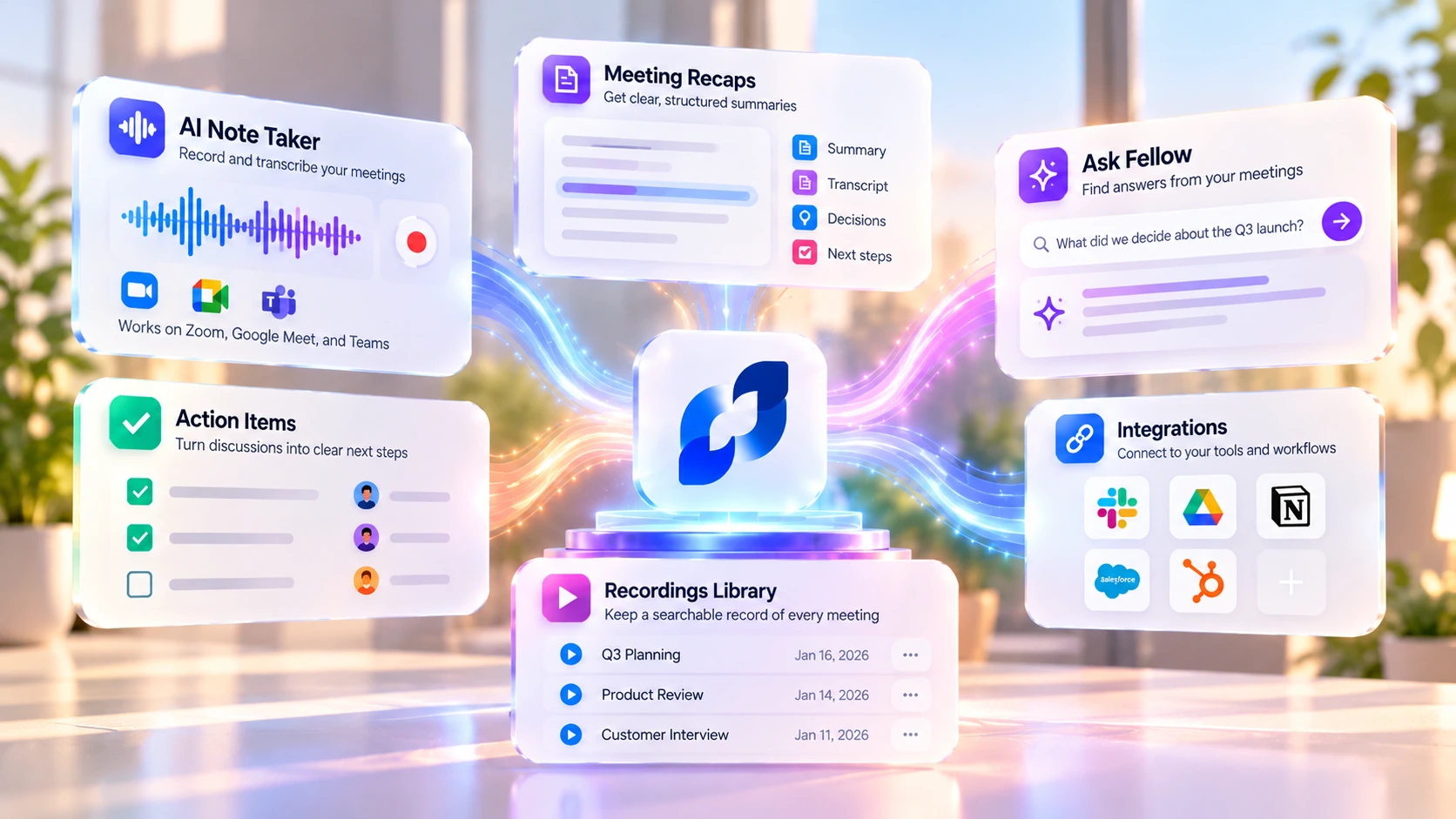
Fellow AI records, transcribes, and summarizes meetings, then adds the governance an organization needs on top: recording policies, transcript redaction, retention controls, and audit logs. This review covers how it actually works, current pricing across five plans, what independent G2 reviewers report, its real limitations, and who gets genuine value from it.
Pricing and features can change. Check Fellow AI's current pricing page before you subscribe.
Many AI meeting assistants record calls, create transcripts, and generate summaries. Fellow AI does that too, but it adds tools for managing access to meeting data, setting recording policies, and controlling how information is stored and shared: a permissioned library, admin recording policies, transcript redaction, retention controls, and audit logs, plus meeting-productivity features from its earlier product like collaborative agendas and one-on-one tools. Fellow AI describes itself as "the only AI meeting assistant built from the ground up with privacy and security in mind," its own stated differentiator rather than an independently verified industry superlative, and it's reflected in the real features covered below.
Getting started is a calendar connection away. You sign up, connect Google or Microsoft calendar, and Fellow AI can join your meetings automatically, or you invite it per call. When it joins a remote meeting with a bot, it announces that recording is happening and asks to be admitted. Prefer no bot? The desktop app can record natively on Mac and Windows instead (see the botless section below for exactly how that's disclosed).
During the meeting you can lean on a shared agenda and take collaborative notes. Afterward, Fellow AI produces a transcript, an AI summary, and a list of action items, all saved to a central library. From there you ask it questions in plain language, push action items to your task tools, or let it update your CRM.
Connect your Google or Microsoft calendar. Choose to auto-join meetings, or invite Fellow AI per call, bot or botless. Fellow AI captures the conversation (see the botless section for how each method is disclosed to participants). Get an AI summary, transcript, and action items in a central library. Ask Fellow AI questions, sync action items, or update your CRM.
Four videos from Fellow AI's own YouTube channel, each with a short summary so you can scan what it covers before pressing play. They range from the Fellow 5.0 launch to a full product demo, the new interface, and a recordings workshop.
Fellow AI's official product update: how Fellow 5.0 turns conversations into outcomes with summaries, the meeting agent, and new workflows. Uploaded 2026-03-13. (Fellow AI's own channel)
A full walkthrough of the AI meeting assistant: meeting summaries, transcript redaction, and the meeting agent in action. Uploaded 2026-01-20. (Fellow AI's own channel)
A live Office Hours demo of Fellow AI's redesigned user interface and how to find your way around it. Uploaded 2026-01-27. (Fellow AI's own channel)
A workshop on using Channels to keep meeting recordings and recaps centralized and permissioned across a team. Uploaded 2026-02-18. (Fellow AI's own channel)
Your data isn't training anyone's model. Fellow AI says it never trains AI on your meeting data. For teams handling sensitive meeting data, that stated no-training policy may be an important factor when evaluating tools.
Admins actually control it. Admins can set recording policies and information barriers (rules that keep one team or business unit from seeing another's meeting data). They can also configure transcript redaction for names and sensitive numbers, Zero-Day Retention (a setting that deletes raw recordings and transcripts shortly after processing, while keeping the AI summary and action items), and an exportable audit trail via a Super Admin API.
Access is need-to-know by default. Recordings and notes are visible only to internal attendees unless someone deliberately shares them, and every share is logged. Fellow AI provides access controls for private meetings like one-on-ones, but administrators should confirm that sharing and permission settings match their organization's needs.
Fellow AI captures meetings wherever they happen. On desktop, the Mac and Windows apps record, transcribe, and summarize calls, including botless recording with no bot joining. On mobile, the iOS and Android apps turn your phone into an in-person note taker: start a recording in a room or on a call, and Fellow AI produces the transcript, summary, and action items. Some advanced admin and workspace settings are desktop/web-only and not available from the mobile apps.
Everything syncs to one account and one central notes library, so a meeting captured on your phone shows up next to ones recorded on your laptop.
Records remote calls, botless or with a bot, with speaker separation.
Records in-person conversations from your phone; some admin settings aren't available here.
Automatic transcription, AI summary, and action items, synced to one library.
AskFellow is Fellow AI's AI meeting agent. Ask it a plain-language question across any meeting you have access to ("what did we decide about the Q3 launch?") and it answers from the transcripts, then helps with the follow-through.
Fellow AI creates a searchable record of meetings and can draft follow-up emails and CRM updates. As with any AI-drafted output, it's worth checking before sending it or changing business records.
Across every meeting you can access, with context pulled from the notes.
Briefs, memos, and recaps drafted from what was discussed.
So the next step goes out fast.
Turn deal talk into suggested Salesforce or HubSpot field changes.
Some AI meeting assistants use a visible bot to join calls. Fellow AI offers that option, along with desktop botless recording and Zoom-native capture. Each method works differently and has a different disclosure experience, which matters for consent:
Why it matters: some organizations don't allow third-party bots into calls at all, and some client meetings look more professional without one. But Fellow AI's own compliance documentation puts the responsibility on the person recording to notify other participants and follow their organization's consent policy and applicable law whenever botless recording is used, regardless of which platform-level notification does or doesn't appear.
Fellow AI publishes security and compliance information in its Trust Center. Its pricing page lists SOC 2 Type II and GDPR compliance, and HIPAA/BAA support on Enterprise. If your organization handles protected health information, confirm the agreement and controls available on your plan before using Fellow AI. For regulated finance firms, investment banks, private equity, hedge funds, RIAs, and broker-dealers, Fellow AI offers controls intended to support SEC recordkeeping and FINRA supervision workflows, but using Fellow AI doesn't by itself satisfy those obligations; the firm's own configuration, retention policy, and legal review still decide that.
The controls that matter:
Fellow AI connects to more than 50 tools (Fellow AI's own count):
Availability rises with the plan: project-management tools from Team, Salesforce and HubSpot from Business, SSO and HRIS on Enterprise.
Platforms: a web app, desktop apps for Mac and Windows, and iOS and Android apps, all synced to one account.
Meeting platforms: Zoom, Google Meet, Microsoft Teams, Webex, Slack huddles, phone, and in person.
Languages: transcription in 100+ languages per Fellow AI's current pricing page, with speaker identification.
Infrastructure: hosted on AWS with enterprise-grade encryption; Fellow AI says AI is never trained on customer data. Developer access (API, Super Admin API, Claude connector, MCP server) starts on the Team plan.
Fellow AI holds a 4.7 out of 5 across 2,440 reviews on G2 (2,000 five-star, 418 four-star, 18 three-star, 1 two-star, 3 one-star), in the Meeting Management category, and carries G2's Enterprise, Mid-Market, and Momentum Leader badges. Review platforms update constantly, so treat this as a snapshot rather than a permanent verdict; check G2 directly for the latest reviews.
What Users Like Most
What Users Like Least
G2's own AI-generated summary of the review body: users consistently praise the ease of use and AI integration, highlighting how it simplifies meeting management and enhances productivity. The ability to generate summaries and transcripts lets users focus on the discussion rather than note-taking. Some users note the software can occasionally struggle with automatic call joining, which they describe as a minor inconvenience.
In their own words, likes and dislikes together:
"Fellow is the best tool in term of organizing meetings, keeping notes, creating action items." A project manager at a small business (50 or fewer employees), 5/5 on G2, review dated January 2023 (an older review, not recent feedback on the current product). What they like: "It's easy to use and very efficient. It's like my daily board in front of me, helps me prepare for meetings, and I can safely take notes and create action items to organize my daily workflow... You can create custom templates depending on your meetings and even create your personal action items, it's private and it's powerful." What they dislike: "I don't think there's something I dislike in Fellow. In fact, everything is super useful. At first, I wasn't used much to it but it became a culture in daily workflow in just few days."
"Effortless Meeting Workflow with Fellow's Google Meet Extension." A head of business development at a mid-market company (51 to 1,000 employees), 5/5 on G2, review dated August 2026. What they like: "The Google Meet extension is probably my favourite bit, having the agenda sit right there in the call without switching tabs saves so much time... the meeting summaries and transcripts mean I'm not scrambling to write things up afterwards, and action items get pulled out automatically." What they dislike: "Fellow sometimes doesn't join a call automatically, though even then the Google Meet plugin gets it in within seconds so it's more a minor annoyance than a real problem. The other bit is the AI follow up suggestions... it can add a bit of noise with extra buttons showing up in my Google Calendar... it would be nice to be able to turn them off for individual users."
"Great Meeting Management, But Email Limit and Price Are Drawbacks." A coach/consultant/implementor at a small business (50 or fewer employees), 2.5/5 on G2, review dated December 2025. What they like: "The fact that you can manage conversations and meeting and tie them all together I think is amazing. I can prepare, conduct, and complete the followup for all my meetings." What they dislike: "The fact that I am limited to one email address has me questioning the value. $29 is too much. This alone keeps me from paying for the full year and my future with Fellow is still up in the air." This matches the pricing section above: Solo really does cost more per seat than Team.
These are direct, verbatim excerpts from individual G2 reviews, not this review's own paraphrase; reviewer names are withheld even though G2 shows them publicly. Some G2 reviews on this listing carry an "Incentivized" or "Source: Seller invite" tag, meaning the reviewer was offered something (G2 itself showed at least one reviewer complaining Fellow didn't honor a promised gift-card incentive) to write the review; worth keeping in mind when weighing the aggregate 4.7/5 score.
The comparison below is TechScribe's own positioning assessment, based on each vendor's public feature and pricing pages.
| Alternative | A verifiable difference worth checking |
|---|---|
| Otter.ai | Otter lists HIPAA compliance under its own Enterprise plan, similar to how Fellow AI lists HIPAA/BAA under its Enterprise plan; if compliance tier availability matters to your decision, compare the two vendors' current plan pages directly rather than taking either one's marketing page at face value. |
| Fireflies.ai | Fireflies' current pricing runs Pro $10, Business $19, Enterprise $39 per seat/month billed annually; Fellow AI runs Team $7, Business $15, Enterprise $25. Fireflies also gates SSO, SCIM, and HIPAA compliance to its Enterprise tier, similar to how Fellow AI gates HIPAA/BAA to Enterprise. Compare the specific tier and feature set you need rather than a single "which is cheaper" number. |
| Fathom | Fathom's Free plan includes unlimited recordings and transcription for one person; Fellow AI's Free plan caps at 5 lifetime AI notes and recordings per user. On the team side, Fathom gates SSO, SCIM provisioning, and org-wide security controls to its $35/user Enterprise tier, similar to how Fellow AI gates its own admin and workspace-pooling features by plan; compare both vendors' current plan pages for the specific admin controls you need. |
| Granola | Granola's own enterprise documentation lists SSO/SCIM-based centralized user management, workspace-wide sharing limits, and an admin-configurable transcript retention window, so it does offer organization-wide administration, not just individual note-taking. The practical difference to check is which specific admin controls (retention automation, redaction, audit trail) each vendor exposes self-serve versus through their sales team. |
Fellow AI is priced per user: a free plan, a Solo plan for individuals, and three team/org tiers. Annual billing is cheaper than monthly across the board. Figures below for Free, Team, Business, and Enterprise are confirmed directly against Fellow AI's live pricing page as of this review; Solo is from the site owner's own screenshot of the page's "Individuals" tab.
For those getting started.
$19/user/month billed annually. For a team of one.
Fellow's own "Most Popular" label. $7/user/month billed annually. For small teams.
$15/user/month billed annually. For org-wide support.
Billed annually. Contact sales for monthly. Advanced control and security.
One unusual pricing difference: Solo costs more per user ($19) than Team ($7). Solo includes unlimited AI notes and recordings; Team has monthly usage limits, even though its credits are pooled across the workspace. Fellow AI has not explained the price difference, so this is an observation about its pricing, not a stated reason from the company.
Prices are in US dollars, current as of this review. A 14-day trial of the paid features is separate from the free plan: once a trial ends, the workspace downgrades to Free rather than continuing on paid features. Billing is per active user each cycle; a deactivated user can be replaced at no extra cost.
AI notes vs AI recordings, the part that's metered: an AI recording is a captured, transcribed meeting session; AI notes are the AI-generated summary and action items from that recording. Free meters both at 5 lifetime per user. Team allots 10 of each per user per month, but the credits are pooled at the workspace level rather than strictly reserved per person, so a light user's unused credits can cover a heavier teammate. Solo, Business, and Enterprise make both unlimited.
Sales, Customer Success, Marketing, Engineering, Leadership, HR, and IT, each with tailored notes and workflows.
Private equity, hedge funds, investment banking, RIAs, legal, and healthcare, anywhere meetings face recordkeeping or supervision requirements (subject to the firm's own compliance review, not Fellow AI alone).
Centralized, governed meeting data instead of a dozen individual notetakers.
The Free or Solo plan covers a single user, though Fellow AI's governance features matter most at team and org scale.
Basic use is light: connect a calendar, let Fellow AI join, read the summary afterward. The added depth comes from the governance side: recording policies, permissions, redaction rules, and retention settings are what an admin configures, and getting those right for a regulated org takes planning. Enterprise includes an onboarding program and a dedicated account manager for that kind of rollout.
Being honest about fit is what makes a recommendation worth trusting.





This review was researched by the TechScribe editorial team, based on Fellow AI's own product and documentation, its live pricing page, and verified G2 review data (4.7 out of 5 across 2,440 reviews).
This page may contain affiliate links: if you sign up through them, we may earn a commission at no extra cost to you, which never affects our rating or what we recommend.
Fellow AI publishes its security and compliance information in a public Trust Center; see the Security and Compliance section above for what's confirmed on which plan.
No, according to Fellow AI. It says it never trains AI on your data; see the Security and Compliance section above for the rest of its access and encryption controls.
Yes, two ways: desktop native recording (shows internal participants that recording is active, but external guests may not see a notice) and Zoom-native capture (no Fellow AI bot, and Zoom can show its own notice depending on the host's account settings). Either way, Fellow AI's compliance guidance puts the responsibility on the recorder to notify participants and follow their organization's consent policy and local law.
Zoom, Google Meet, Microsoft Teams, Webex, and Slack huddles, plus phone and in-person meetings.
A bot joins and announces itself, or Fellow AI records botlessly via the desktop app or Zoom-native capture. It then produces a transcript, AI summary, and action items saved to a central library.
Yes: Salesforce and HubSpot for CRM, plus Asana, Monday, Jira, Linear, ClickUp, Notion, Confluence, Slack, Glean, Zapier, and more, over 50 integrations total (Fellow AI's own count).
Yes. Free includes 5 AI notes and 5 AI recordings, lifetime per user. Paid plans are Solo ($19/user/month annually, for one person), Team ($7/user/month annually, small teams), Business ($15), and Enterprise ($25).
100+ languages per Fellow AI's current pricing page, with speaker identification.
Fellow AI adds governance for organizations on top of core notetaking: recording policies, redaction, information barriers, Zero-Day Retention, and audit logs.
Yes. It's used by teams at companies including Shopify, HubSpot, and Dynatrace, and holds a 4.7 out of 5 across 2,440 G2 reviews.
Copilot's built-in meeting-recap feature covers Microsoft Teams meetings. Fellow AI captures meetings across Zoom, Teams, Google Meet, Webex, phone, and in person, and adds a central library, governance controls, and the AskFellow agent.
Fellow AI is a notetaker built around governance: recording policies, redaction, retention controls, and audit logs sit on top of the core transcription and summaries. It isn't the cheapest personal transcription tool, and a solo user may not need most of what it offers.
Who should buy it: teams, especially in finance, healthcare, or legal, that need meeting data centralized and governed as part of the review.
Who probably shouldn't: a single user who just wants quick, cheap transcription; Fellow AI's Solo plan costs more than lighter competitors for less differentiated value at that scale.
Connect your calendar and let Fellow AI record, transcribe, and summarize your meetings. A 14-day trial of the paid features is available; no credit card required.
Independent review. Prices and features may change; always check the official Fellow AI site for the latest information.
 Fellow
 Grain AI